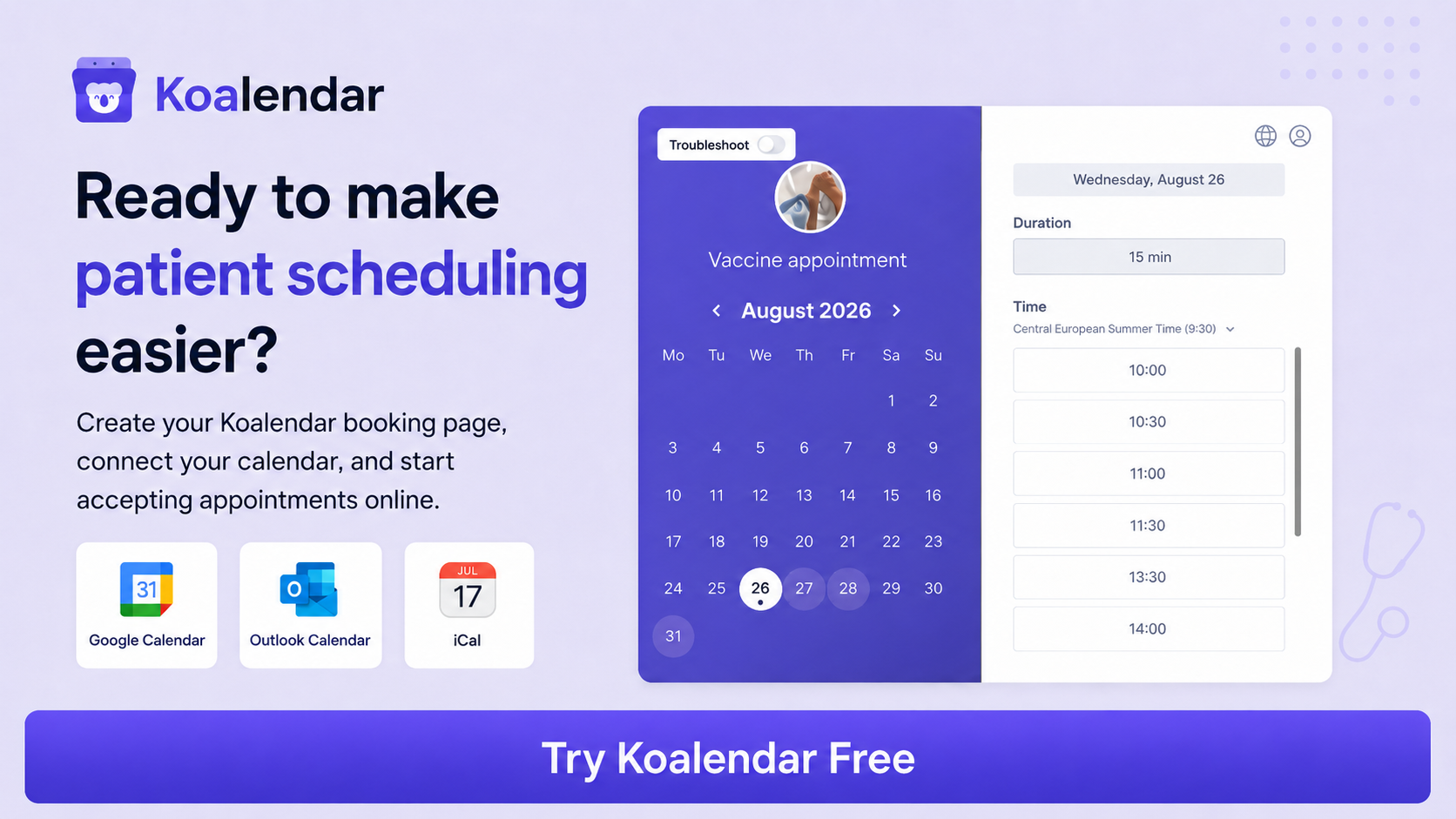
TL;DR
- Koalendar is our top pick for small clinics and independent practices that mainly need simple online booking, automated reminders, calendar sync, forms, and healthcare-friendly privacy options without buying a full EHR.
- Carepatron and SimplePractice make more sense if you also want clinical notes, billing, telehealth, and broader practice-management tools.
- NexHealth, Luma Health, and Phreesia are stronger choices when deep EHR integration, referrals, patient access, or enterprise-scale workflows matter more than simplicity.
- Weave stands out for practices that want scheduling tightly connected with phone and patient communication tools.
- WaitWell is worth considering when you manage both booked appointments and walk-in queues.
- Before choosing a platform, check whether you need a Business Associate Agreement (BAA), which features are covered by it, and how your clinic itself must configure and use the software to meet HIPAA requirements.
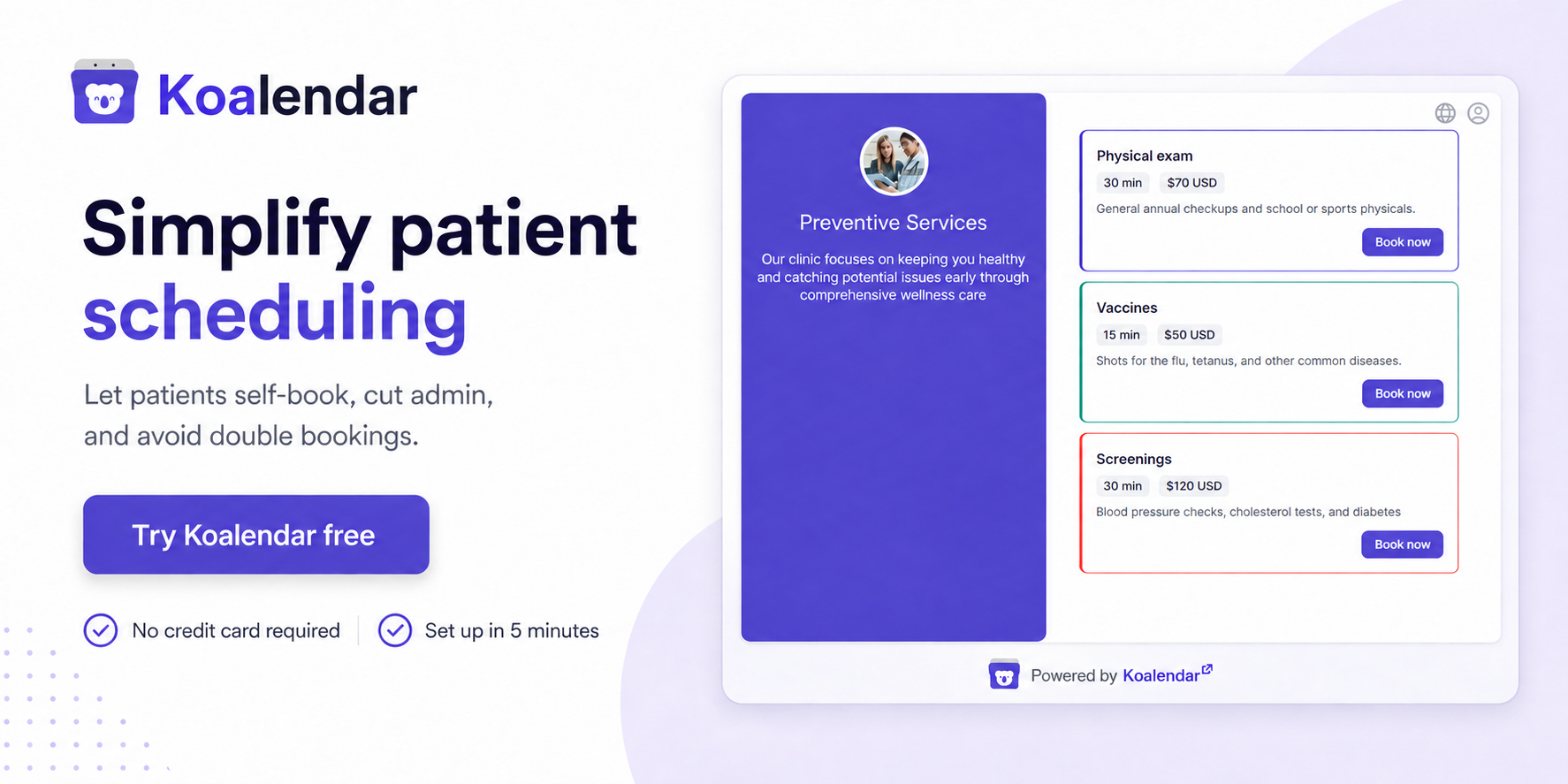
Running a small clinic shouldn’t mean spending half the day answering “What times do you have available?” The best patient scheduling software for clinics gives patients a simple way to book their own visits while helping your team prevent conflicts, send reminders, and keep calendars organized.
Good patient appointment scheduling software should remove work from your front desk, not give them another complicated system to manage.
We compared 10 options based on self-scheduling, reminders, calendar management, privacy, ease of setup, integrations, scalability, and pricing for smaller healthcare teams.
The best patient scheduling software lets patients book appointments online, automatically prevents scheduling conflicts, sends appointment reminders, and makes rescheduling easy. Small clinics should prioritize ease of use, affordability, calendar sync, patient self-scheduling, reminders, and healthcare privacy requirements instead of paying for enterprise features they won’t use.
Best patient scheduling software at a glance
Here’s a quick comparison of the 10 tools we reviewed (prices checked in August 2026 and may change):
| Feature |  |  | Carepatron | NexHealth | SimplePractice | Tebra | Luma Health | Phreesia |  | WaitWell |
| Best for | Small clinics and independent practices | Scheduling + patient communications | Independent practitioners | EHR-connected scheduling | Small therapy practices | Broader practice management | Larger healthcare organizations | Scheduling + patient intake | General-purpose scheduling | Scheduling + queue management |
| Free plan | ✅ | ❌ | ✅ | ❌ | ❌ | ❌ | ❌ | ❌ | ❌ | ❌ |
| Automated reminders | ✅ Pro | ✅ | ✅ Paid plans | ✅ | ✅ Essential+ | ✅ | ✅ | ✅ | ✅ | ✅ |
| Calendar / EHR sync | ✅ Google, Outlook, iCloud | ✅ PMS/EHR integrations | ✅ | ✅ Direct health-record sync | ✅ | ✅ | ✅ EHR integrations | ✅ | ✅ Calendar integrations | ✅ Higher plans |
| Ease of setup and use | Very easy — focused setup and intuitive booking pages | Moderate — broader communications platform takes more setup | Easy–moderate — more practice-management features to configure | Moderate–advanced — deeper EHR integration can require more setup | Moderate — straightforward, but broader clinical workflows add complexity | Advanced — designed as a broader practice-management platform | Advanced — geared toward complex healthcare organizations | Advanced — broader patient access and intake implementation | Easy — mature, general-purpose scheduling setup | Moderate — scheduling plus queue workflows require configuration |
| Integrations and scalability | Strong — calendars, video tools, Stripe, team scheduling; scales well for growing small clinics | Strong — extensive PMS/EHR and communications integrations | Strong — scheduling plus clinical, billing, and telehealth workflows | Very strong — deep healthcare-system and EHR connectivity | Strong — scales from solo to group therapy practices | Very strong — broad EHR, billing, patient engagement, and practice-management ecosystem | Very strong — built for multi-site and enterprise healthcare workflows | Very strong — extensive patient-access, intake, and healthcare integrations | Strong — broad business integrations, but less healthcare-specific | Strong — supports multi-location, queue, messaging, and higher-tier integrations |
| HIPAA / BAA support | ✅ BAA add-on | ✅ | ✅ | ✅ | ✅ BAA included | ✅ | ✅ | ✅ | ✅ Eligible plan | ✅ Healthcare use cases |
| Starting price* | Free; Pro $6.99/seat/month | From $199/month | Free; paid from $31/month | Custom quote | From $49/month | Custom quote | Custom quote | Custom quote | From $16/month annually | From $29/month/location |
*Prices were checked in August 2026 and may change. Some vendors use custom pricing or promotional rates.
The 10 best patient scheduling software options for 2026
1. Koalendar — Best patient scheduling software for small clinics
Best for: Small clinics, independent practitioners, and healthcare teams that want straightforward online appointment scheduling without committing to a full practice-management suite.

Koalendar focuses on the part of the workflow many smaller clinics actually want to fix: letting patients book available times themselves while keeping provider calendars accurate.
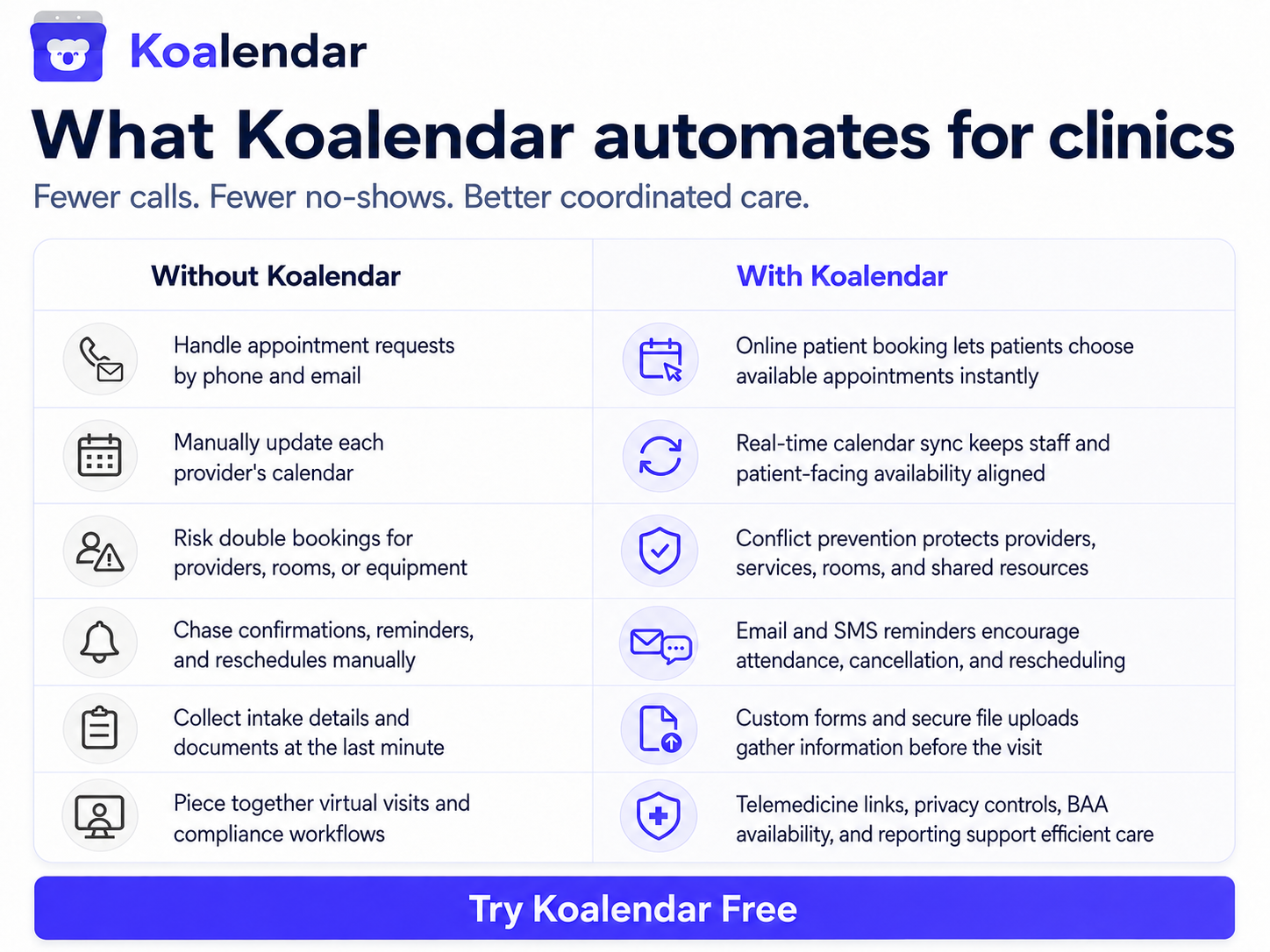
Patients can book, cancel, or reschedule online. Your clinic can create different appointment types, sync Google, Outlook, or iCloud calendars, embed booking pages on its website, and automatically avoid conflicts. For remote appointments, Koalendar can generate Zoom, Google Meet, or Microsoft Teams links.
Key features
- Unlimited bookings and scheduling links
- Customizable self-booking pages
- Google, Outlook, and iCloud calendar sync
- Automatic conflict prevention
- Custom email and SMS reminders on Pro
- Booking questions, forms, and file uploads
- Multiple appointment types
- Round-robin and collective team scheduling
- Zoom, Google Meet, and Microsoft Teams integrations
- Website embeds, smart time-zone detection, 30+ languages, Stripe payments, password-protected booking links
- HIPAA-ready scheduling with a BAA available as an add-on
Pros
- Fast to set up compared with a full medical practice-management platform
- Free Forever plan includes unlimited bookings and scheduling links
- Pro costs $6.99 per seat/month
- Strong fit for clinics already happy with their existing clinical systems
Cons
- It isn’t an EHR
- It doesn’t replace clinical documentation or medical billing software
Pricing: Free Forever; Pro is currently $6.99/seat/month (billed annually). HIPAA support and a BAA are available as an add-on.
Good fit if… your biggest problem is appointment admin—not finding an entirely new clinical software stack.
Check out how this practice simplified scheduling for families and the therapists with Koalendar
For a closer look at healthcare-specific workflows, see Koalendar’s medical scheduling software and clinic scheduling software.
2. Weave — Best for combining scheduling and patient communications
Best for: Clinics that want scheduling, business phones, texting, reminders, confirmations, and patient communication in one ecosystem.
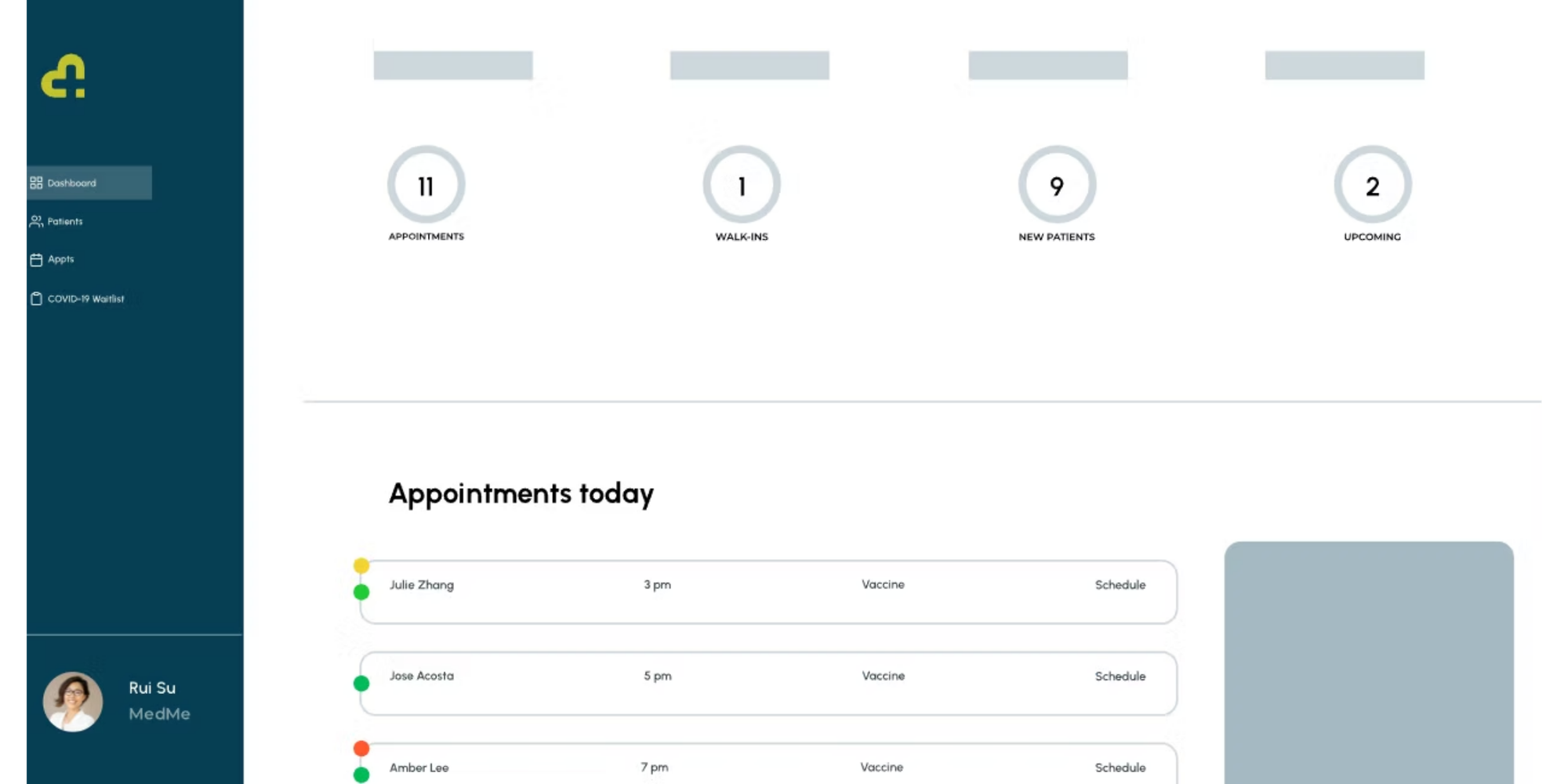
Weave is broader than a standalone scheduler. Its online scheduling tools work alongside two-way texting, phone systems, reminders, digital forms, waitlists, recalls, and payment tools. Patients can request appointments through a website or Google listing. Practices can then manage requests while using automated text or email reminders and appointment confirmations. Weave also integrates with many practice-management and EHR systems.
Key features: Online scheduling, reminders, confirmations, waitlists, follow-ups, digital forms, texting, phone tools, PMS integrations.
Pros
- Strong patient-communication toolkit
- Useful for busy front desks handling calls and texts
- Scheduling can write back to supported practice-management systems
Cons
- More software than a clinic needs if scheduling is the only problem
- Significantly higher entry cost than lightweight scheduling tools
Pricing: Weave currently lists its base platform from $199/month. Its Coordinate bundle, which includes online scheduling, forms, reminders and confirmations, is listed at an additional $149/month.
Good fit if… reducing phone and messaging workload matters just as much as improving the booking process.
3. Carepatron — Best for independent practitioners
Best for: Solo and independent healthcare professionals who want scheduling plus practice-management features.
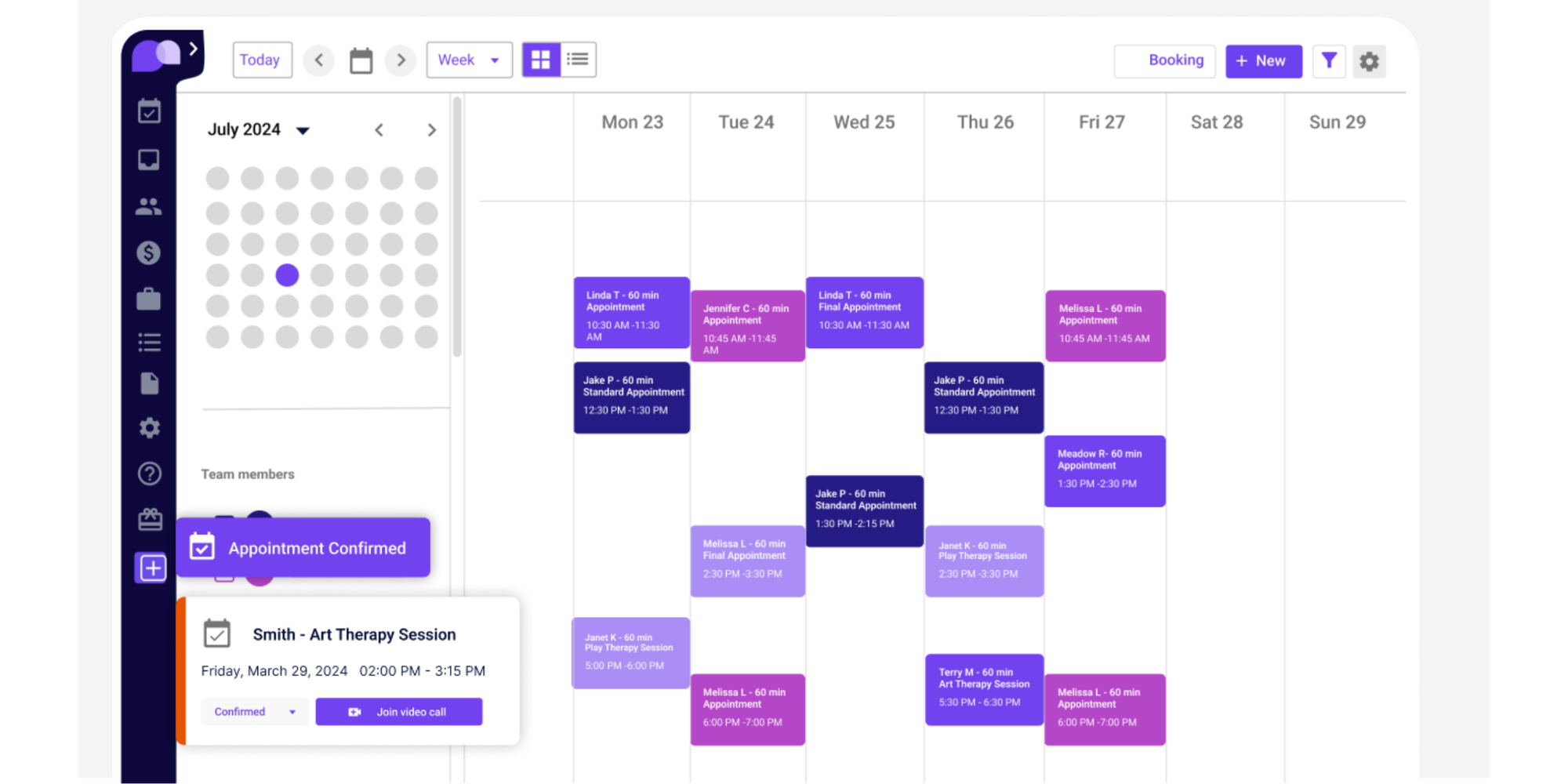
Carepatron combines appointments with telehealth, clinical documentation, a client portal, payments, billing tools, and other healthcare workflows. Online booking connects with practitioner availability, services, booking policies, locations, and payment settings. Clinics can also share or embed booking links.
Key features: Online booking, client portal, telehealth, documentation, payments, billing, calendar tools, forms, reminders on paid tiers.
Pros
- Free plan available
- Wider clinical toolkit than a standalone scheduler
- HIPAA, GDPR, and PIPEDA features are listed across its plans
Cons
- More features and workflows to learn
- Automated appointment reminders and some advanced scheduling features require paid plans
Good fit if… you want one affordable platform covering scheduling and several day-to-day practice workflows.
Pricing: Free plan available. Carepatron lists Plus at a standard $31/month and Advanced at $39/month, with discounts and promotions sometimes reducing those prices.
4. NexHealth — Best for EHR-connected patient scheduling
Best for: Practices where online scheduling must connect directly with the existing health-record system.
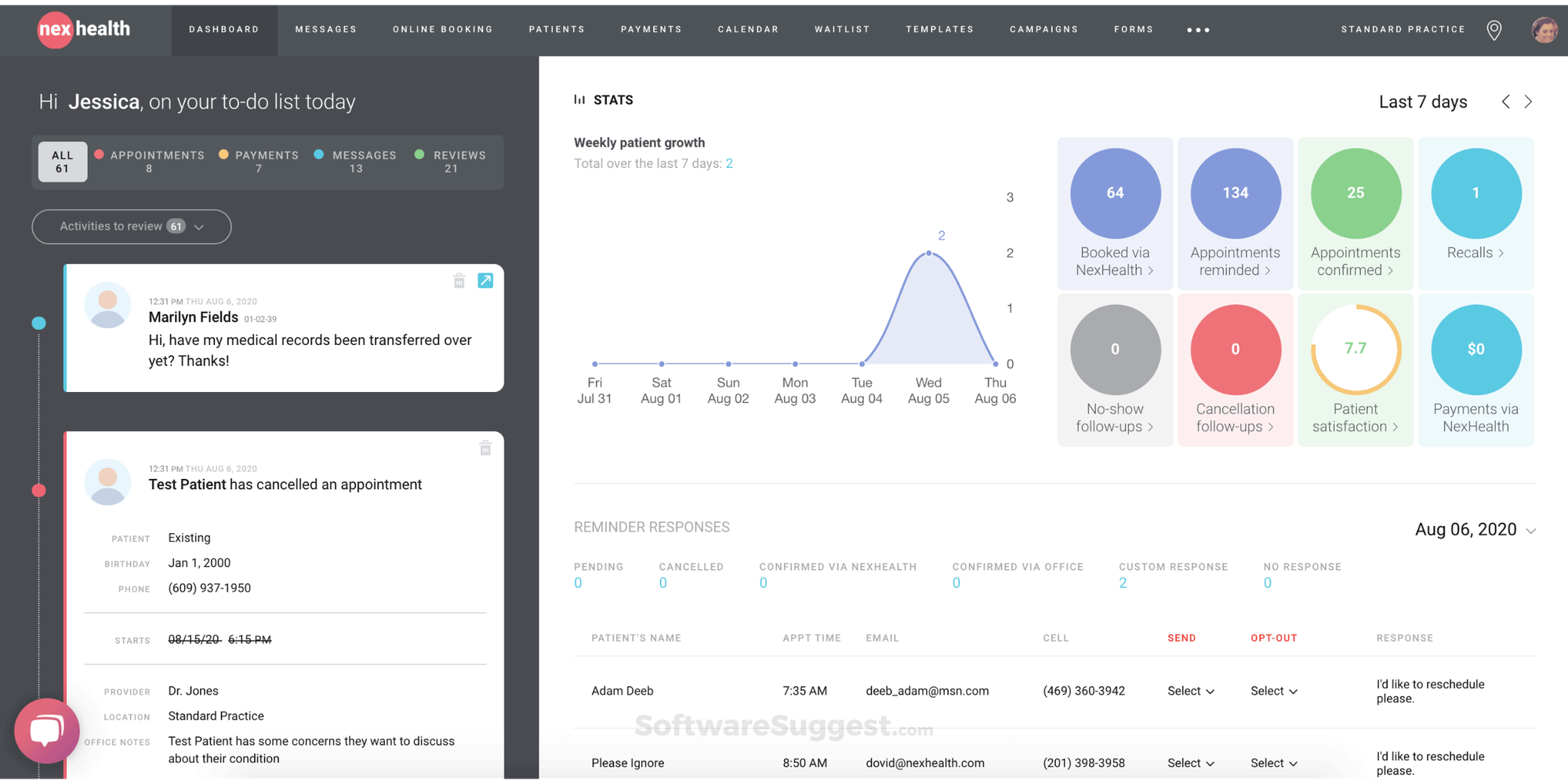
NexHealth is built around its Synchronizer technology. Its online booking product writes appointments into supported health-record systems rather than operating only as a separate calendar layer. The platform also covers recalls, waitlists, forms, communications, reminders, payments, and insurance verification.
Key features: EHR-connected online booking, one-click recalls, scheduling widgets, waitlists, reminders, forms, payments, insurance verification.
Pros
- Deep healthcare workflow focus
- Strong choice when EHR synchronization is essential
- Useful tools for filling cancellations and recalling patients
Cons
- Likely excessive if you only need a shareable booking page
- Public pricing is limited
Good fit if… scheduling data needs to flow directly into your health-record system and you’re willing to pay for deeper integration.
Pricing: Custom pricing based on the products and practice setup selected.
5. SimplePractice — Best for small therapy practices
Best for: Therapists and behavioral-health practices that want scheduling inside a complete practice-management environment.
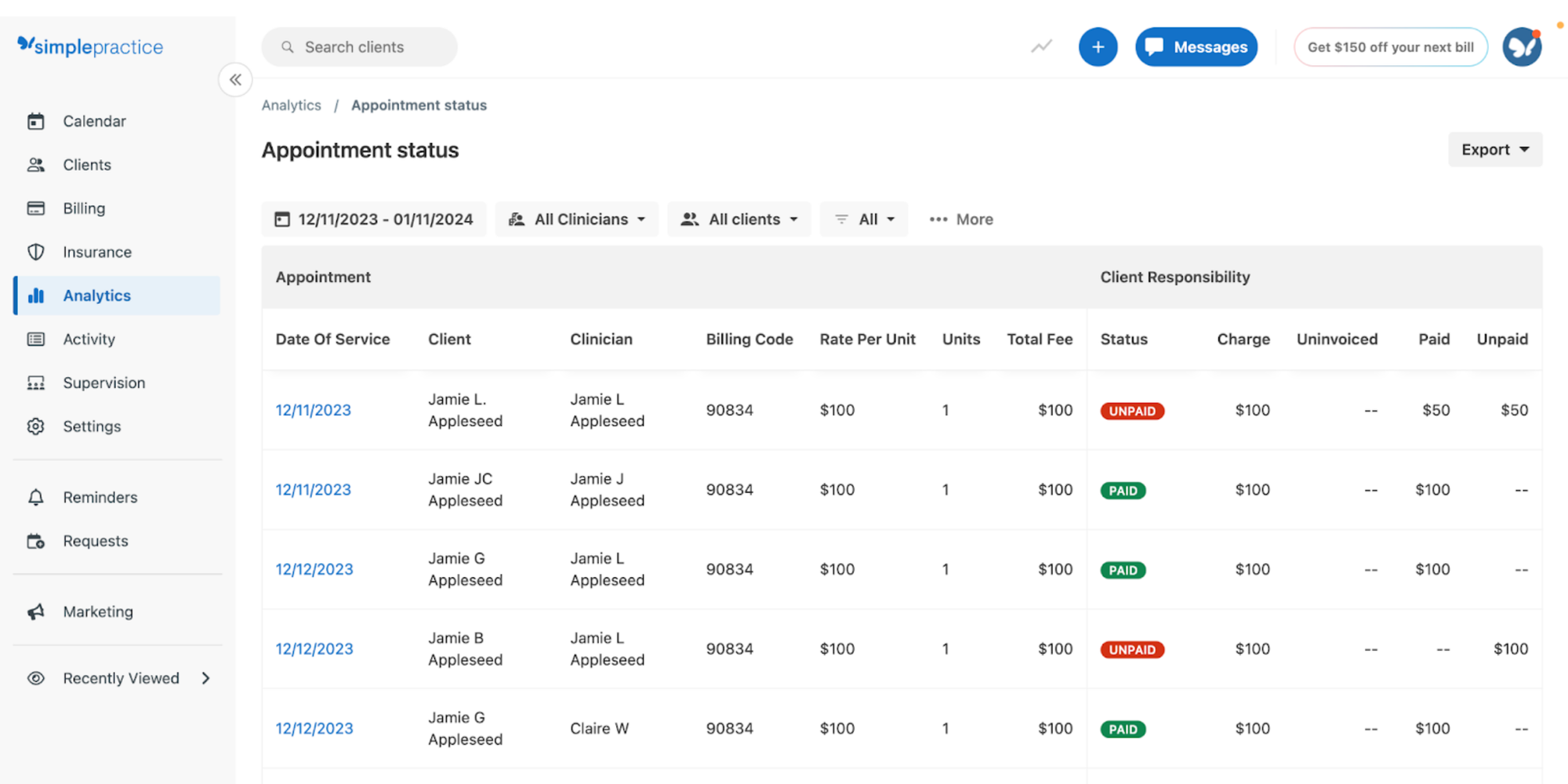
SimplePractice combines appointment management with a client portal, documentation, insurance workflows, billing, telehealth, secure messaging, and other tools commonly needed in therapy practices. Clients can request, reschedule, and cancel appointments based on real-time availability. Appointment reminders are available on its higher tiers, and SimplePractice states that it is HIPAA compliant, HITRUST certified, and provides a BAA.
Key features: Online appointment requests, reminders, client portal, telehealth, documentation, billing, waitlists, group-practice tools.
Pros
- Built specifically around healthcare practices
- Strong fit for therapists
- Clinical and administrative tools in one system
Cons
- More expensive than a focused scheduler
- Some scheduling features are plan-dependent
Good fit if… your practice needs an EHR-style workflow alongside appointment scheduling.
Pricing: Starter $49/month, Essential $79/month, and Plus $99/month before temporary promotions.
6. Tebra — Best for independent practices needing broader practice management
Best for: Independent medical practices that want scheduling as part of a wider operational platform.
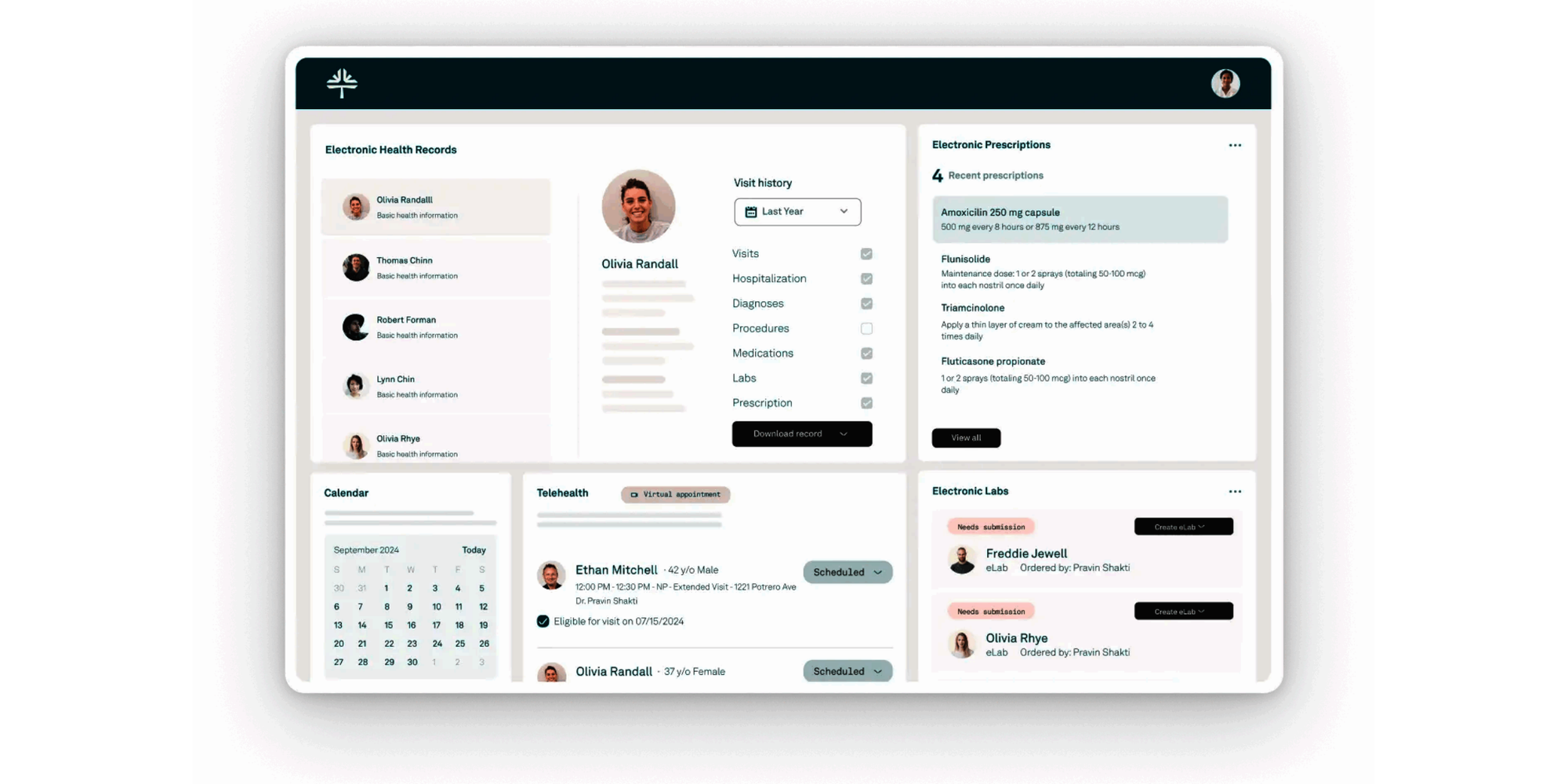
Tebra offers provider scheduling and patient online scheduling alongside an EHR, billing, digital intake, patient messaging, reminders, payments, telehealth, reviews, and marketing tools. That makes it a very different purchase from a simple online scheduler. If your clinic wants to consolidate several systems, that breadth can be useful.
Key features: Provider calendar, online scheduling, custom reminders, EHR, intake, billing, payments, patient portal, telehealth.
Pros
- Broad practice-management capabilities
- Designed specifically for independent healthcare practices
- Can reduce the number of separate systems a practice uses
Cons
- More implementation and functionality than many tiny clinics need
- Pricing requires a quote
Pricing: Custom pricing based on selected products and practice needs.
Good fit if… scheduling is only one part of a bigger practice-management upgrade.
7. Luma Health — Best for larger healthcare organizations
Best for: Healthcare organizations with more sophisticated patient-access, referral, scheduling, and engagement workflows.
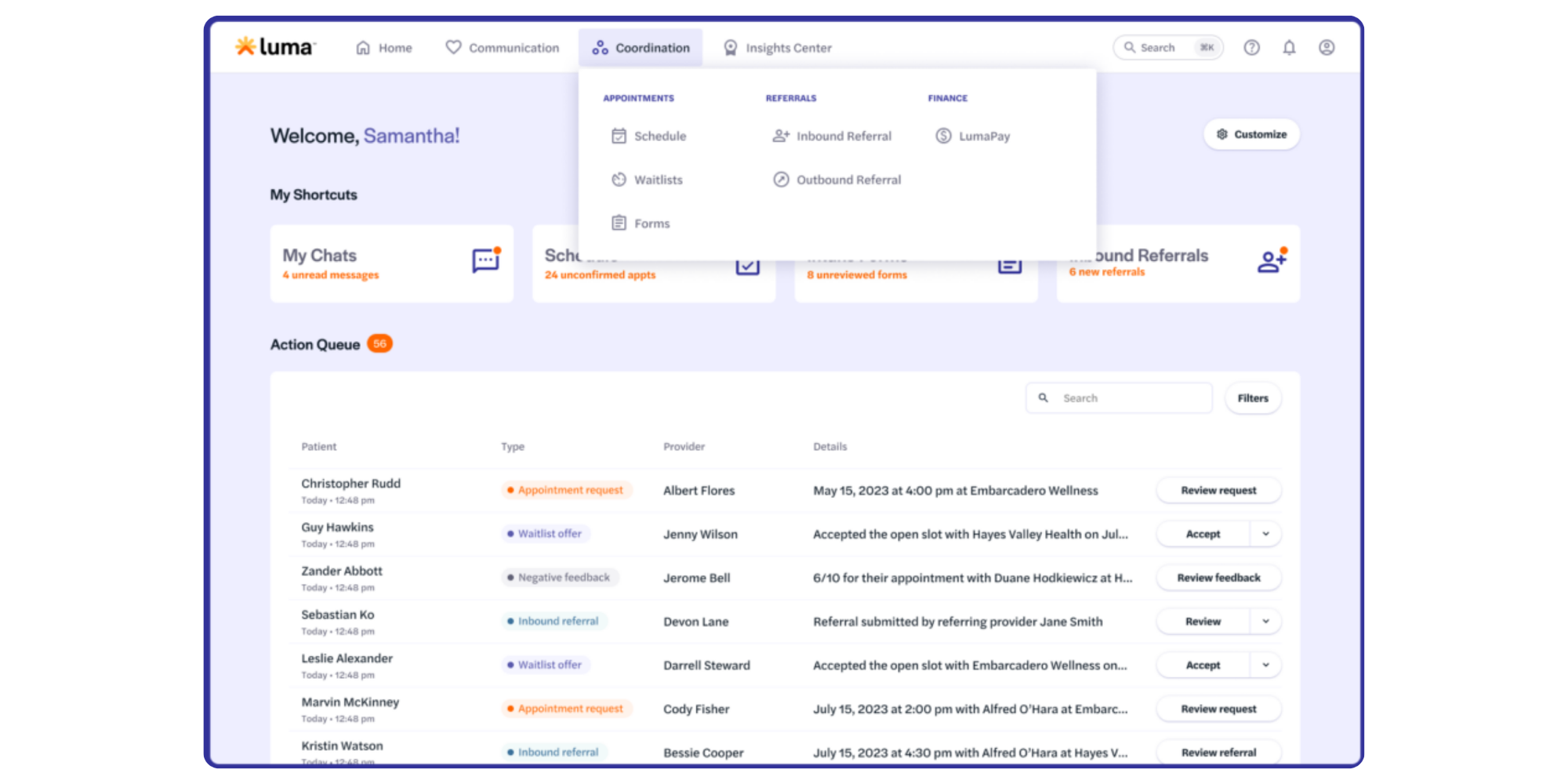
Luma Health goes beyond giving patients a calendar. Its Patient Scheduling+ product can guide patients through questions and match them to appropriate appointment types and providers. It also supports cancellation management, smart waitlists, referrals, recalls, and automated appointment reminders.
Key features: Guided self-scheduling, EHR integration, reminders, rescheduling, smart waitlists, referral management, recalls, multilingual communications.
Pros
- Strong automation for complex patient journeys
- Designed for larger-scale healthcare workflows
- Advanced waitlist and referral capabilities
Cons
- Probably too complex for a two-provider clinic that simply needs online booking
- Pricing isn’t publicly listed
Pricing: Contact Luma Health for a quote.
Good fit if… your organization needs enterprise patient-access workflows rather than a lightweight appointment scheduler.
8. Phreesia — Best for scheduling plus patient intake
Best for: Practices that want to connect appointment access with digital intake and pre-visit workflows.
Phreesia gives patients 24/7 self-scheduling and uses rules around provider, location, and visit type to direct people toward appropriate appointments. Its broader platform also covers intake, insurance information, questionnaires, reminders, referrals, and waitlist-style cancellation filling.
Key features: 24/7 self-scheduling, scheduling rules, automated reminders, digital intake, referral workflows, cancellation filling, patient questionnaires.
Pros
- Strong link between scheduling and intake
- Built for healthcare
- Useful when patient access involves more than choosing a time
Cons
- More platform than many small clinics need
- No simple public price list. Currently states Free through the end of 2026 with full access to the Phreesia intake platform.
Pricing: Quote-based.
Good fit if… digital intake and patient-access automation are major priorities alongside scheduling.
9. Acuity Scheduling — Best general-purpose alternative
Best for: Small service businesses and practitioners that want mature appointment scheduling without a healthcare-specific practice-management suite.
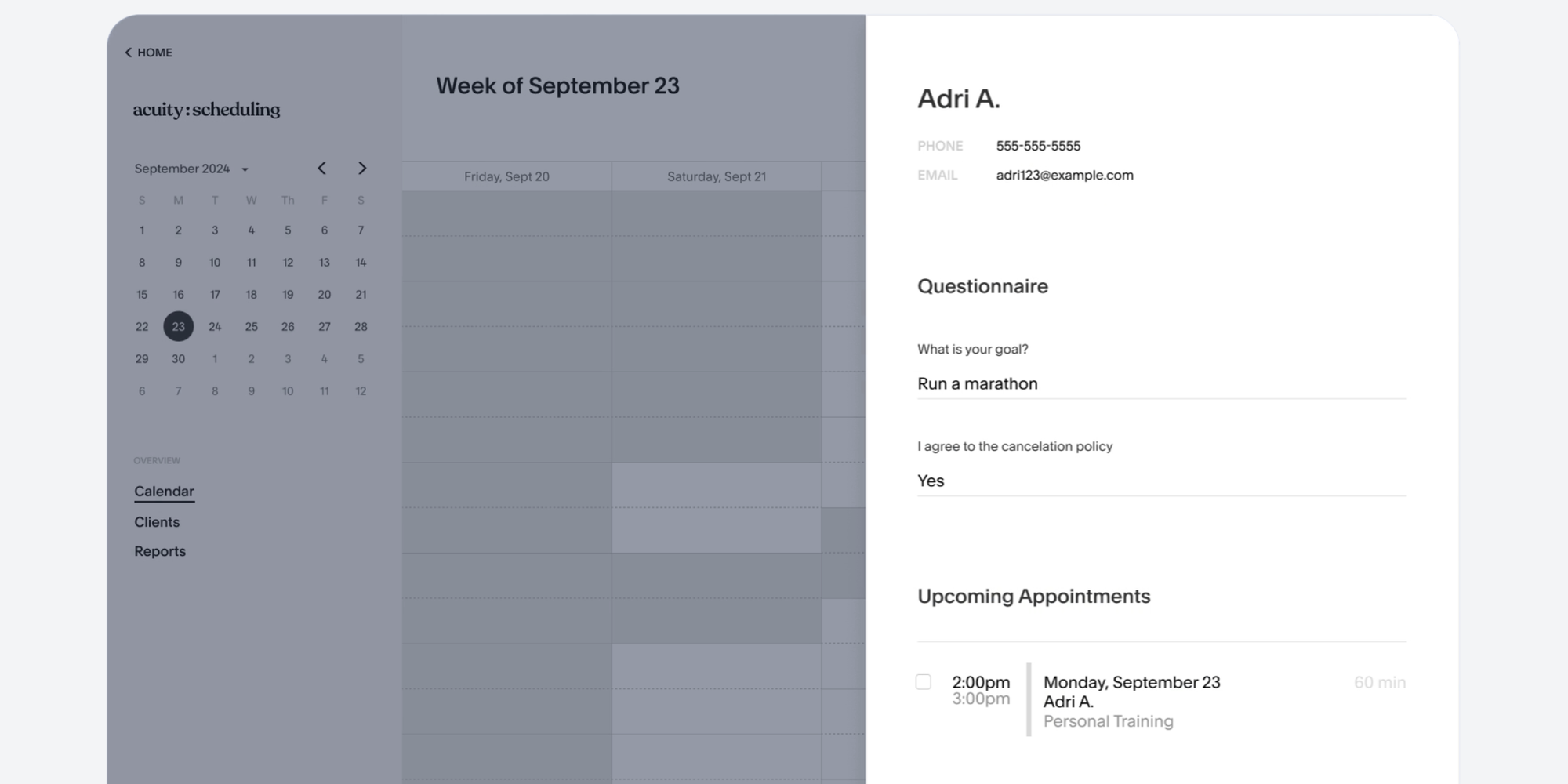
Acuity supports self-booking, appointment types, custom intake forms, payments, email reminders, time-zone conversion, and video-meeting integrations. Its Starter plan begins at $16/month with annual billing. However, healthcare practices that need HIPAA-related functionality must use an eligible Premium or legacy Powerhouse plan and enter into a Business Associate Addendum.
Key features: Self-booking, forms, payments, email reminders, multiple calendars, Zoom and Google Meet integrations.
Pros
- Established general-purpose scheduler
- Flexible forms and appointment types
- HIPAA-enabled setup available on eligible plans
Cons
- HIPAA functionality isn’t included on entry-level plans
- Less healthcare-specific than dedicated medical platforms
Pricing: Starter from $16/month annually; Standard from $27/month annually; Premium from $49/month annually.
Good fit if… you want a general scheduler and don’t need EHR or medical-practice functionality.
10. WaitWell — Best for scheduling plus queue management
Best for: Clinics that manage both appointments and unpredictable walk-in traffic.
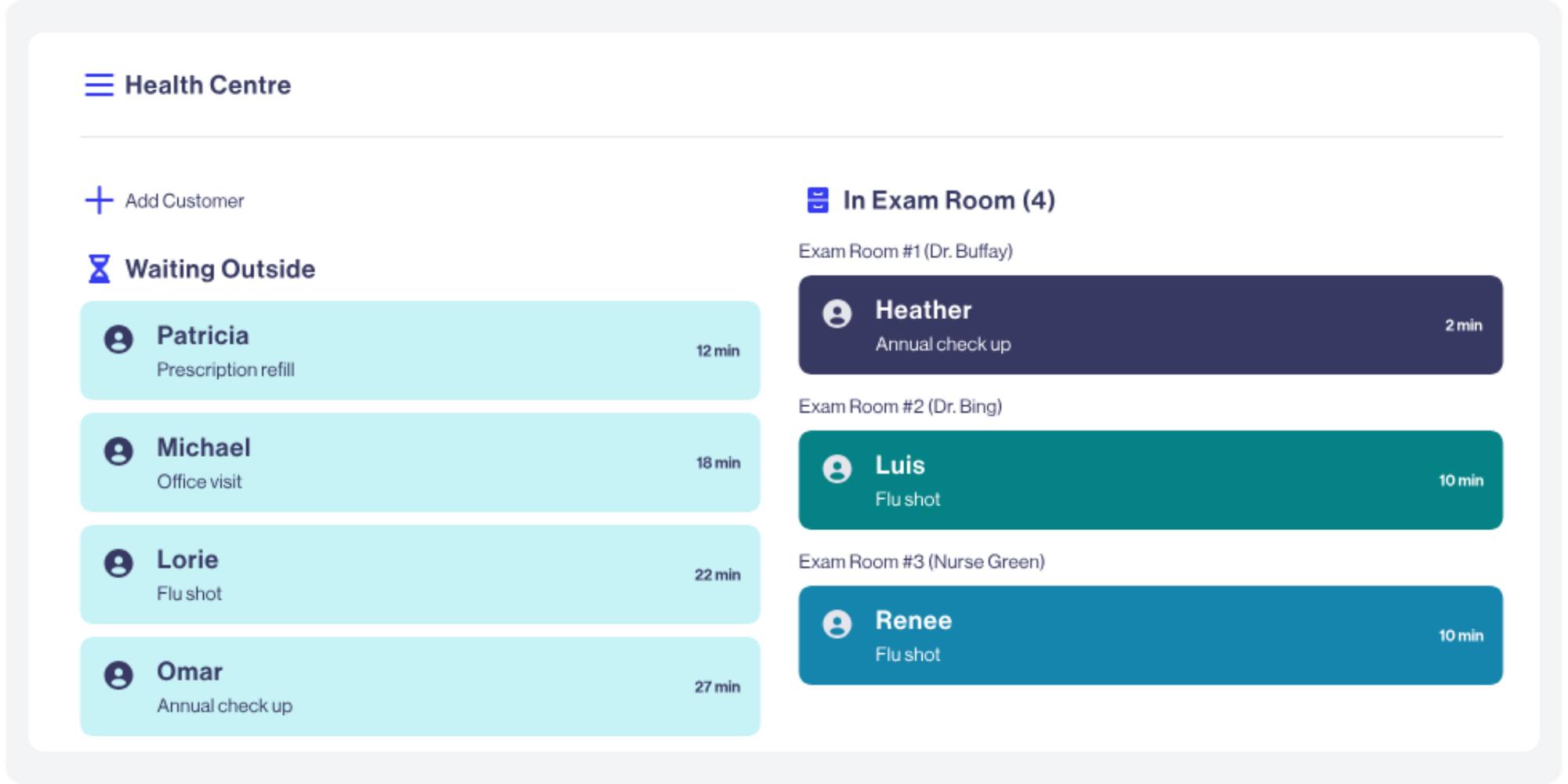
WaitWell combines appointment booking with virtual queues, two-way messaging, dashboards, payments, forms, reporting, and more advanced patient-flow functionality on higher tiers. This makes it particularly relevant to clinics where the problem doesn’t end once an appointment is booked. You also need to manage arrivals, queues, wait times, and service routing.
Key features: Appointment booking, virtual queuing, SMS notifications, two-way messaging, forms, reports, payments, multi-location tools.
Pros
- Handles booked visits and walk-ins together
- Transparent starting prices
- Unlimited staff accounts on published plans
Cons
- Queue-management functionality may be unnecessary for appointment-only practices
- Advanced integrations and API access sit on higher custom-priced plans
Pricing: Starter from $29/month per location; Basic from $55/month per location; Enterprise and Campus use custom pricing.
Good fit if… waiting-room and walk-in flow are as important as online appointment booking.
How we chose the best patient scheduling software
The right tool should save staff time without making the patient experience harder. We prioritized the day-to-day jobs that matter most in a small clinic rather than simply counting which vendor has the longest feature list.
Patient self-scheduling
Patients should be able to see genuine availability and book without calling reception.
A 2024 systematic review of open-access scheduling in outpatient clinics found that 10 of 16 included studies reported a significant reduction in no-show rates. The results weren’t universal, but they support the idea that improving access to appropriate appointment times can help attendance when implemented well.
Automated appointment reminders
Reminders are one of the simplest ways to improve patient scheduling efficiency.
Another systematic review indexed by PubMed found consistent evidence that reminder systems improve attendance across different healthcare settings and patient groups. The researchers also found that reminders can encourage patients to cancel or reschedule unwanted appointments instead of simply not attending.
Calendar and scheduling conflict prevention
A booking system should use real-time availability so one appointment can’t quietly collide with another.
For small clinics, that often means syncing the scheduling platform with the Google, Outlook, iCloud, practice-management, or EHR calendar clinicians already use.
Ease of setup and daily use
If you’re wondering how to improve healthcare scheduling, start by removing steps.
A small clinic shouldn’t need an enterprise implementation project to publish available appointments, create a booking form, or adjust a provider’s hours. We therefore gave extra weight to tools that can solve common scheduling problems without extensive configuration.
Healthcare privacy and HIPAA requirements
HIPAA is not a checkbox that a software vendor can complete on your behalf.
Healthcare organizations should understand whether a scheduling provider will handle protected health information, what security options apply, and whether a BAA is required and available.
The U.S. Department of Health & Human Services confirms that appointment reminders are considered part of treatment and can generally be made without separate patient authorization under the HIPAA Privacy Rule. Clinics still need appropriate safeguards around what information those messages contain.
Pricing for small clinics
We looked at the actual cost relative to the scheduling problem being solved.
A $200+ platform may be a good investment when it replaces phone, communications, intake, and other systems. It can be unnecessary when a practice simply wants patients to choose available appointments online.
Integrations and scalability
Good scheduling software should fit your existing workflow and still work when your clinic grows.
That can mean calendar sync for a two-person clinic today, then additional providers, rooms, appointment types, telemedicine integrations, forms, payments, or deeper healthcare integrations later.
What features should patient appointment scheduling software have?
Start with the features that eliminate repetitive front-desk work and protect your calendar. Everything else depends on your clinic’s workflow.
| Feature | Why it matters |
| Online patient booking | ✅ Lets patients choose available appointments without calling |
| Real-time calendar sync | ✅ Keeps staff and patient-facing availability aligned |
| Conflict prevention | ✅ Helps stop double bookings |
| Email/SMS reminders | ✅ Encourages attendance, cancellation, or rescheduling |
| Easy cancellation and rescheduling | ✅ Gives unwanted slots a chance to reopen |
| Custom forms/questions | ✅ Collects useful information before the visit |
| File uploads | ✅ Can help gather documents in advance when handled appropriately |
| Multiple providers/services | ✅ Supports different doctors, appointment types, and availability |
| Rooms/resources | ✅ Prevents a room or shared resource being booked twice |
| Telemedicine integrations | ✅ Makes virtual-visit links part of the booking flow |
| Privacy and security controls | ✅ Essential when scheduling involves health information |
| BAA availability | ✅ Important for covered entities when a vendor is acting as a business associate |
| Integrations | ✅ Helps scheduling fit existing calendars and systems |
| Reporting | ✅ Useful for tracking booking volume, attendance, and capacity |
For many small practices, that list is enough. You don’t automatically need medical billing, claims management, prescribing, clinical notes, marketing automation, AI call handling, and a new EHR just to stop appointment emails.
Why small clinics may not need an all-in-one medical scheduling platform
A focused scheduler solves appointment coordination; an EHR or practice-management system solves a much broader set of clinical and operational problems. The distinction matters because “more features” doesn’t always equal “better fit.”
An all-in-one platform can make sense when your clinic wants to replace several systems at once. SimplePractice, Tebra, Phreesia, or Carepatron, for example, may be attractive when scheduling needs to sit beside documentation, intake, billing, insurance, or patient-management workflows.
But imagine a three-provider clinic that is already happy with its clinical software. The real pain is simpler: reception spends too much time answering calls, patients can’t book after hours, reminders are manual, and Google Calendars need constant checking. Adding another heavyweight practice-management platform could create more migration and training work than it removes. That’s where a focused booking system can be the better choice.
With Koalendar’s clinic appointment scheduling software, a clinic can publish available appointments, keep provider calendars synchronized, gather pre-visit information, automate reminders, and support telemedicine without replacing its EHR.
One healthcare provider, We Are Wellbeing, used Koalendar to turn their health-check appointment setup into a much lighter scheduling workflow rather than relying on manual coordination. See how We Are Wellbeing simplified health-check scheduling
Spend less time managing appointments. Let patients choose an available time themselves with Koalendar. Start free—no credit card required.
Why Koalendar is a strong choice for small clinics
Koalendar is a good fit when your clinic wants scheduling to become simpler—not become its next software project.
You can create appointment types, connect provider calendars, publish a booking page, and let patients choose from real availability. Koalendar automatically keeps connected calendars updated so staff don’t have to reconcile every booking manually.
Pro adds useful clinic workflows such as custom email and SMS reminders, booking questions, team scheduling, password-protected pages, payments, and broader integrations. Healthcare teams can also use forms and file uploads for pre-appointment information and create telemedicine appointments using Zoom, Google Meet, or Microsoft Teams.
For eligible healthcare use cases, Koalendar offers HIPAA-ready scheduling with a BAA available as an add-on. Its security documentation also states that data is encrypted in transit using TLS 1.2+ and at rest using AES-256.
And because a Free Forever plan is available, a small practice can try the core booking workflow before deciding whether advanced features justify an upgrade.
"I love Koalendar. It is simpler, easier, and cleaner to look at and navigate than Calendly. It links to my EHR system, email, Google Meet and calendars. As a psychotherapist traveling the world and working with expats in all different time zones, this is pure gold."

Julie Martin
Psychotherapist
Which patient scheduling software should your clinic choose?
Choose the smallest system that reliably solves the problems your clinic actually has.
If your organization needs deep EHR integration, insurance workflows, clinical documentation, enterprise referrals, or complex patient access, platforms such as NexHealth, Tebra, Luma Health, Phreesia, Carepatron, or SimplePractice may justify their broader scope.
If you run significant walk-in traffic, WaitWell’s queue management can be particularly valuable. If communications and business phones dominate your front-desk workload, Weave deserves a closer look.
But if you’re a small practice looking for the best patient scheduling software to reduce appointment calls, let patients self-book, prevent conflicts, send reminders, collect basic pre-visit information, and keep calendars synced, Koalendar offers a much simpler place to start.
You don’t need to rebuild your entire technology stack to fix scheduling.