TL;DR
Real estate automation helps agents, brokers, property managers, and real estate teams save time by automating repetitive work like scheduling, lead follow-up, reminders, marketing, and document collection.
The biggest wins usually come from:
- Automating property showing scheduling
- Sending automated reminders to reduce no-shows
- Using CRM workflows to follow up faster
- Automating documents and e-signatures
- Building repeatable marketing workflows
- Connecting calendars, booking pages, and team availability
For many real estate professionals, scheduling is the easiest place to start. Tools like Koalendar help you share branded booking pages, sync your calendar, let clients self-book property tours, and send reminders automatically.
What is real estate automation?
Real estate automation uses software to streamline repetitive tasks like scheduling property showings, sending follow-ups, managing documents, routing leads, and nurturing clients.
Instead of manually sending every email, reminder, booking confirmation, and form request, you create workflows that run in the background.
You still make the big decisions. You still build relationships. You still guide buyers and sellers through one of the biggest financial decisions of their lives. But the repetitive admin? That can be handled by smart systems.
Common real estate tasks to automate include:
| What you can automate? | Why it helps? | |
| Scheduling | Property tours, consultations, inspections, open house slots | Reduces back-and-forth emails |
| Lead management | Lead capture, routing, CRM updates, follow-ups | Helps prevent lost leads |
| Marketing | Email campaigns, listing promotion, social posts | Keeps visibility consistent |
| Documents | Forms, disclosures, e-signatures, onboarding packets | Speeds up transaction admin |
| Team operations | Round-robin scheduling, tasks, pipeline updates | Improves visibility |
The right automation for real estate agents helps you respond faster, schedule property viewings, reduce no-shows, collect documents, nurture leads, and stay visible online. Even better, it gives you more time for the work clients actually remember: advice, negotiation, local expertise, and trust.
Why real estate professionals invest in automation
Real estate moves fast. A buyer wants to see a home tonight. A seller needs a valuation call before work. A rental prospect wants a tour between classes. A hot lead fills out a form, then keeps browsing while other agents compete for their attention.
That’s why automation for real estate agents is no longer just a “nice-to-have.” It helps solve the daily problems that slow agents down. And the timing matters. The National Association of REALTORS® 2025 Technology Survey found that the most popular technologies among REALTORS® include eSignature at 79%, social media at 75%, and drone photography/video at 52%. That shows how digital the industry has already become.
Faster lead response
Lead follow-up is one of the clearest use cases for automation. HubSpot’s 2026 sales statistics report says 96% of prospects research companies and products before engaging with a sales representative. In real estate, that can mean a buyer has already compared neighborhoods, listings, mortgage calculators, agent profiles, and reviews before clicking your form so speed matters.
A simple real estate lead automation workflow could look like this:
- A lead fills out your website form.
- They receive an instant thank-you email.
- Your CRM creates a new contact.
- The lead is tagged as buyer, seller, renter, investor, or landlord.
- They receive your booking link.
- If they don’t book, they receive a friendly follow-up sequence.
No forgotten forms. No “Oops, I meant to reply yesterday.”
Fewer scheduling conflicts
Manual scheduling looks simple until your week fills up.
A buyer wants a 6 p.m. showing. A seller wants a pricing consultation. Your broker meeting runs over. Suddenly, your day is a puzzle with too many pieces.
Real estate scheduling software helps prevent double bookings by showing only your available times. Clients can self-book property viewings, consultations, or meetings without waiting for you to send three possible options.
Reduced no-shows
No-shows cost fuel, time, preparation, and sometimes goodwill with sellers, tenants, or property managers.
Automated reminders are one of the simplest ways to reduce missed appointments. A good reminder can include:
- Date and time
- Property address or meeting link
- Parking instructions
- Rescheduling link
- What to bring
That small touch can make the experience feel polished without adding extra work.
Better client experience
Clients don’t see your CRM or workflow templates. They see how easy it is to work with you.
When your systems are connected, clients get faster responses, clearer next steps, easier booking, and fewer repeated questions.
And that matters. A fast reply, a clear confirmation, and an easy booking page all say: “You’re in good hands.”
How to automate property showings and meetings
Scheduling is one of the most visible parts of your client experience. It’s also one of the easiest workflows to automate first.
When clients have to send multiple emails just to see a home, the process feels slow. When they can pick a time instantly, receive a confirmation, and get a reminder, the experience feels simple.
Use online scheduling for real estate agents
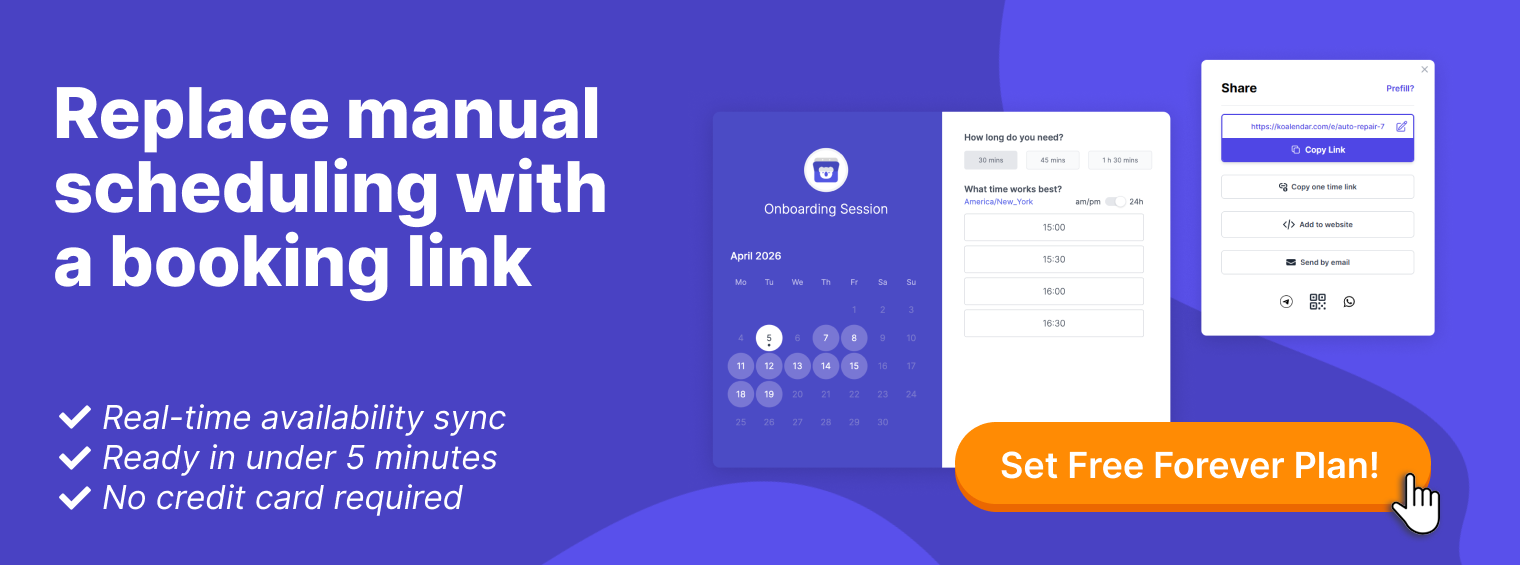
Online scheduling for real estate agents lets buyers, sellers, tenants, landlords, and referral partners book time with you based on your real availability.
You can create booking pages for:
- Buyer consultations
- Seller valuation calls
- Property showings
- Open house slots
- Rental viewings
- Investor calls
- Virtual tours
- Inspection coordination
This is where an automated property showing system becomes useful. Instead of asking, “What time works for you?” you send one link. The client chooses a time, answers a few questions, and receives the details.
You can also add your scheduler directly to your website.
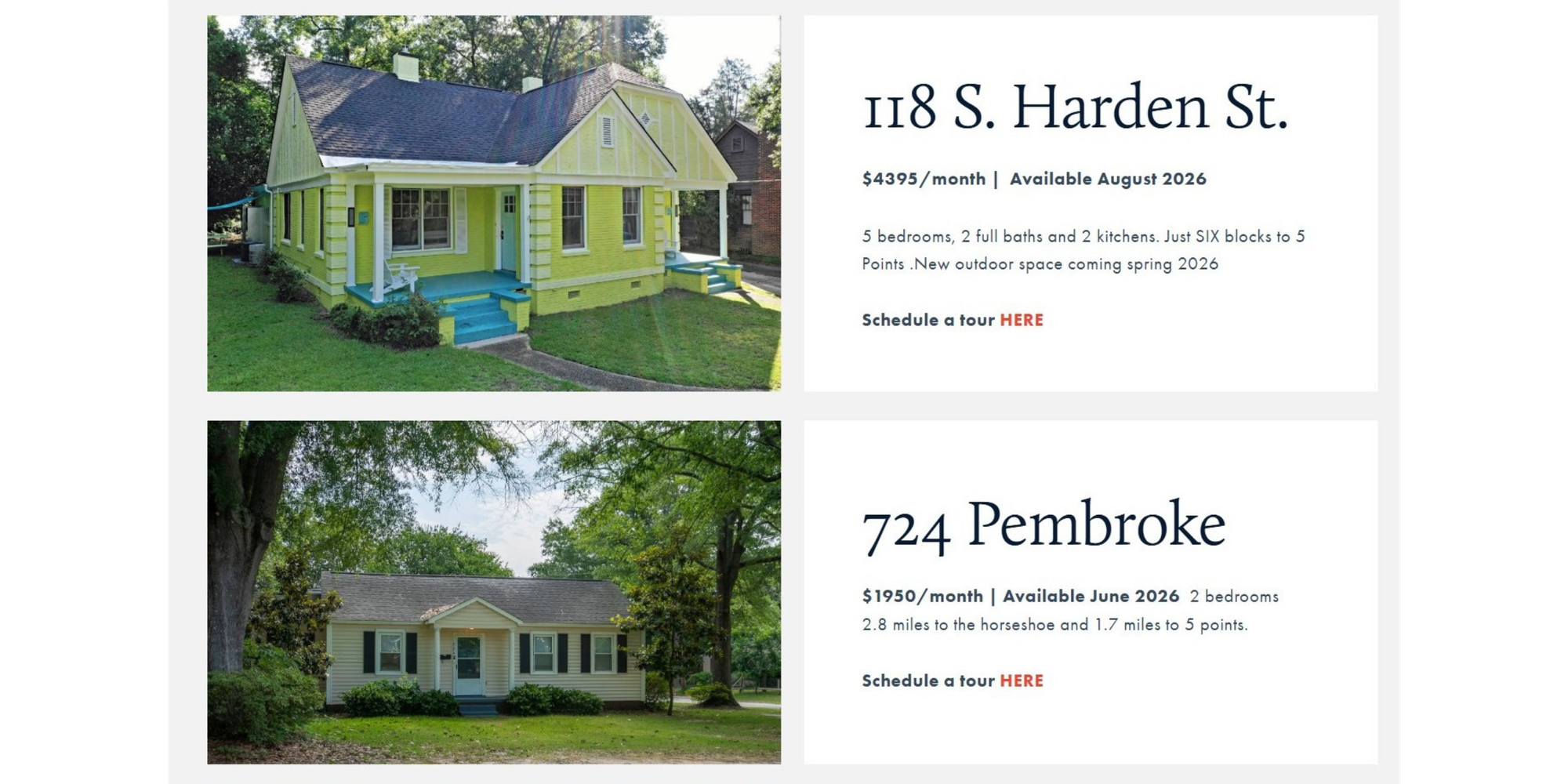
If you want prospects to book from a listing page, service page, or contact page, this guide on how to add a booking calendar to a website walks through the process.
Add automated reminders
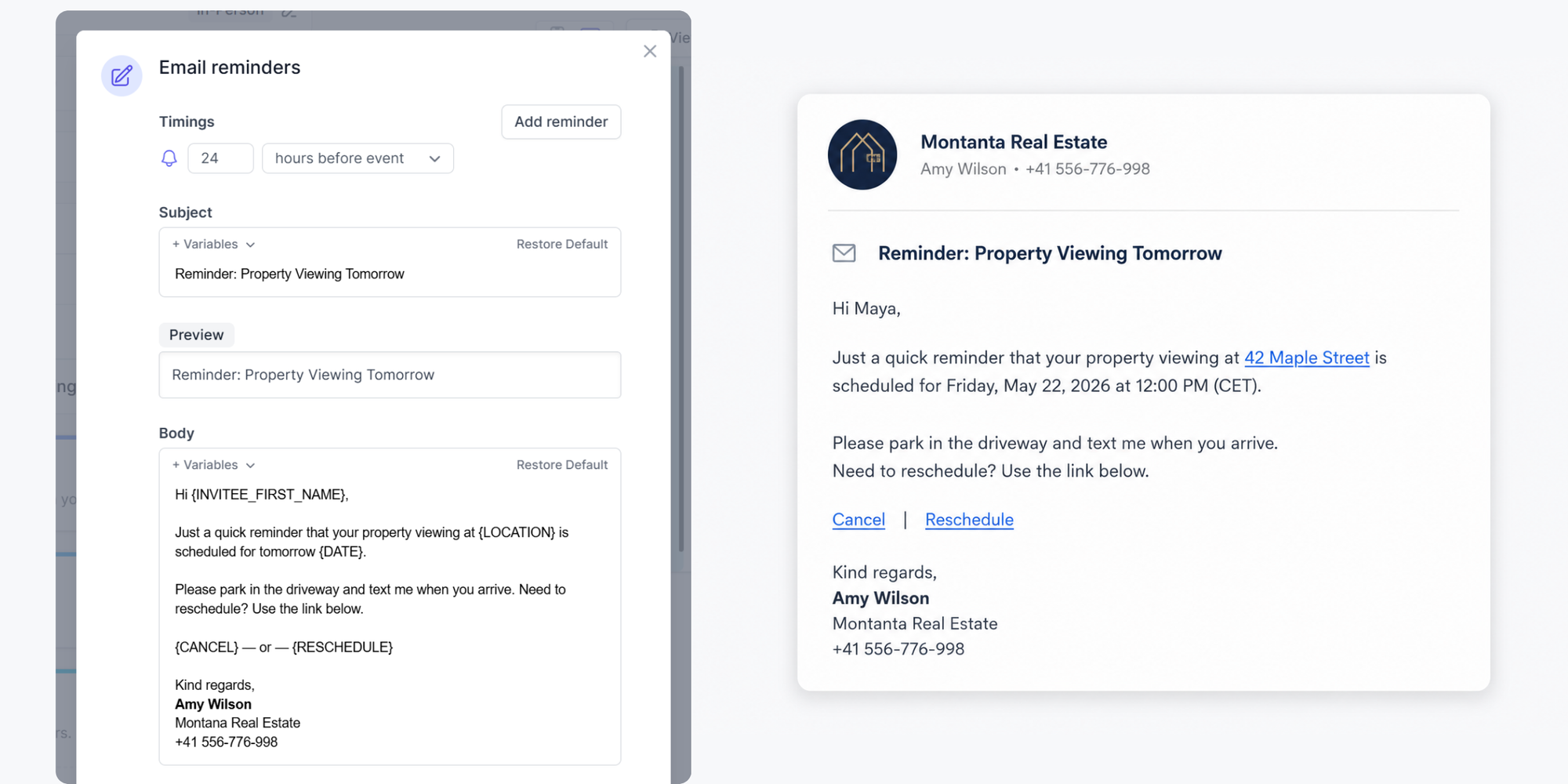
A reminder should be short, clear, and useful.
For example:
“Hi Maya, quick reminder that your showing at 42 Maple Street is tomorrow at 5:30 p.m. Please park in the driveway and text me when you arrive. Need to reschedule? Use the link below.”
Friendly. Clear. No extra work for you.
Sync your calendar
Calendar synchronization keeps bookings aligned with your real schedule. If your personal appointment, brokerage meeting, or school pickup is already on your calendar, your booking page should not show that time as available.
That helps prevent double bookings and keeps your day realistic.
Use round-robin scheduling for teams
For broker teams, round-robin scheduling distributes appointments across available team members. That keeps workloads fair and helps leads get booked faster.
Use it for buyer inquiries, rental leads, seller consultations, open house follow-up, relocation leads, and investor calls.
How Koalendar helps real estate professionals automate scheduling
Koalendar fits especially well into the scheduling layer of your real estate automation stack. It helps agents, brokers, property managers, and teams let clients self-book meetings, property viewings, consultations, and calls without the back-and-forth.
Booking pages for property viewings
With Koalendar, you can create booking pages for specific appointment types, such as:
- “Book a buyer consultation”
- “Schedule a property viewing”
- “Request a seller valuation”
- “Meet with our rental team”
- “Book a virtual tour”
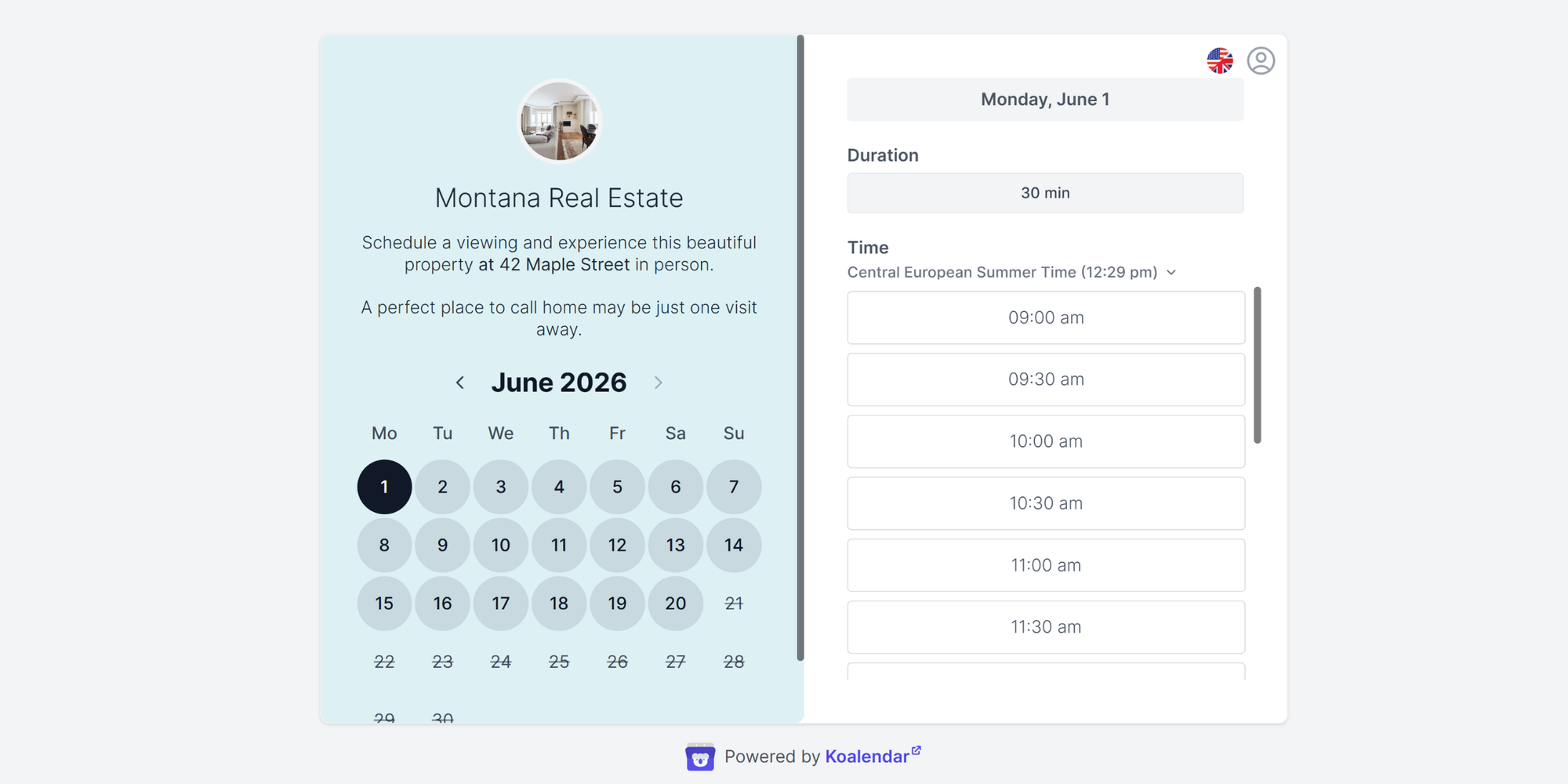
Each page can guide the client to the right appointment. You can also collect details before the meeting, such as budget, location preference, timeline, or property address.
If your biggest bottleneck is tour scheduling, Koalendar’s property showing scheduler for real estate gives clients a simple way to book available times while helping you keep your calendar organized.
Real example: How UofSCRentals cut scheduling work by 85%
UofSCRentals, a small property management company in South Carolina, uses Koalendar to manage high-volume rental tours in a student-heavy market.
Before Koalendar, the team relied on emails, texts, and phone calls to coordinate property tours and pre-move-in conversations. That created delays, rescheduling headaches, and too many no-shows.
So they switched to Koalendar booking links embedded directly on property listing pages.
Prospects could pick a tour time instantly, while the team used scheduling rules, calendar integrations, and automated reminders to keep everything organized. The results were clear:
UofSCRentals now schedules 20–30 tours per week, reduced the tour and inquiry scheduling process by around 85%, and saw fewer no-shows thanks to automated reminders.
It’s a strong example of what property management automation should do: remove friction for prospects, save staff time, and make every tour easier to manage.
Easy setup for solo agents and teams
Not every real estate professional wants a complex system. Many just need something simple that works.
A solo agent might use Koalendar for buyer consultations and listing appointments. A broker team might use it for round-robin lead routing, group bookings, and team availability. A property manager might use it for rental viewings and tenant meetings.
Agents who are just getting started can use Koalendar’s free forever scheduling plan, while growing teams can compare the Free Forever vs Pro plan guide to decide which features fit their workflow.
Real estate automation workflow examples
The easiest way to implement automation is to start with one workflow, then build from there.
Workflow 1: New buyer lead to booked consultation
Goal: Turn a new lead into a scheduled call quickly.
- Lead fills out a buyer form
- CRM creates a contact
- Lead receives a welcome email
- Email includes your booking link
- Lead chooses a consultation time
- Calendar invite is created automatically
- Reminder goes out before the call
- CRM creates follow-up tasks after the call
Why it works: The lead doesn’t wait for you to reply before taking action.
Workflow 2: Seller valuation request
Goal: Move seller leads from curiosity to consultation.
- Homeowner requests a valuation
- They receive a confirmation email
- Your system sends a seller intake form
- They book a pricing consultation
- You receive property details before the meeting
- Reminder goes out with meeting instructions
- After the consultation, they receive a prep checklist
Why it works: You look organized from the first interaction.
Workflow 3: Property showing reminders
Goal: Reduce no-shows and confusion
- Buyer books a showing using a Koalendar booking page
- An automatic booking confirmation is sent
- Calendar event is created
- Automatic reminder goes out 24 hours before
- Second reminder (email or SMS) goes out a few hours before
- Rescheduling link is included
- Agent receives cancellation or change alerts
Why it works: Clients have everything they need, and you don’t have to chase them. Check out How UofCSRentals created their own property showing workflow
After a meeting or tour, a simple recap email can help keep the conversation moving. Koalendar’s guide to writing a follow-up email after a meeting includes templates you can adapt for buyer consultations, seller calls, rental tours, and property management meetings.
Best real estate automation tools in 2026
There are different ways to approach real estate automation and the right one depends on your needs, pain points, and budget. You can build a simple stack (one tool for CRM, one for scheduling, one for marketing, and one for documents or transaction management), or opt for an all-in-one tool, but they’re often more expensive and more complex than a lightweight stack.
Prices below are starting prices or publicly listed entry-level plans. SaaS pricing changes often, so check each vendor before publishing.
Best CRM automation tools for real estate
| Follow Up Boss | Wise Agent | Lofty |  | RealOffice360 | |
| Starting price | From $69/month | From $49/month | Request pricing | Free; paid from $10–$20/month per seat | From $12/month |
| Best for | Teams focused on speed-to-lead | Solo agents and small teams | Growing teams and brokerages | Flexible general CRM workflows | Simple contact and deal tracking |
| Key automation features | Lead routing, texting, email follow-up | Drip campaigns, lead automation | Lead routing, AI CRM, IDX | Email workflows, forms, pipelines | Reminders, pipelines, contact history |
Best scheduling automation software for real estate
 |  |  | ShowingTime | | |
| Starting price | Free Forever; Pro from $6.99/seat/month annually | Limited free plan; paid from $10/seat/month annually | From $16/month annually | Appointment Center listed at $15/month for agents | Included in HubSpot free tools |
| Best for | Real estate self-booking | General meeting scheduling | Service-style appointments | MLS-connected showing coordination | HubSpot CRM users |
| Key automation features | Booking pages, reminders, calendar sync | Booking links, team scheduling | Intake forms, reminders, payments | Showing requests, confirmations | CRM-connected meeting links |
Koalendar is a strong fit when your main goal is to book more showings, reduce no-shows, and stop chasing emails.
Best document automation tools
| Dotloop | DocuSign for Real Estate | SkySlope | Lone Wolf Transactions | Adobe Acrobat Sign | |
| Starting price | From $34.99/month | From $25/month per user annually | Custom pricing | Pricing varies | From about $23.99/month per license |
| Best for | Transaction management | E-signatures | Brokerages | Brokerages using Lone Wolf | Adobe users |
| Key automation features | Forms, e-signatures, tasks | Signatures, templates | Compliance, forms | Transactions, broker review | E-signatures, templates |
Use document tools when paperwork is slowing down deals, signatures are getting missed, or brokers need better visibility into transaction status.
Best all-in-one real estate automation platforms
Some agents prefer a smaller set of connected tools. Others want an all-in-one platform that combines CRM, IDX websites, marketing, lead generation, and team management.
| Lofty | BoomTown | Brivity | kvCORE / BoldTrail | |
| Best for | Growth-focused teams and brokerages | Larger teams investing in lead generation and conversion | Teams that want CRM, marketing, and transaction visibility | Brokerages and larger teams |
| Useful automation features | CRM, IDX, AI tools, lead generation, lead routing, marketing automation | IDX websites, CRM, marketing automation, lead management, reporting | Lead gen, CRM, campaigns, open house tracking, team dashboards | CRM, IDX, lead nurturing, marketing automation, team tools |
| Starting price | Request pricing | Custom pricing; third-party listings show around $1,000/month starting price | Request pricing; third-party listings show around $299.99/month | Contact vendor for pricing |
These platforms can be powerful, but they’re often more expensive and more complex than a lightweight stack. For many solo agents, starting with a CRM, Koalendar, an email tool, and an e-signature platform is easier to manage.
Recommended real estate automation stacks by use case
| Solo agents | High-volume buyer agents | Listing agents | Property managers | Growing teams | |
| Tools | Wise Agent + Koalendar + Mailchimp + DocuSign | Follow Up Boss + Koalendar + ActiveCampaign + Dotloop | Follow Up Boss or Wise Agent + Koalendar + Canva + Hootsuite + DocuSign | Koalendar + DocuSign + Mailchimp + Google Calendar | Follow Up Boss or Lofty + Koalendar + Dotloop |
| Best when | You want a simple stack | You need fast lead response | You need listing promotion and seller follow-up | You manage rental tours | You need routing and visibility |
Start with the workflow that costs you the most time. For many real estate professionals, that’s scheduling.
Real estate marketing automation strategies
Marketing automation keeps your audience warm between conversations. It’s useful because not every lead is ready right now.
A buyer nurture sequence might include:
- Welcome email with your booking link
- Neighborhood guide
- Mortgage pre-approval checklist
- New listing alert invitation
- Home tour scheduling link
- “Still looking?” check-in
A seller nurture sequence could include:
- Valuation request confirmation
- Pricing strategy explainer
- Prep-your-home checklist
- Recent local sales report
- Consultation booking link
- Follow-up reminder
Social media automation can also help you schedule listing posts, open house reminders, sold announcements, market updates, testimonials, and neighborhood spotlights.
The trick is to keep it human. Automation should help you publish consistently, not turn your feed into generic filler.
Document automation for real estate
Real estate comes with a lot of paperwork: contracts, disclosures, agency agreements, onboarding forms, inspection reports, rental applications, and closing checklists.
Document automation for real estate helps you create, send, track, and store documents without manually rebuilding each file. For agents, that usually means templates, pre-filled fields, e-signatures, and centralized transaction folders.
Before a buyer tour or listing consultation, you can also collect useful information automatically.
For buyers, that might include budget, desired neighborhoods, must-have features, financing status, and preferred showing times.
For sellers, it might include property address, listing timeline, renovations, HOA details, occupancy status, and preferred consultation type.
This makes the first meeting better because you’re not spending half the call gathering basics.
How to choose the right real estate automation stack
Before choosing tools, map your workflow. Otherwise, you may end up with disconnected software that creates more admin, not less.
Ask three questions.
1. Where are leads falling through?
Look at your last 30 leads. How many received a fast reply? How many booked a meeting? How many were followed up with more than once?
If the problem is speed, prioritize CRM automation and scheduling links.
2. Where are clients getting confused?
If clients often ask where to meet, how to reschedule, what to bring, or whether an appointment is confirmed, prioritize automated appointment scheduling and reminders.
3. Where is your team losing visibility?
If brokers, coordinators, or team leads can’t see who owns each lead or what’s next, prioritize lead routing, CRM stages, and shared dashboards.
The best real estate appointment scheduling setup should support the way you already work. It should not force every agent into a clunky process.
Stop chasing emails and start booking more showings
Whether you’re managing buyer consultations, seller appointments, rental tours, or open house slots, Koalendar helps make scheduling feel simple.
Create a branded booking page. Share your link. Sync your calendar. Let clients book the right time without the back-and-forth.
Start with Koalendar’s property showing scheduler for real estate and make scheduling the easiest part of your real estate business.
Final thoughts on real estate automation
Real estate will always be a people-first business. Clients want your judgment, local knowledge, negotiation skills, and calm guidance when the process gets stressful.
But that doesn’t mean every task needs your manual attention.
The right real estate automation stack helps you save time on admin, follow up faster, reduce no-shows, streamline property viewings, and create a smoother client experience.
And when scheduling is the bottleneck, Koalendar is a simple place to begin. Share your booking link, let clients self-book property viewings and consultations, sync your calendar, and let automated reminders handle the follow-up. Make scheduling the easy part, so you can focus on helping clients move forward.