

TL;DR
Managing a tattoo business shouldn't mean spending hours in Instagram DMs. This guide compares the best booking app for tattoo artist workflows, from specialized tools like InkDesk and Porter to versatile, budget-friendly options like Koalendar. Whether you're a solo artist needing a free booking page or a multi-artist shop requiring complex deposit handling, choosing the right scheduling software can save you 10+ hours of admin weekly and virtually eliminate no-shows.
Your hands were made for tattooing, not for being glued to a keyboard.
If you’re like most artists, you’re probably losing hours every week playing phone tag in the DMs or chasing down deposits in your emails. That’s time you could be spending actually inking (the part that, you know, pays the bills).
Let’s cut through the chaos and get your booking process running smoother than a fresh grey wash.
Why managing bookings through DMs can become a business problem
Instagram and TikTok are the industry’s digital portfolios, but they are terrible for business operations. When you manage your tattoo shop through direct messages, you face several critical risks that can stifle your growth and drain your bank account.
- Buried messages = lost revenue: Since 78% of customers book with the first business to respond, waiting until the end of a 10-hour day to check DMs means losing leads to automation. Replying within five minutes makes you 100 times more likely to convert a lead than waiting just half an hour.
- Manual entry leads to double bookings: Manual entry carries a 1-4% error rate, meaning a busy artist could face up to four double-bookings a month. This is a high-stakes mistake, as 67% of clients won’t return to a business after a single scheduling conflict.
- The financial impact of missing reminders: With sessions ranging from $135 to over $3,000, preventing just one no-show per month pays for your software. Automation ensures 100% of clients get a reminder, saving you from the "empty chair" costs of wasted labor and supplies.
- The danger of scattered data: Artists often spend 20% of their work week just hunting for info like reference photos or consent forms. Moving away from "dark data" in your DMs to a central hub stops you from wasting hours scrolling through chat histories.
What separates a good tattoo booking app from a generic calendar tool
Tattooing isn't a "haircut-style" service. It requires specialized workflows that most generic calendars lack.
Deposits and payment flow
A professional booking system for tattoo artists needs robust deposit collection. Securing a prepayment or deposit at the time of booking filters out window-shoppers and covers your setup costs if someone cancels at the last minute.
Intake forms, consent, and reference uploads
Your booking form should do more than just pick a time. It needs an integrated intake form where clients can upload reference photos, specify placement, and disclose medical info. Advanced tools even bundle a digital consent form to go paperless.
Automatic reminders and no-show prevention
The most effective way to reduce no-shows is through automated reminders. A simple appointment reminder sent via SMS or email 24-48 hours before the session ensures the client is prepared and committed.
Calendar control, staff access, and private client notes
For shops, multi-artist scheduling is non-negotiable. Studio managers need a high-level view of all chairs, while artists need private access to their own client management notes and session history.
Flash days, walk-ins, and same-day changes
Tattooing moves fast. Your online booking system must handle flash days and allow for quick reschedule requests without a long chain of emails.
What the client booking experience looks like
A modern online booking flow should look like this:
- The client clicks your booking page link in your bio.
- They select a service or consult and see your real-time availability.
- They fill out your intake form and upload their reference images.
- They pay a deposit collection via Stripe or PayPal to lock in the time.
- They receive an automated reminder before the session.
This professional flow builds trust before the client even walks through the door. It also makes it easier to get bookings, because it reduces the need for admin on both sides.
Bonus resource: Check out our guide on how to add a book now button to Instagram and Facebook to start taking bookings via your social media channels.
Comparison table: features and pricing at a glance
 | InkDesk | Venue | Tattoo Studio Pro | Porter |  | Square | |
| Best for | Minimalist artists wanting zero overhead | Solo artists wanting integrated messaging | Artists prioritizing zero upfront costs | Studios needing compliance & multi-artist management | Studios with complex commission splits | Multi-service businesses already in ecosystem | Studios already using Square POS |
| Top feature | Truly unlimited bookings on free forever plan | Unified client projects & messaging inbox | Flash management with non-repeatable marking | Health official read-only access for inspections | Automated commission splits & 1099 generation | Social marketplace with 24M potential clients | Seamless integration with existing POS hardware |
| Starting price | Free (paid plans start at $6.99/mo) | $25/mo | Free (paid plans start at $50/mo) | $29/mo | $35/mo | $30/mo + add-ons | Free (paid plans start at $35/mo) |
The tattoo booking apps worth considering
Here are seven scheduling and booking apps you can consider to help your clients reserve their slots more easily.
Apps specifically for tattoo studios
1. InkDesk
InkDesk is widely cited as one of the best tattoo studio software options for its "zero transaction fee" model. It is designed by artists for artists.
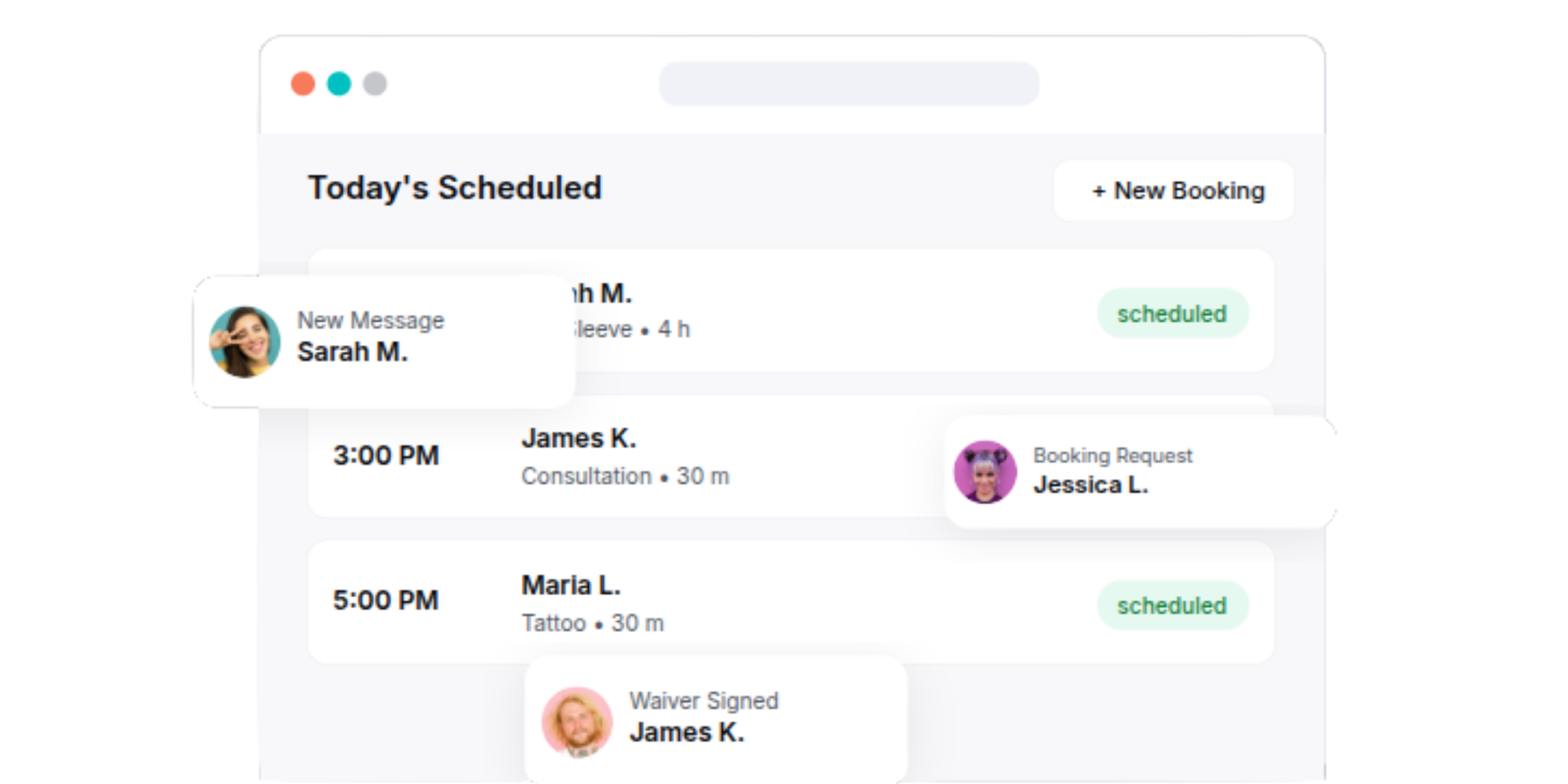
What it does well: InkDesk combines scheduling, client management, and messaging into a streamlined platform designed specifically for tattoo artists. It eliminates the need to juggle multiple apps for bookings and communication.
- Clean, intuitive interface focused on reducing client back-and-forth
- Comprehensive client projects feature that centralizes notes, references, and communication history
- Automated appointment reminders reduce no-shows
- Digital waivers eliminate paperwork hassles
- Free trial available with no credit card required
Where it falls short:
- Limited to basic reporting capabilities (though tracking revenue and client metrics is available)
- No built-in marketplace or flash management tools
- Payment processing appears basic compared to competitors
- Smaller feature set than all-in-one platforms
- Limited portfolio/showcase functionality for artists
Pricing:
- Solo Tattoo Artist: $25/month (billed annually from $50/month)
- Tattoo Studio (2 artists): $55/month (billed annually from $110/month)
- 30-day free trial, no credit card required
- No transaction fees on payments
2. Venue Ink
Venue Ink doubles as a website builder and a booking engine, giving your tattoo shop a high-end digital presence.
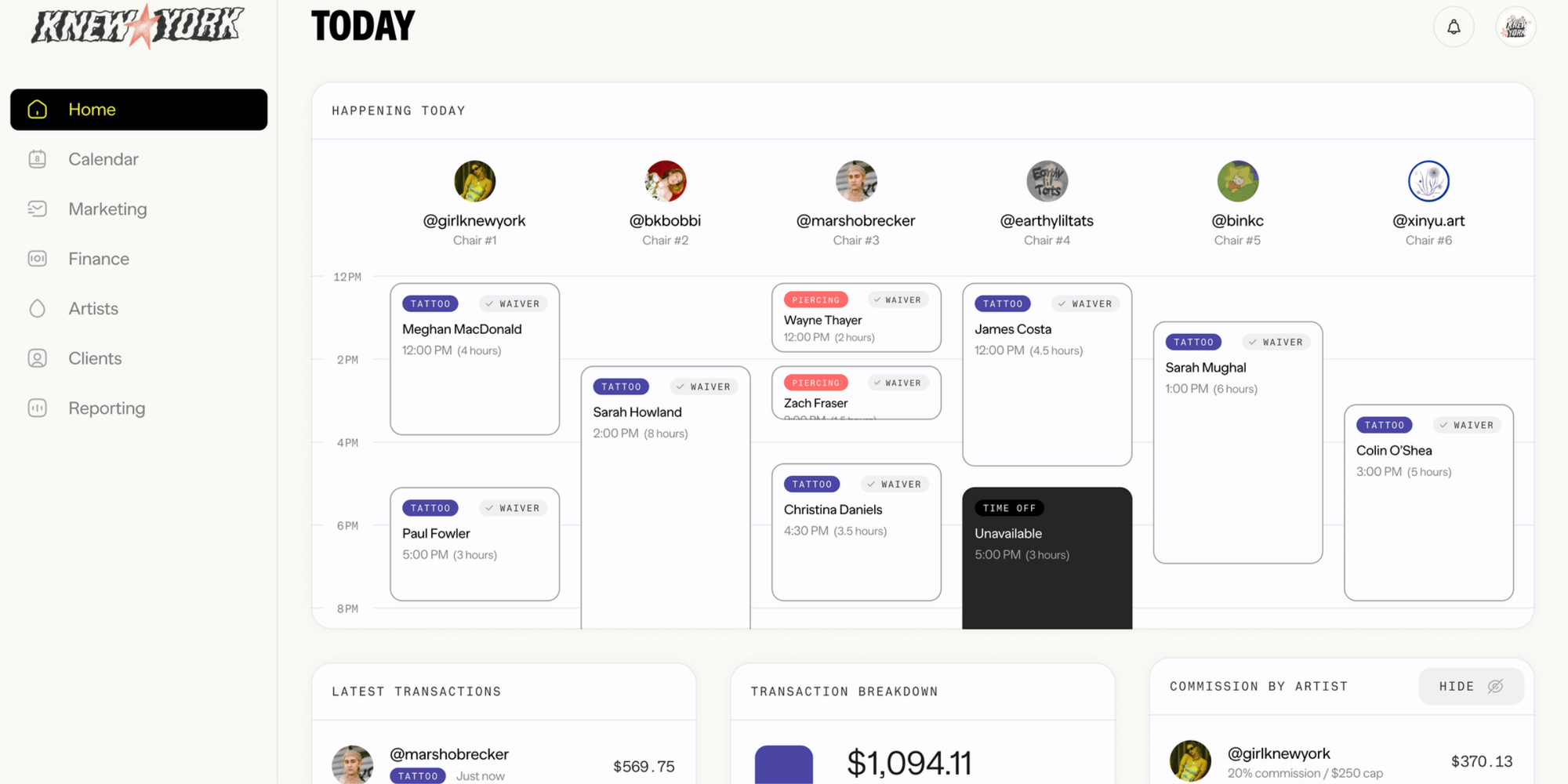
What it does well: Venue is built specifically for tattoo artists by artists and excels at managing flash, deposits, and payments with minimal overhead. The platform has a refreshingly casual vibe that appeals to the tattoo community.
- Zero monthly cost for solo artists (10% deposit and card payment processing chage)
- Integrated payment system with 10% processing fee (instead of per-booking charges)
- Client chat keeps conversations out of personal DMs
- Text reminders reduce no-shows effectively
- Artist-friendly tone and genuine community engagement
Where it falls short:
- Free tier's 10% payment processing fee becomes expensive at higher volumes
- Limited client data analysis and reporting compared to TSP
- No dedicated health official access for compliance purposes
- Smaller feature set than enterprise-level platforms
- No built-in POS or inventory management
Pricing:
- Solo: Free (10% payment processing fee)
- Studio: Free (10% payment processing fee on card charges)
- Solo Pro: $50/month (reduces processing fee to 5%)
- No long-term contracts; open and close books as needed
3. Tattoo Studio Pro
This is a heavyweight scheduling app for tattoo artists, focused on high-volume street shops.
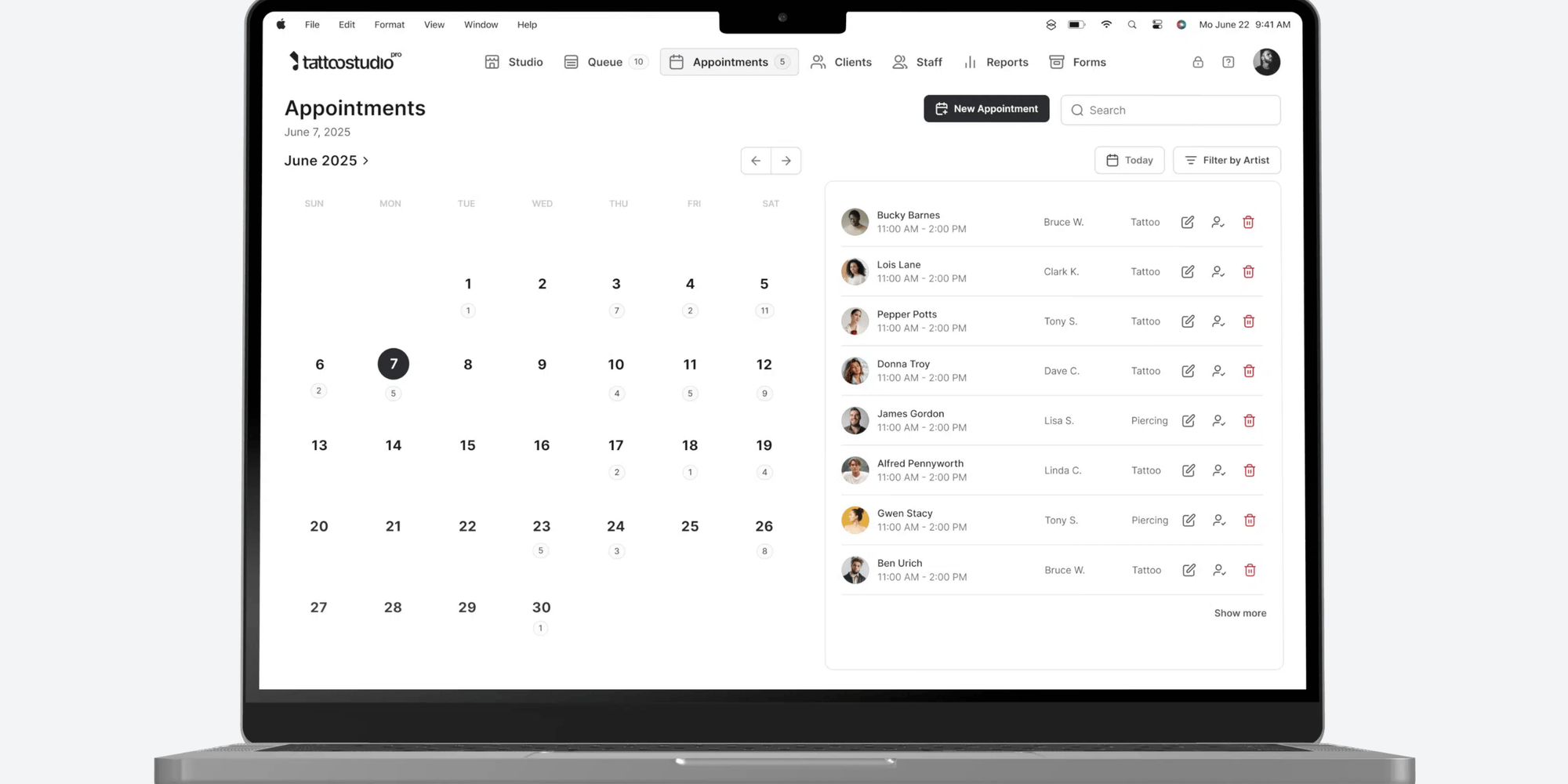
What it does well: Tattoo Studio Pro is the most comprehensive all-in-one solution specifically built for tattoo studios. It treats compliance, multi-artist scheduling, and business reporting as core features, not add-ons.
- Complete feature set included at every tier, no feature gating or paywalls
- All-in-one platform: booking, forms, POS, client profiles, reporting, portfolios
- Team-based pricing that scales fairly (pay only for the users you need)
- Digital consent forms with health official read-only access for compliance
- Artist portfolios with watermark protection and before/after galleries
- Generous free trial (30 days) with full feature access
Where it falls short:
- Higher starting cost ($29/month) than some competitors
- Learning curve steeper than simple scheduling-only tools
- Multiple plans required as your studio grows (Solo, Crew, Tribe, etc.)
- No built-in marketplace presence like some competitors
Pricing:
- Solo (1 team member): $29/month
- Crew (up to 5 team members): $69/month
- Tribe (up to 10 team members): $119/month
- Additional plans available for larger studios
- 25% discount with annual billing
- 30-day free trial, no credit card required
4. Porter
Porter is famous for ditching the "service menu" style of tattoo session booking, allowing for highly flexible, time-based scheduling.
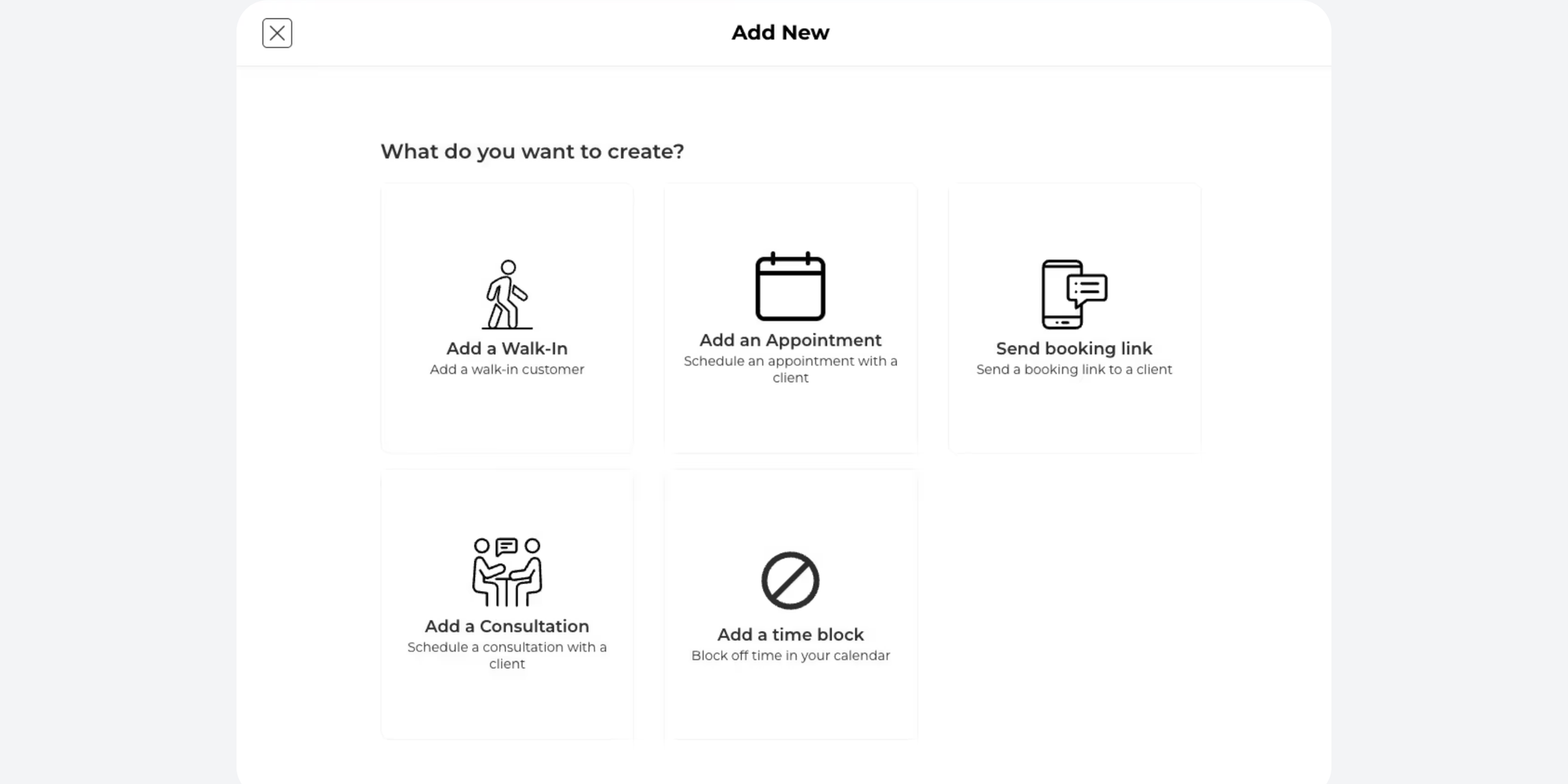
What it does well: Porter combines booking, payments, and team management with strong emphasis on multi-artist commission management and business metrics. Particularly strong for studios managing independent contractors or split arrangements.
- Comprehensive POS with hardware options available
- Automated commission split management and 1099 generation
- Buy Now, Pay Later (BNPL) options via Affirm and Klarna for clients
- Email and SMS marketing included in most plans
- Strong reporting dashboards for studio analytics
- 30-day free trial for basic plans
Where it falls short:
- Pro plan starts at $65/month; higher than some competitors
- Studio Pro plan ($250/month) is expensive compared to TSP's Tribe plan
- Less specialized for tattoo-specific workflows compared to TSP
- Requires 14-day demo trial for Studio Pro rather than self-service signup
Pricing:
- Artist Essentials: $35/month (solo artists)
- Artist Pro (recommended): $65/month (solo artists with advanced features)
- Studio Pro: $250/month (full studio management)
- 30-day free trial for Artist plans; demo required for Studio Pro
- Payment processing handled via Stripe
Scheduling alternatives used by tattoo studios
5. Vagaro
While originally for salons, many tattoo shops use Vagaro because of its massive marketplace of local clients.
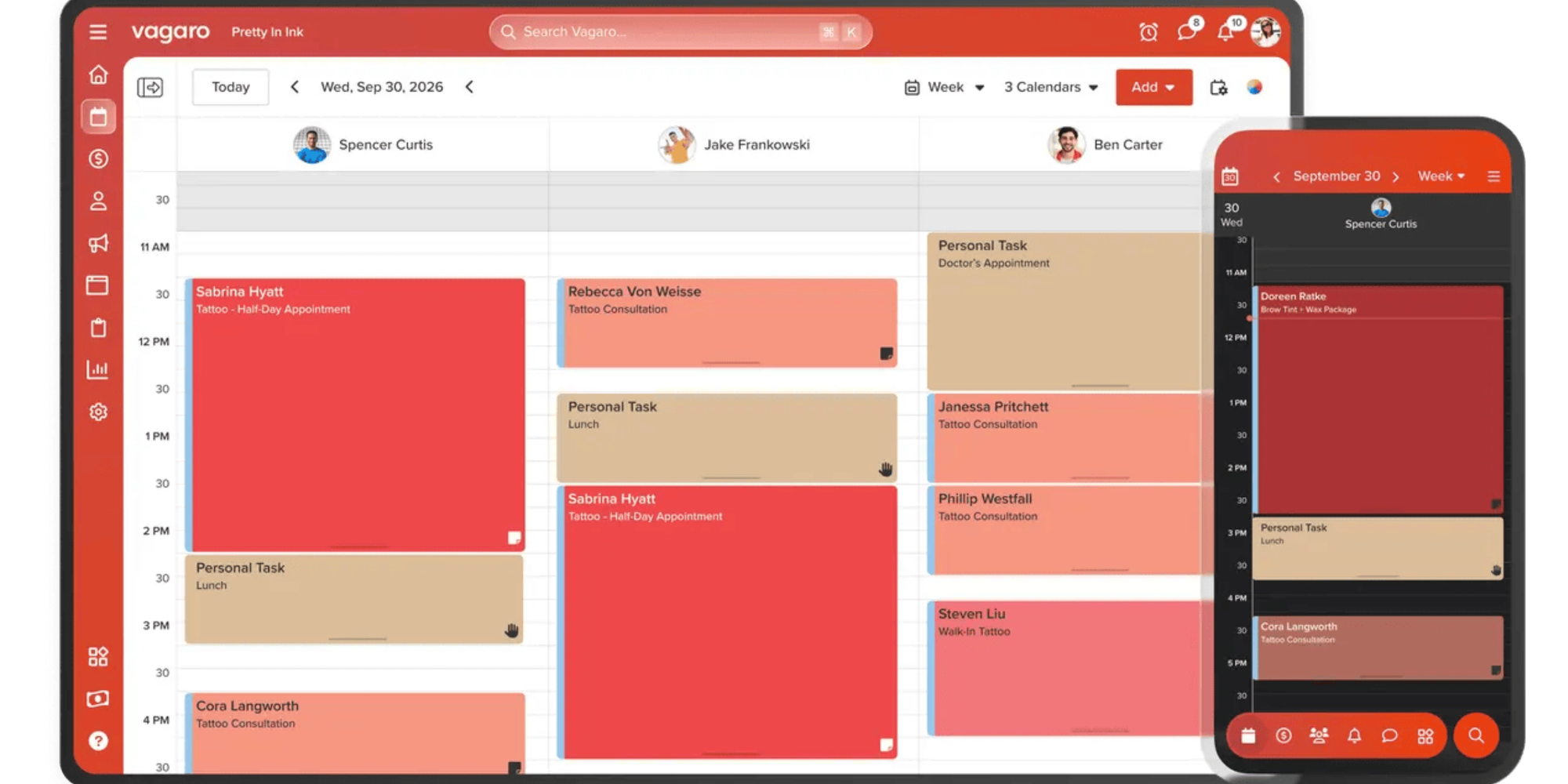
What it does well: Vagaro is a versatile platform built for multiple service industries. It offers a marketplace (24 million customers) to find new clients, and strong social media integrations for discoverability.
- Extensive integrations with Instagram, Yelp, and other social platforms
- Marketplace presence helps attract new clients
- Flexible and customizable for various service types
- Built-in POS with contactless payment options
- Card-on-file storage for returning clients
Where it falls short:
- Feature-heavy pricing model with significant add-on costs (forms, SMS, advanced reporting all extra)
- Base price ($30/month) masks true cost once essentials are added
- Designed for beauty/salon industry first; requires adaptation for tattoo-specific workflows
- Reporting accuracy issues noted in reviews
- Cannot charge no-show fees to clients who've already paid deposits
- Limited tattoo-specific compliance features
Pricing:
- Base: $30/month (1 bookable calendar)
- Additional calendars: $10/month each (up to 7, then unlimited)
- Add-ons: Forms ($10/month), SMS marketing (per message), text marketing, advanced reporting ($40/month), data analytics ($40/month)
- Processing fees: 2.2%–3.5% + per-transaction charge
- 30-day free trial available
6. Square Appointments
A popular choice for those already using Square for online payment and hardware in their shop.
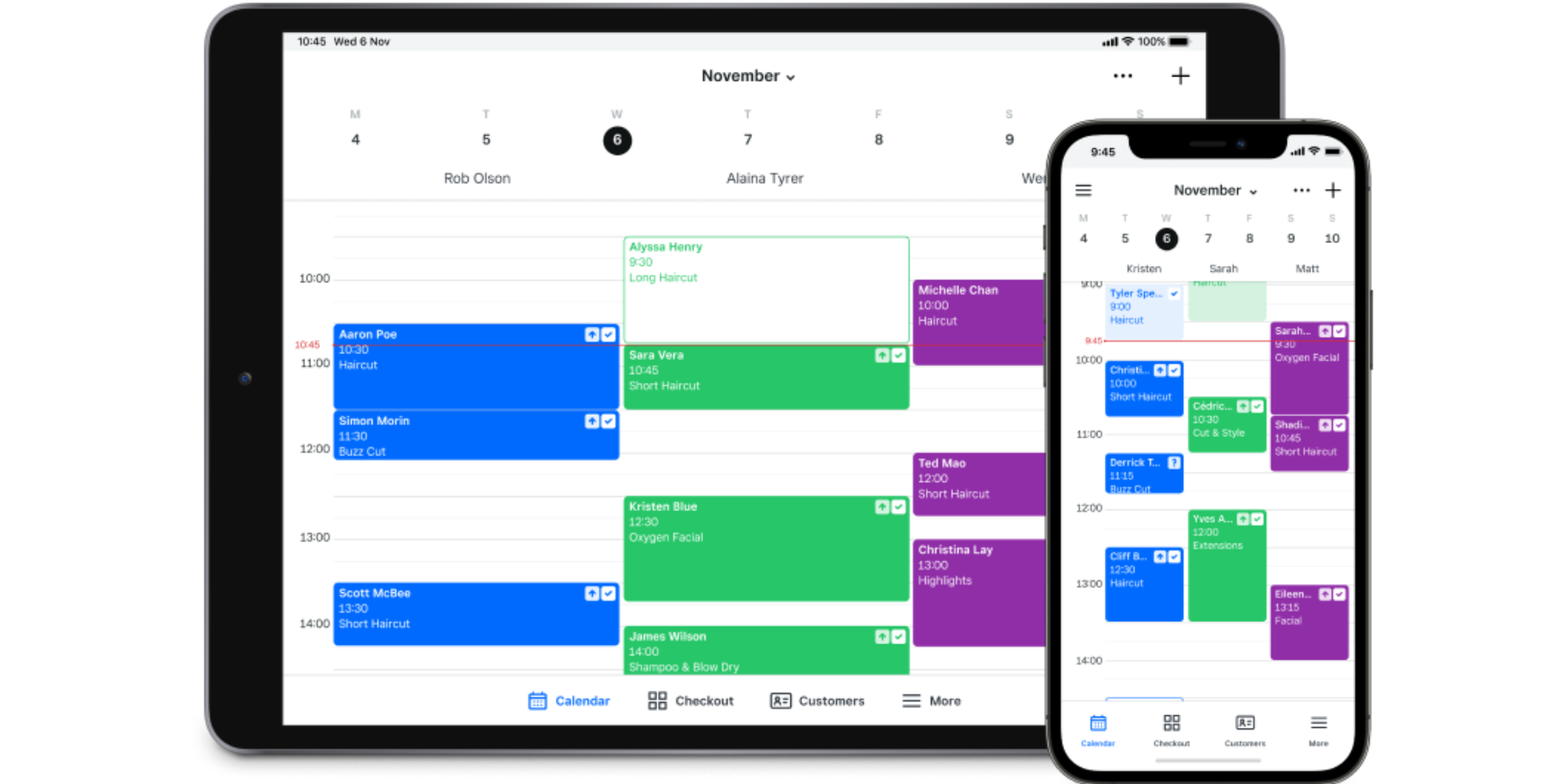
What it does well: Square excels at payment processing and point-of-sale integration. If your studio already uses Square for payments, the booking system works seamlessly within that ecosystem.
- Integrates perfectly with existing Square POS hardware and payment systems
- Basic appointment scheduling is free for solo artists
- Mobile app is solid and reliable for on-the-go management
- Can accept deposits and hold cards for cancellation/no-show fees
- Social media booking links embedded easily on Instagram and Facebook
Where it falls short:
- Generic scheduling tool; not tattoo-specific at all
- No artist portfolios, flash management, or tattoo-specific session tracking
- No health official access for compliance documentation
- Payment processing fees are charged separately (2.6% + $0.10 per transaction)
- Limited to Square payment ecosystem; creates vendor lock-in
- Deposit collection at booking not straightforward
- Weak at managing walk-in queues and multi-session projects
- Free plan: $0/month (solo artist, basic scheduling)
- Plus plan: $35/month per location (adds cancellation policies, waitlists, class bookings)
- Plus plan with multiple calendars: pricing scales quickly
- Processing fees: 2.6% + $0.10 per transaction (separate from subscription)
7. Koalendar
Koalendar is the best tattoo booking app for solo artists who want a professional edge without the monthly overhead. It’s a clean, efficient scheduling software that focuses on the essentials.
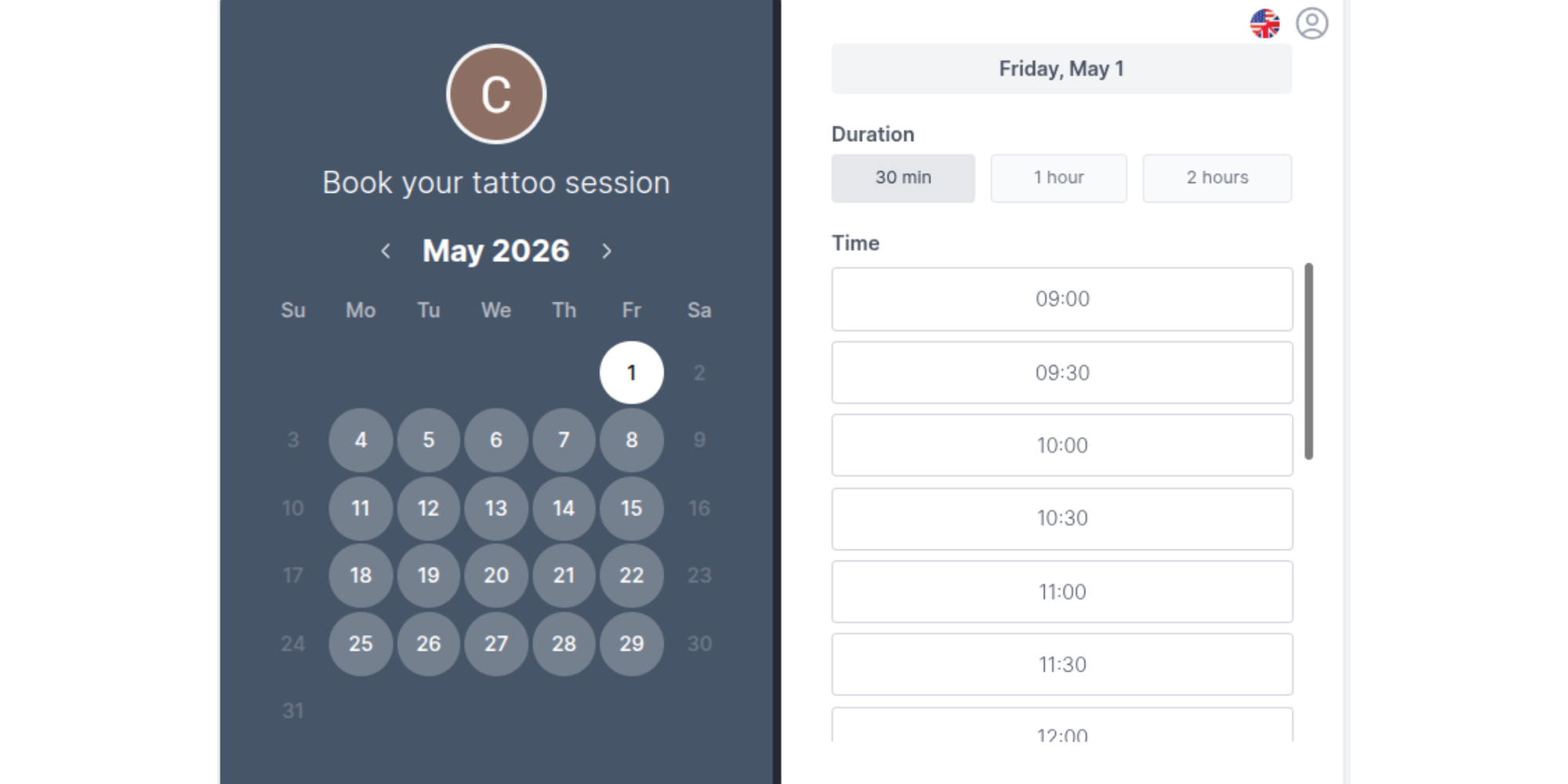
What it does well: Koalendar offers an elegant, lightweight scheduling solution with a truly free tier. It's excellent for artists who want minimal overhead and straightforward booking management without unnecessary complexity.
- Genuinely unlimited free forever plan (no hidden scheduling link limits or booking caps)
- Calendar sync across Google Calendar, Outlook, iCloud with no fees
- Clean, modern interface with fast setup
- Customizable booking pages with professional branding options
- Automated email and SMS reminders on Pro plan
- Intake forms and payments available in Pro plan
- Team scheduling, booking limits, and tentative bookings
Where it falls short:
- Generic scheduling platform
- No client management
- Free tier lacks payment collection capability
- No artist portfolio or portfolio showcase features
Pricing:
- Free Forever: $0/month (unlimited bookings, 2 Google/Outlook/iCal sync, basic notifications)
- Pro: $6.99/seat month when billed annually ($9.99/seat month billed monthly)
- Pro pricing is per seat (user or bookable resource)
- No commitment; cancel anytime with monthly plans
- Free trial of Pro available
Solo artist or multi-artist shop? Your answer changes everything
Best for solo tattoo artists
If you work alone, simplicity is king. You need a tool that handles calendar sync to prevent double-bookings while you're away from your desk. Koalendar is a top choice here because it offers top-tier scheduling and payment features without the complexity of a full studio management suite.
Best for studios with multiple artists
Studio managers need multi-artist scheduling and commission tracking. Tools like InkDesk or Tattoo Studio Pro excel here, as they allow for individual artist profiles under one shop umbrella, helping you manage employee scheduling strategies effectively.
If you’re running a small team and you don’t have a huge budget (perhaps you’re just starting out), then a free or low-cost option like Koalendar can be a great choice.
How to get set up without losing a week to it
Transitioning to a new system doesn't have to be a nightmare. Follow these best practices for tattoo scheduling setup:
- Sync your existing calendar: Connect your personal phone calendar to the app immediately to block out current appointments
- Define your cancellation policy: Clear cancellation policy/rules displayed on the booking page protect your time
- Audit your intake questions: Keep them concise; ask for placement, size, and color vs. black/grey upfront
- Promote your link: Get more bookings online by placing your link in every social bio and automated DM reply
Setting up your tattoo shop booking page in Koalendar
To do this in Koalendar, follow these steps:
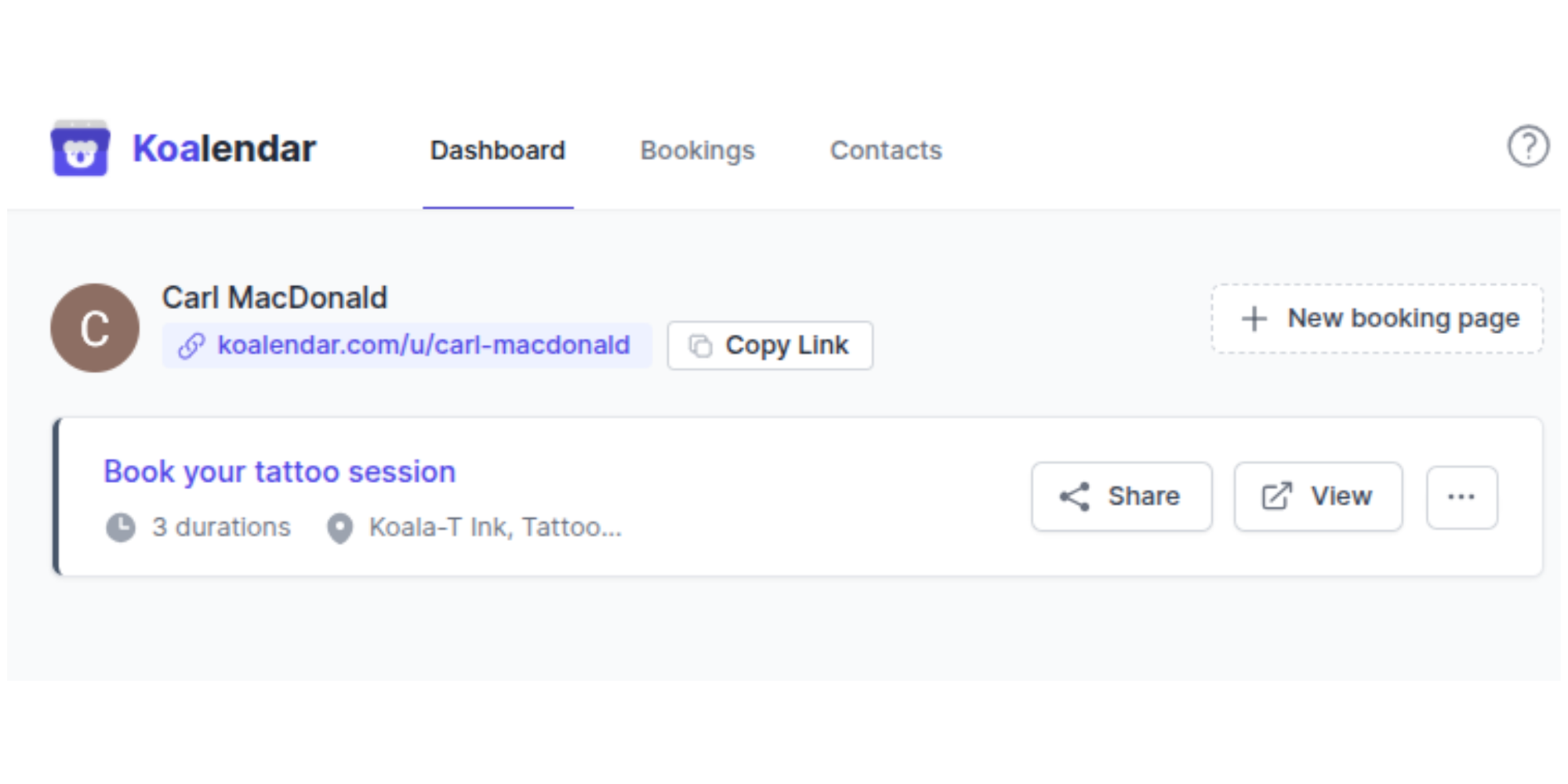
- Sign up and/or login, and hit “New Booking Page” in the dashboard
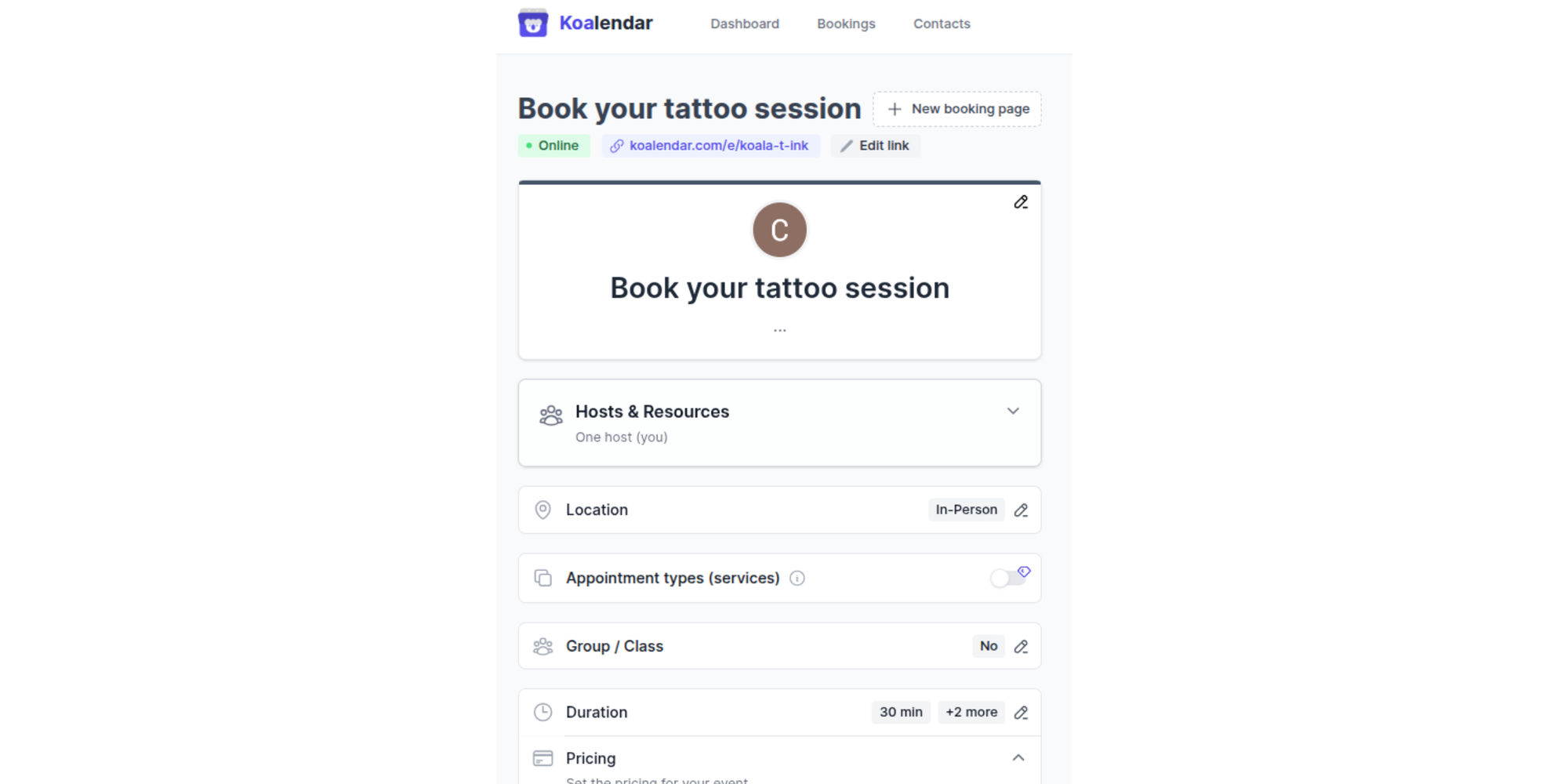
2. Customize your booking form, including session timeslots, pricing, intake forms, and notifications
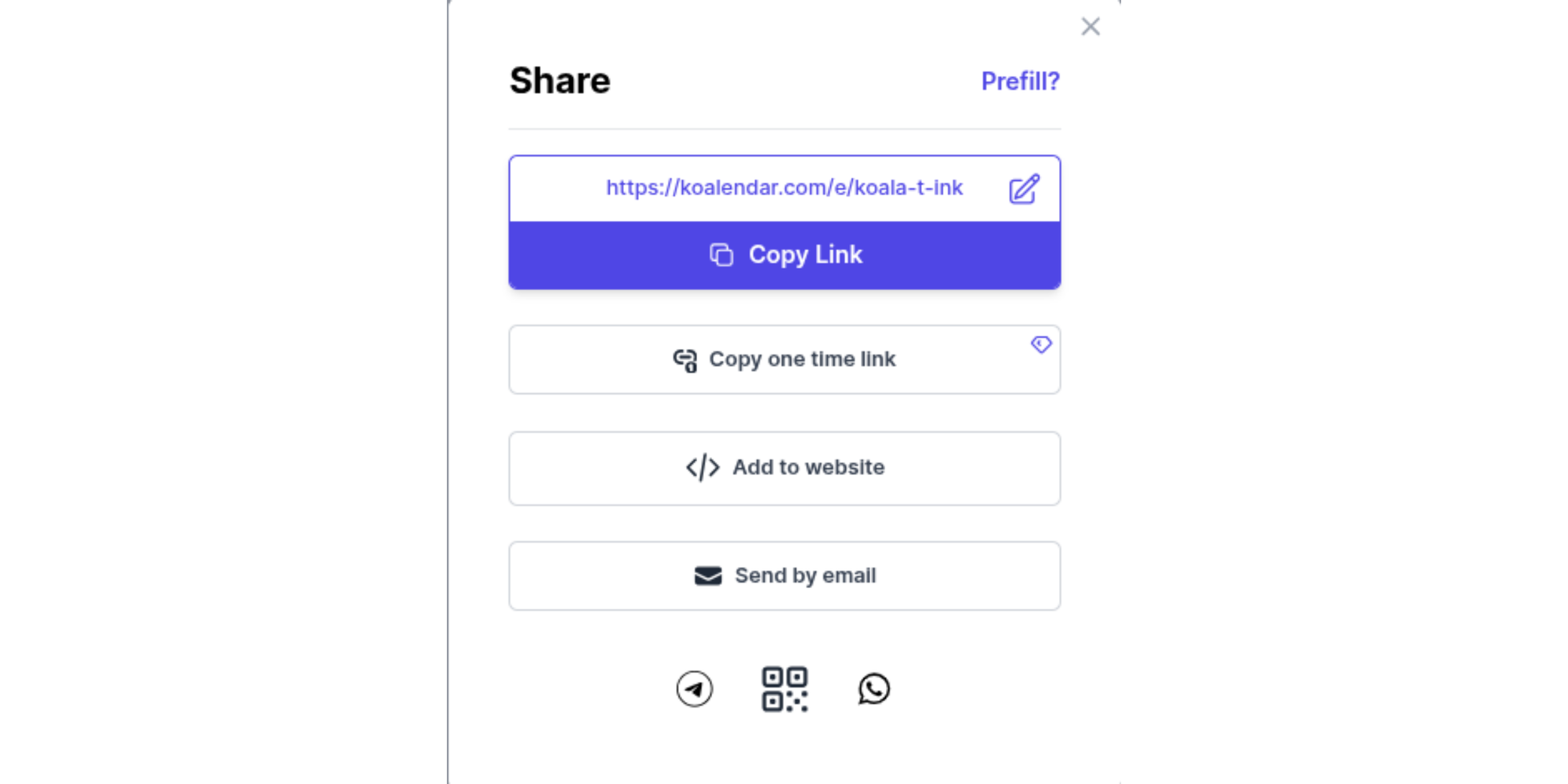
3. Share your link; you can customize its URL, and then share directly or embed on your website
4. Customers can then book their session directly from your link!
You’ll be up and running in a few minutes, and ready to start taking bookings with all the information and commitment you need from your clients.
Overcome the DM time-sink with a powerful tattoo appointment scheduler
Whether you choose a specialized tool or a flexible, free option like Koalendar, moving to a professional scheduling software is the single best thing you can do for your tattoo business this year.
It’s time to stop the DM madness. With an easy-to-use (and manage) scheduling platform like Koalendar, your future self will thank you. Let's get you booked!
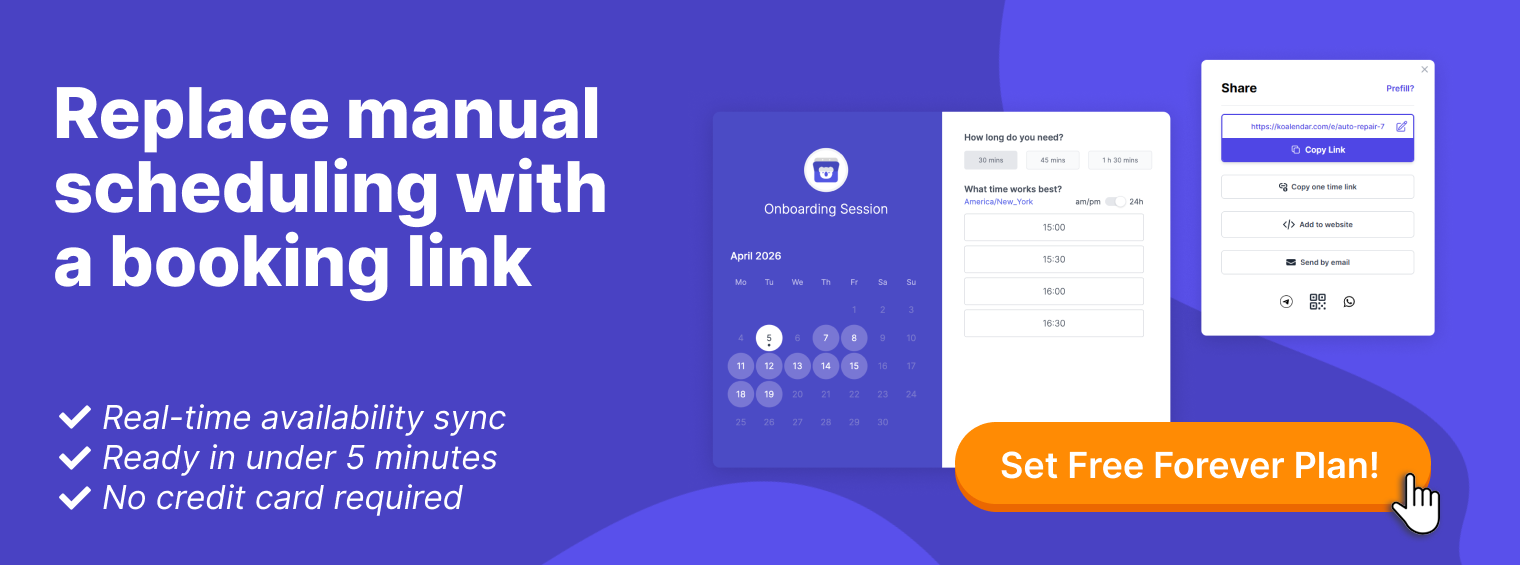
Manage tattoo bookings, deposits, and schedules easily with Koalendar’s free plan - no monthly fee.


.png?w=800&fit=max&auto=format)

