

TL;DR
Vagaro advertises starting at $24–$30/month, but salon owners pay much more once calendars, SMS marketing, website builders, and payment processing fees are factored in. A 3-chair salon realistically pays $70–$150+ per month, plus 2.2%–3.5% processing fees on every card transaction. This guide breaks down the real cost, uncovers hidden fees, and shows when simpler (and cheaper) alternatives might work better.
As a salon owner or beauty store owner, you've probably seen Vagaro's ads promising $24/month or $30/month booking software. Sounds good, right?
Then you start adding staff calendars, SMS marketing, forms, payment processing. Suddenly you're looking at $100–$150+ monthly before fees kick in. And the processing fees? They're 2.2%–3.5% on every card you swipe.
This guide breaks down what you're actually paying, exposes the fees most salon owners miss, and shows you when a simpler tool might save you hundreds per month.
.png?w=2000&fit=max&auto=format)
How much does Vagaro cost in 2026?
Vagaro is a tailored software for hair salon, beauty parlor, and wellness businesses. Vagaro pricing looks simple on the surface but becomes complicated fast. Here's what you're actually paying.
Vagaro pricing plans explained
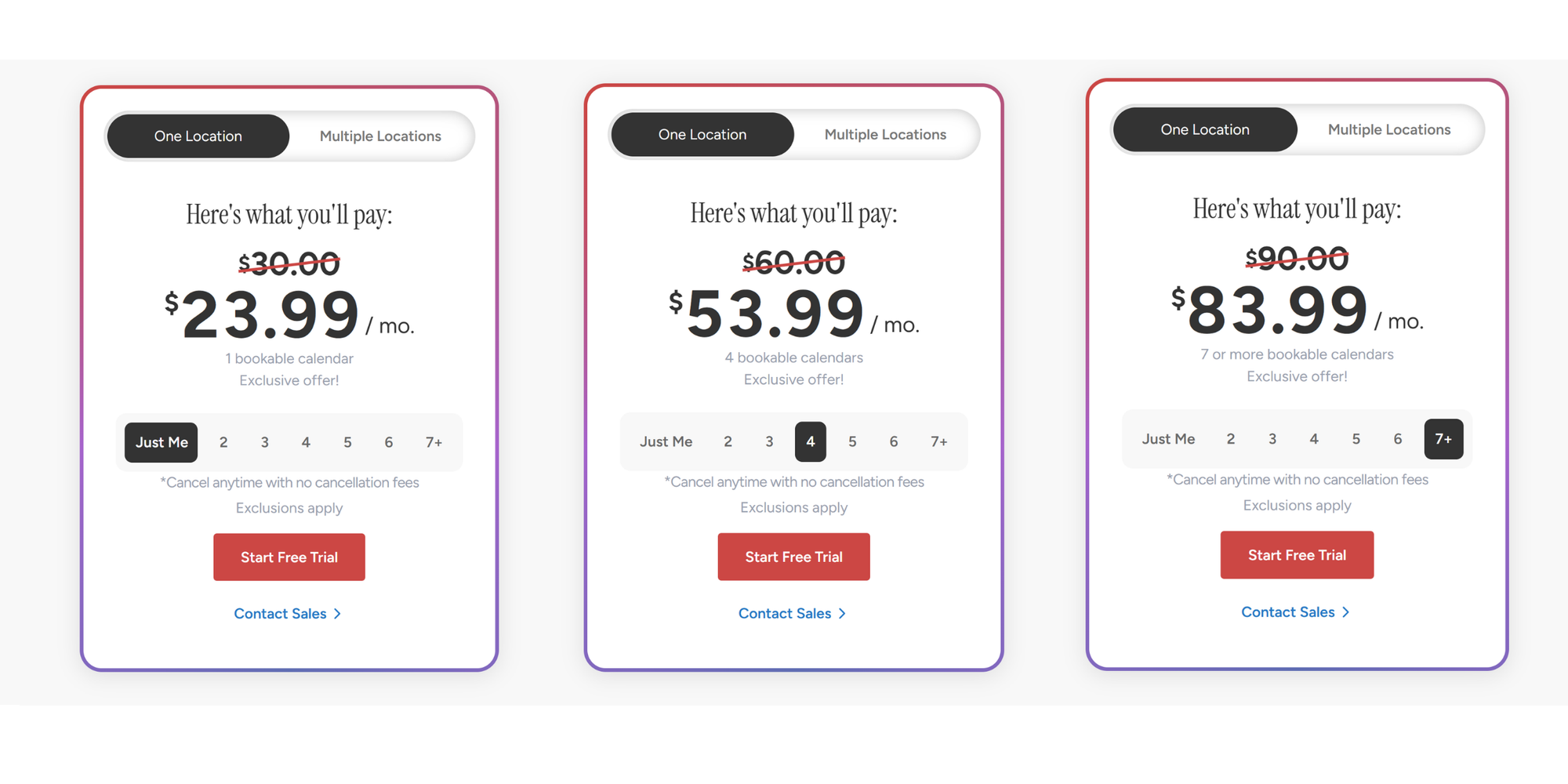
Vagaro starts at $30/month (promotional pricing: $24/month) for one bookable calendar at a single location. The "One Location" plan scales by adding more staff or services.
Base pricing:
- One calendar (one stylist or service provider): $30/month
- Each additional calendar: $10/month
- Multiple locations: Custom pricing (contact sales)
The catch: The base price includes appointment scheduling, basic online booking, and limited marketing. But most salon owners find they need features that aren't included. If you’re looking for something to take care of appointments, there are more affordable options available.
Cost per employee/calendar
Vagaro charges per "bookable calendar", meaning each staff member's schedule costs extra. For a 3-person salon, you're paying base $30 + $10 for the second calendar + $10 for the third = $50/month minimum just for scheduling.
If you run a 7-person salon, you're paying $30 + ($10 × 6) = $90/month before any add-ons or processing fees.
Vagaro payment processing fees
Vagaro charges different processing fees depending on whether you're a "Small Merchant" (under $4,000/month sales volume) or "Large Merchant" (over $4,000/month).
For small merchants (under $4,000/month):
- Card-present (in-person): 2.2% + $0
- Keyed-in (online/saved cards): 3.5% + $0.30
- ACH (bank transfers): 1% fee
- Buy Now, Pay Later: 6% + $0.30
For large merchants (over $4,000/month):
- Card-present: 2.2%
- Keyed-in: 2.5%–3.5%
- Includes FANF fee (Fixed Acquirer Network Fee): Variable
What this means: Processing fees of 2.2%–3.5% add up fast when you're collecting deposits and running card-on-file payments. On a $100 online deposit, you're paying $3–$3.50 in fees. Over 20 bookings a month, that's $60–$70 in processing costs alone.
Vagaro add-ons that increase costs
This is where Vagaro gets expensive. The base plan lacks features most salons consider essential, and they cost extra if you want to use them.
Common Vagaro add-ons include:
- Text Marketing ($20/month) – SMS campaign tool beyond base allowance
- Forms ($10/month) – Intake forms and custom waivers
- Vagaro Drive ($10/month) – Cloud storage for client photos and files
- Vagaro MySite ($20/month) – Branded website builder
- Branded App ($100/month) – Mobile app with your branding
- Payroll ($34/month + $5/employee) – Staff payroll management
- Data Lake ($40/month) – Advanced analytics and reporting
- Live Stream ($10/month) – Virtual classes or consultations
- Check-In App ($10/month) – QR code self-check-in
- QuickBooks integration ($10/month) – Accounting sync
- Xero integration ($30/month) – Accounting sync
For a salon building a comprehensive operation with 7–10 add-ons, total costs can easily reach $100–$250/month on top of the base subscription.
What's included in Vagaro pricing?
Understanding what's bundled into the base price helps you know which add-ons you actually need.
Online booking
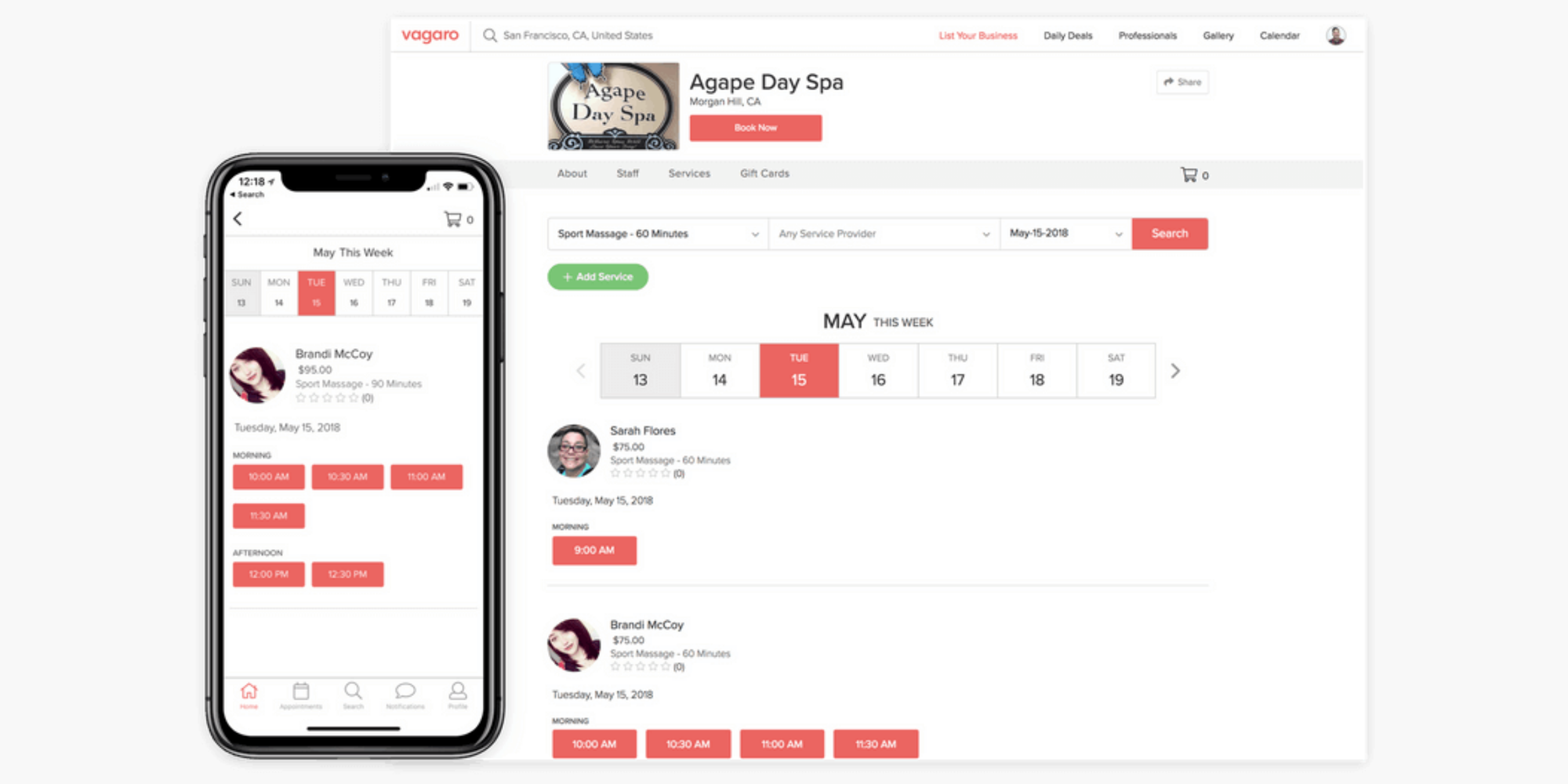
Vagaro's online booking is included in the base plan. The company charges $0 commission on online bookings, so all revenue is yours. You can embed booking links on your website, Instagram bio, or send via SMS.
Appointment scheduling & calendar management
The base plan includes calendar management, appointment blocking, recurring bookings, and waitlist functionality. Clients can book across multiple services and staff, with resource management and buffer times between appointments.
POS & payment tools
The point of sale (POS) system is included in your subscription. You can process payments, manage refunds, and handle retail sales. Payment processing hardware (card readers, stands, printers) costs extra: $100–$380 depending on setup.
Marketing features
Your base plan includes:
- 1,000 free email messages/month
- Small SMS allowance
- Free Vagaro Marketplace listing with unlimited daily deals (vs Fresha's 20% commission)
- Basic client loyalty program
Reporting and analytics
Basic reporting is included: appointment bookings, revenue generation, and client interactions. Advanced analytics require the paid Data Lake add-on ($40/month).
Hidden Vagaro fees most salon owners miss
This is where surprises happen. Salon owners often discover these costs after signing up.
SMS marketing costs
Your base plan includes a limited SMS allowance. Once you exceed it, Text Marketing add-on costs $20/month, and overage charges apply. If you send appointment reminders to 50 clients weekly, you'll hit your limit fast.
Payroll add-ons
If you run payroll through Vagaro: $34/month base + $5 per employee/month. A 5-person salon pays $34 + $25 = $59/month for payroll alone. That's on top of your scheduling subscription.
Website builder fees
Want a branded website? Vagaro MySite costs $20/month. Or go premium with the Branded App at $100/month for a custom mobile app.
Processing fees (The big one)
This isn't a hidden fee, but salon owners underestimate it. Processing fees of 2.2%–3.5% on every card transaction add up significantly. On $10,000 in monthly bookings:
- 2.2% = $220/month in fees
- 3.5% = $350/month in fees
Annual processing costs: $2,640–$4,200.
Extra storage and integrations
Cloud storage (Vagaro Drive) costs $10/month once your photo library grows. Integrations with accounting tools (QuickBooks, Xero) cost $10–$30/month each.
Vagaro pricing examples for different salon sizes
Let's calculate real monthly costs for different salon setups.
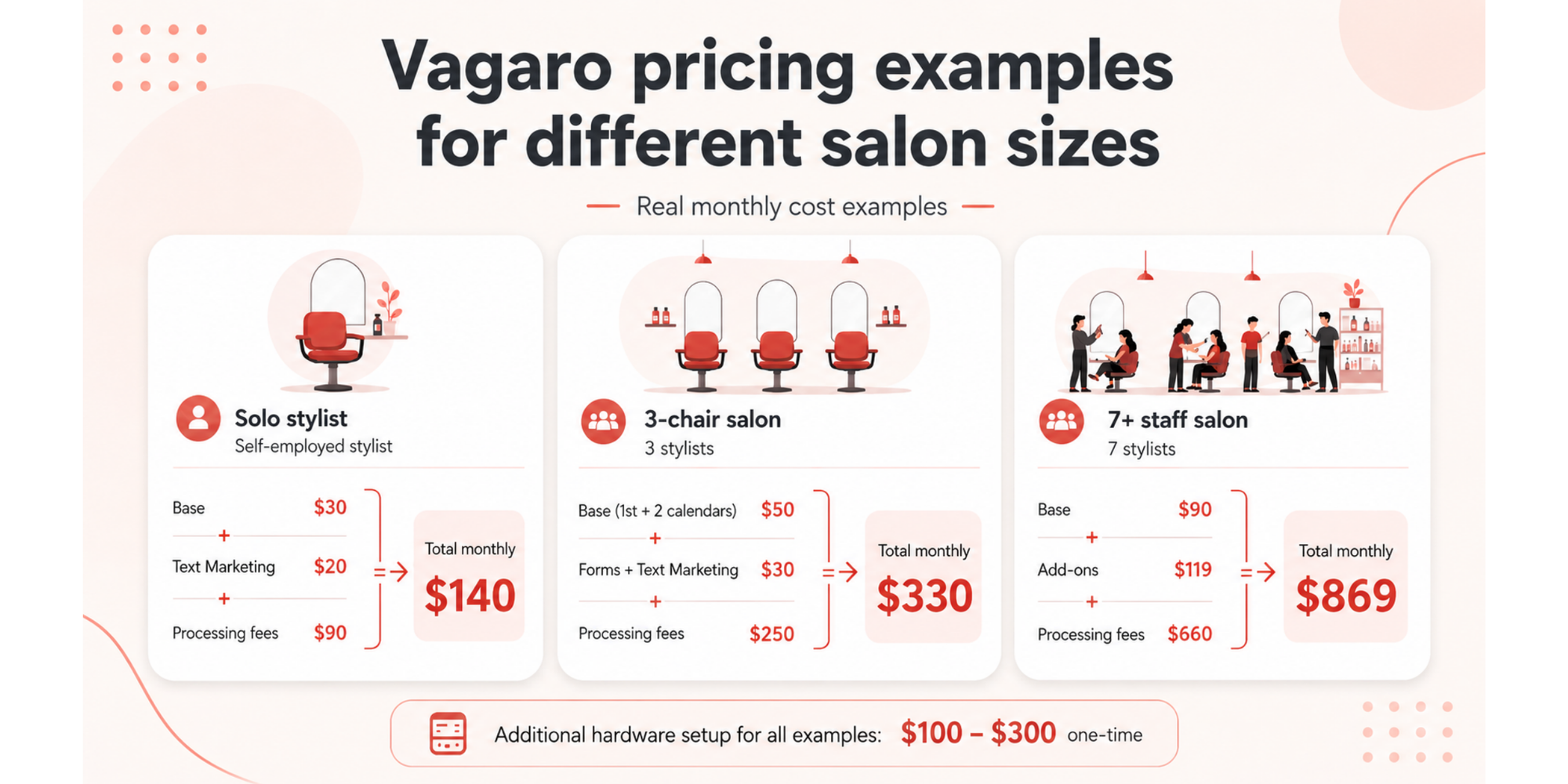
Solo stylist example
- Setup: Self-employed stylist, online booking, SMS reminders, no payroll
- Base: $30/month
- Add-ons: Text Marketing ($20)
- Processing fees: Estimate 3% on $3,000 monthly revenue = $90
Total monthly: $140
3-chair salon example
- Setup: 3 stylists, online booking, intake forms, client management
- Base: $30 (1st calendar) + $20 (2 additional calendars) = $50
- Add-ons: Forms ($10) + Text Marketing ($20) = $30
- Processing fees: Estimate 2.5% on $10,000 monthly revenue = $250
Total monthly: $330
7+ staff salon example
- Setup: 7 stylists, online booking, forms, SMS marketing, payroll, website
- Base: $30 + ($10 × 6) = $90
- Add-ons: Forms ($10) + Text Marketing ($20) + Vagaro MySite ($20) + Payroll ($34 + $35 for 7 staff) = $119
- Processing fees: Estimate 2.2% on $30,000 monthly revenue = $660
Total monthly: $869
Plus hardware setup ($100–$300 one-time).
Is Vagaro worth it for small salons?
The honest answer depends on your size and salon’s growth stage. There are several things to consider, so here are the pros and cons to help you weigh up your options.
Pros of Vagaro
For many salons, Vagaro is a great option for the following reasons:
- Complete all-in-one platform – Scheduling, POS, payments, marketing, payroll all in one system (if you add the features)
- Flexible add-on model – Pay only for what you need; no forced tiers
- Free Vagaro Marketplace – Built-in client discovery with no commissions (vs Fresha's 20%)
- Scalable for growing salons – Works for solo stylists to multi-location operations
- Integrated payroll – Keep everything in one platform instead of juggling multiple tools
- 30-day free trial – Test before committing
Cons of Vagaro
However, Vagaro can be limiting or frustrating for some salon businesses for these reasons:
- Add-ons create sticker shock – Base price is misleading; real costs climb fast
- High processing fees – 2.2%–3.5% is higher than some competitors (GlossGenius: 2.6% flat)
- Per-calendar pricing scales poorly – Each staff member adds $10/month; big salons pay more
- Mandatory payment processing – You must use Vagaro Payments to use the platform fully
- Complexity for new users – So many add-ons that setup feels overwhelming
- Marketing overage charges – SMS beyond your limit costs extra
Best fit businesses
Vagaro is right for:
- Growing salons (5–15+ staff) that need payroll integration
- Salons already invested in the Vagaro ecosystem
- Owners willing to pay for a complete management system
- Businesses with $20,000+/month revenue (where per-transaction fees sting less proportionally)
If you’re just starting a nail salon or are looking for a simple barber appointment app, it’s probably not the right fit.
When Vagaro becomes expensive
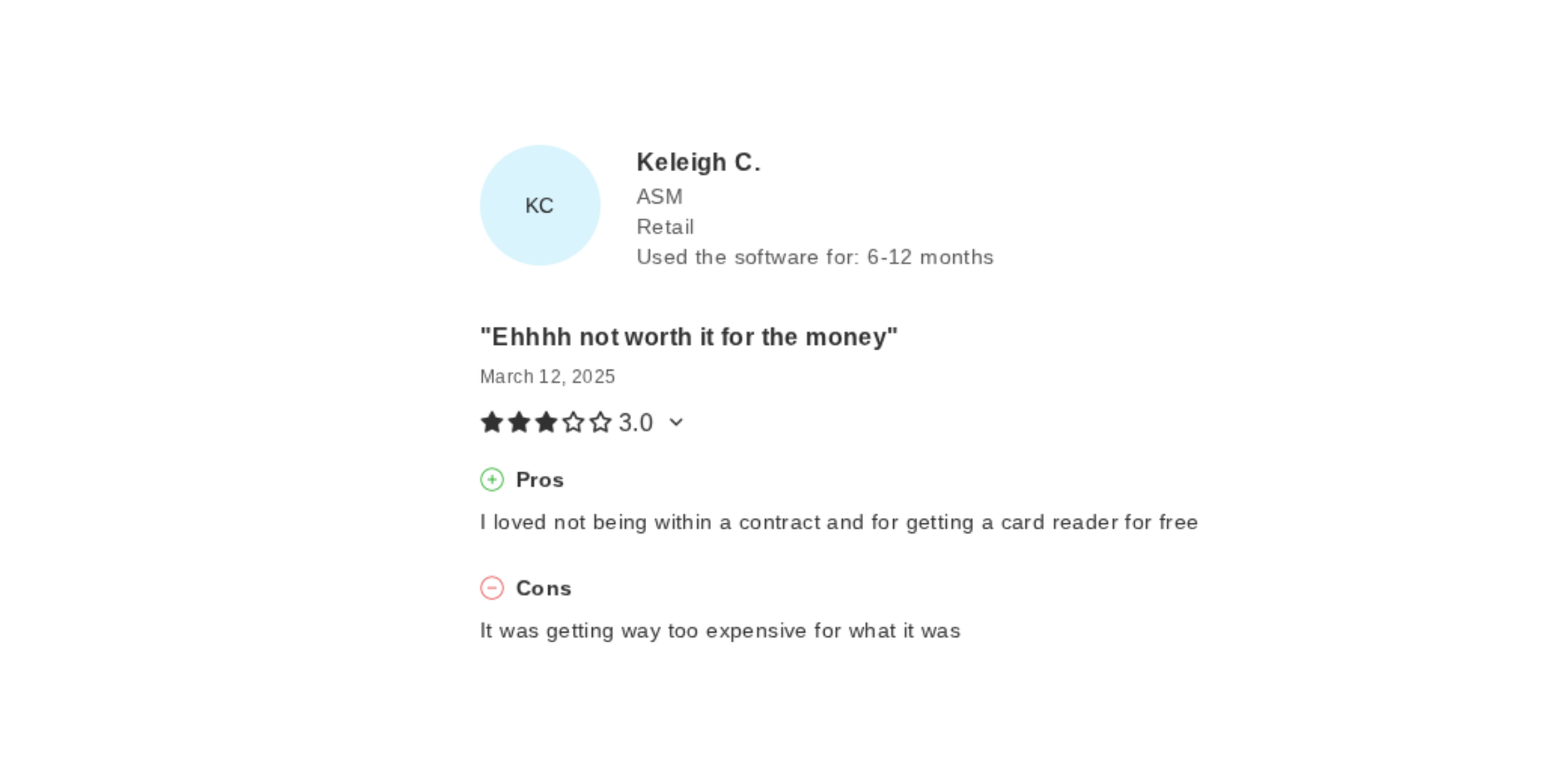
Although it can be a good platform for salon owners and businesses, several user reviews on Capterra refer to Vagaro’s additional costs as being unwelcome.
Stop and reconsider if:
- You're a solo stylist (payment processing fees hurt more when revenue is low)
- You need only basic scheduling (simpler tools exist for less)
- Your team is 3–4 people (you're paying extra per calendar when a flat-fee alternative exists)
- You're cost-sensitive and SMS marketing, forms, and storage are nice-to-haves
Vagaro vs Koalendar
Koalendar takes a different approach: simplicity over features. It focuses on the scheduling side of things, which is ideal if you’re looking for an easy way to manage your salon’s appointments.
Simplicity
Vagaro gives you everything, but only if you buy every add-on.
Koalendar focuses on what most salons actually need: easy booking, automated reminders, calendar sync, payment collection, and team scheduling.
For a solo provider, Koalendar's free plan beats Vagaro's $30/month. For a 3-person team, Koalendar's free plan includes two free calendars (your third would be $6.99 per month), while Vagaro charges $50/month minimum. Koalendar’s Pro plan allows you to take payments on booking, too.
Pricing transparency
Vagaro's per-calendar model creates complexity. Koalendar's pricing is transparent: free forever with all core features, or upgrade to Pro (from only $6.99/seat per month) if you need advanced reporting and SMS campaigns.
Booking experience
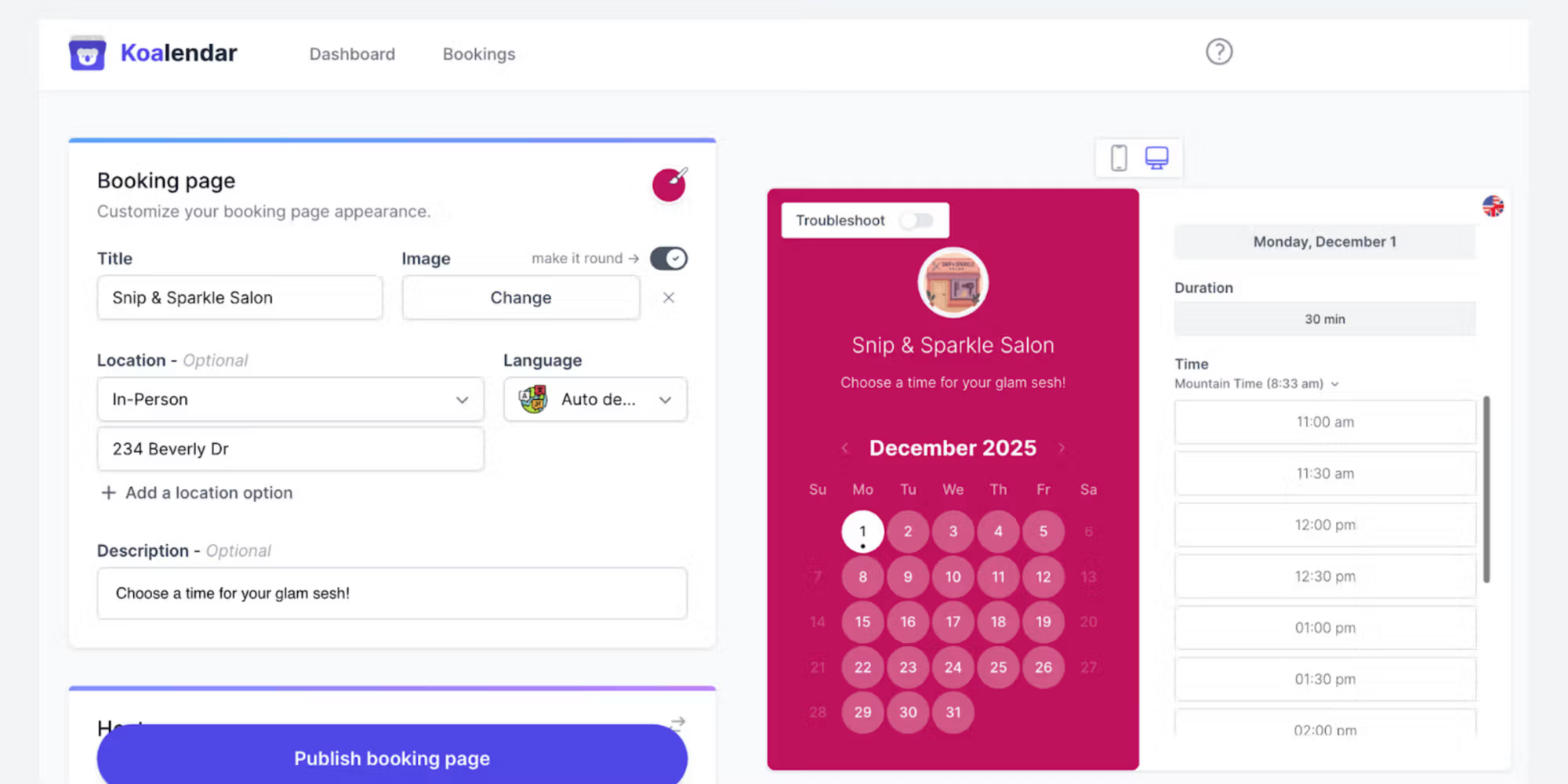
Both platforms offer customizable booking pages and SMS reminders. Koalendar's is more streamlined; Vagaro's is arguably more comprehensive (but more complicated). With Koalendar, you can include your salon cancellation policy and accept pre-payment to reduce no-shows, without having to pay for multiple add-ons.
Best option for small salons
Choose Vagaro if: You need payroll, want a true all-in-one system, and have the budget for add-ons.
Choose Koalendar if: You want to simplify scheduling without juggling add-ons, prefer transparent pricing, and don't need payroll integration.
Here’s a summary to help you see which suits you best:
 |  | |
| Base pricing | $30/month (1 calendar) | Free forever (unlimited bookings) |
| Per-staff cost | +$10/month each | 1 owner with 2 calendar syncs ncluded in free plan; from $6.99/seat/month for additional users |
| Payment processing | 2.2%–3.5% + mandatory | Optional; can use Stripe |
| Booking page customization | ✅ | ✅ |
| Automated reminders | ✅ | ✅ (email + SMS) in Pro |
| Forms & intake | +$10/month add-on | ✅ in Pro |
| Website builder | +$20/month (MySite) | ❌ (booking page only) |
| Team scheduling | ✅ | ✅ |
| Client Management | ✅ | ✅ |
| Setup Complexity | Medium (many options) | Simple (clear defaults) |
| Best For | Growing salons needing payroll | Solo stylists to small teams |
Best Vagaro alternatives for salon owners
If Vagaro's pricing feels high, other options exist.
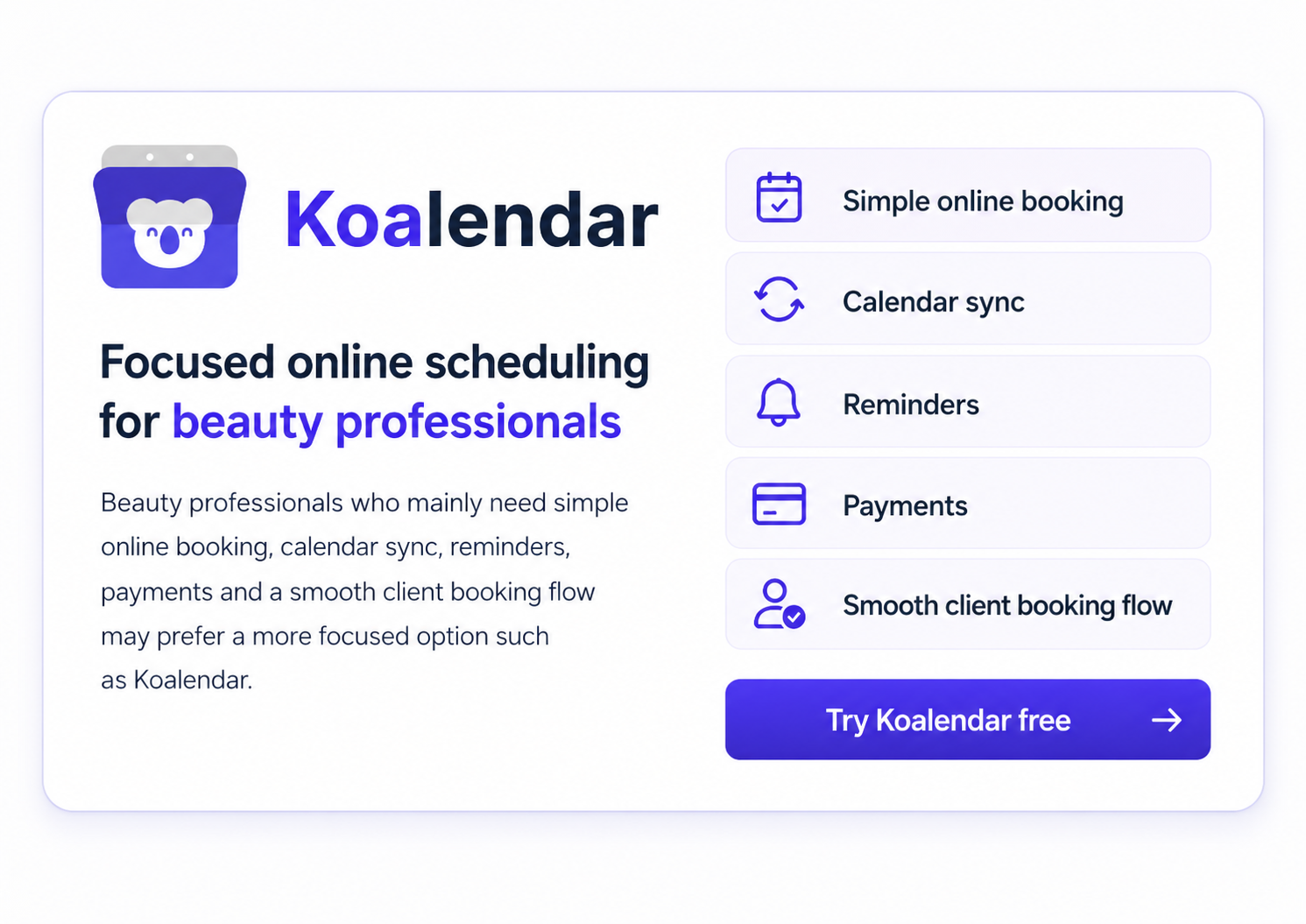
Koalendar
Pricing: Free forever (unlimited bookings); Pro plan available from $6.99 per seat/month
Best for: Salons looking for simplicity without hidden fees
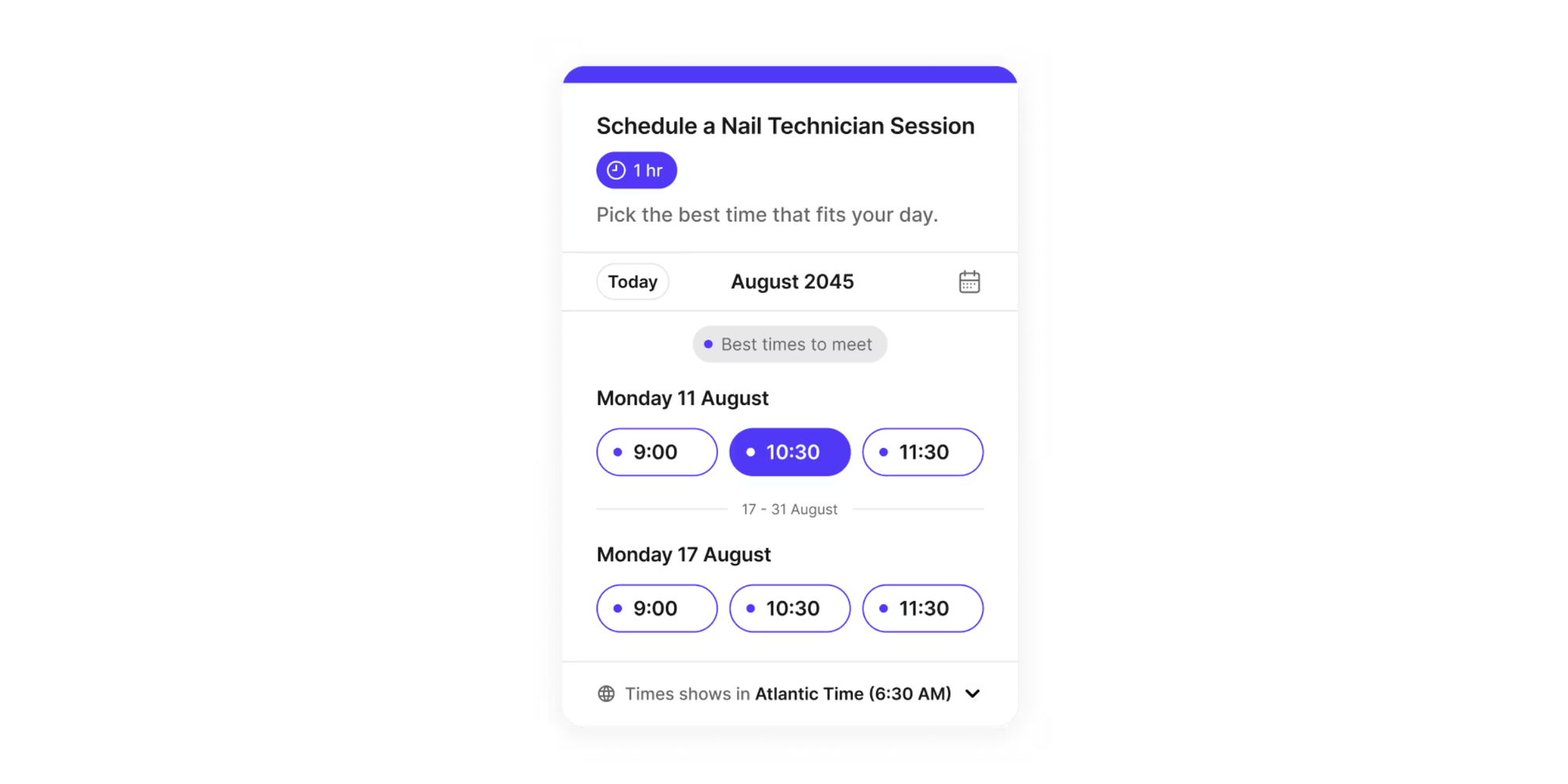
If you’re looking for salon scheduling software, Koalendar handles online booking, automated reminders, calendar sync, waitlist, packages and team scheduling, all included in the free plan. No per-employee charges. No forced add-ons. Setup takes minutes.
GlossGenius
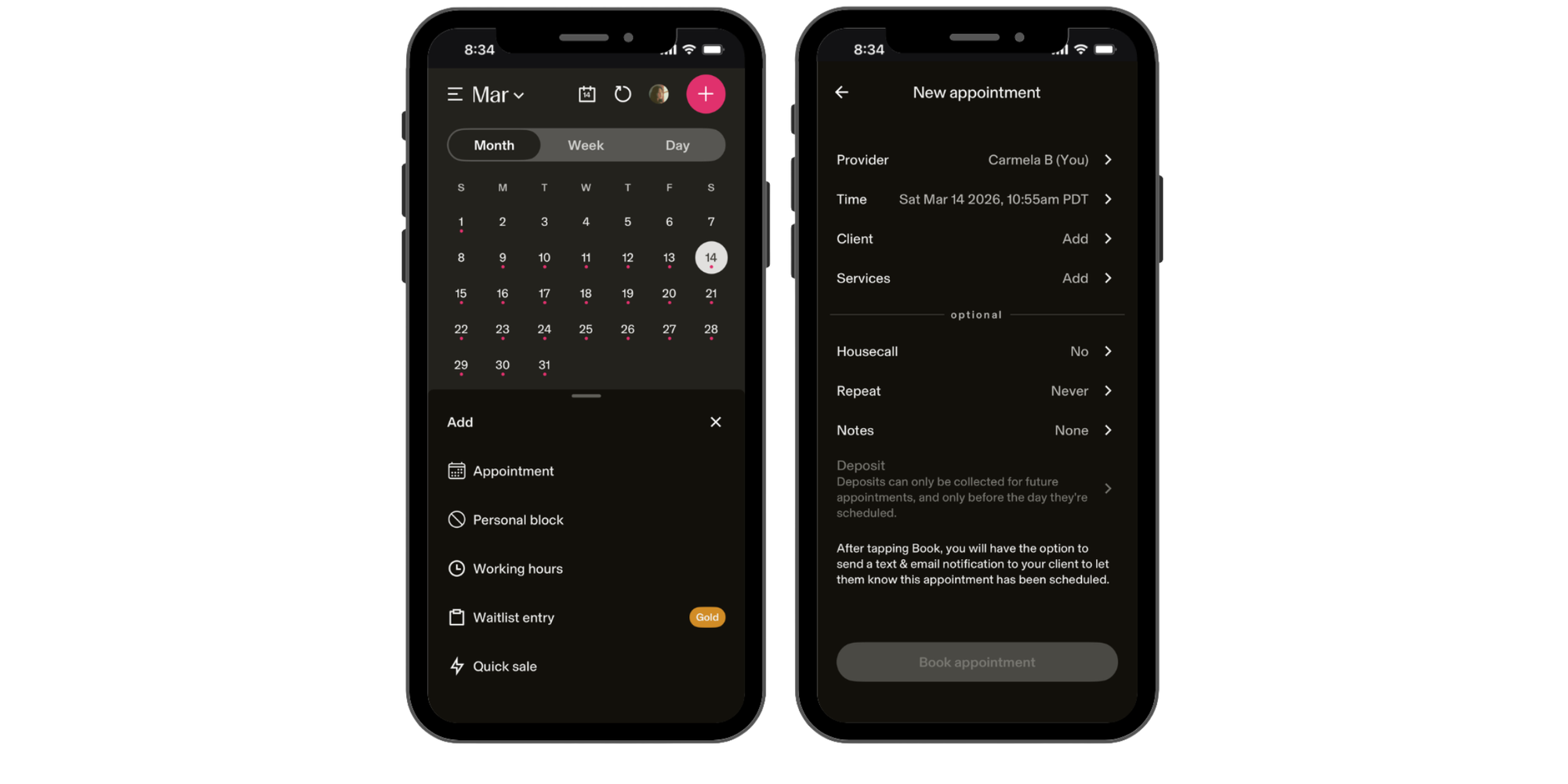
Pricing: Starts at $24/month, with plans up to $148/month for growing businesses
Best for: Solo stylists and small teams wanting transparent pricing
GlossGenius bundles everything into one low monthly fee with no add-ons for forms or SMS. Payment processing at a flat 2.6% (lower than Vagaro's 2.2%–3.5% for small merchants). The trade-off: no built-in marketplace and less flexibility for complex operations.
Fresha
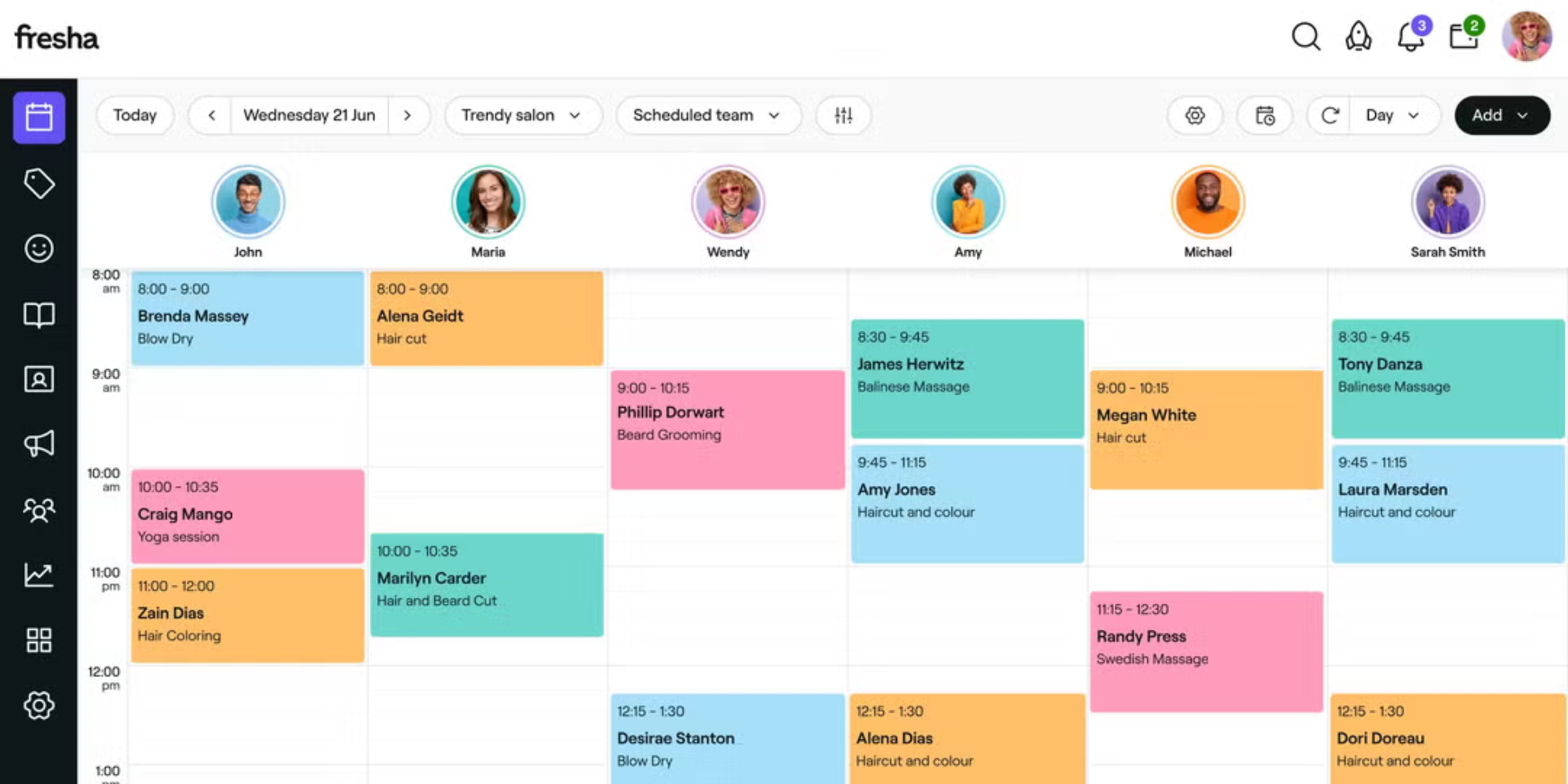
Pricing: $19.95/month for independent professionals, or $14.95 per team member monthly for larger teams
Best for: Salons wanting marketplace exposure
Fresha has a large consumer marketplace (bigger than Vagaro's). The free plan has some catches (like commission on bookings), but paid tiers eliminate commissions. It’s good for getting visibility for your business, but is less simple than Koalendar to use.
Square Appointments
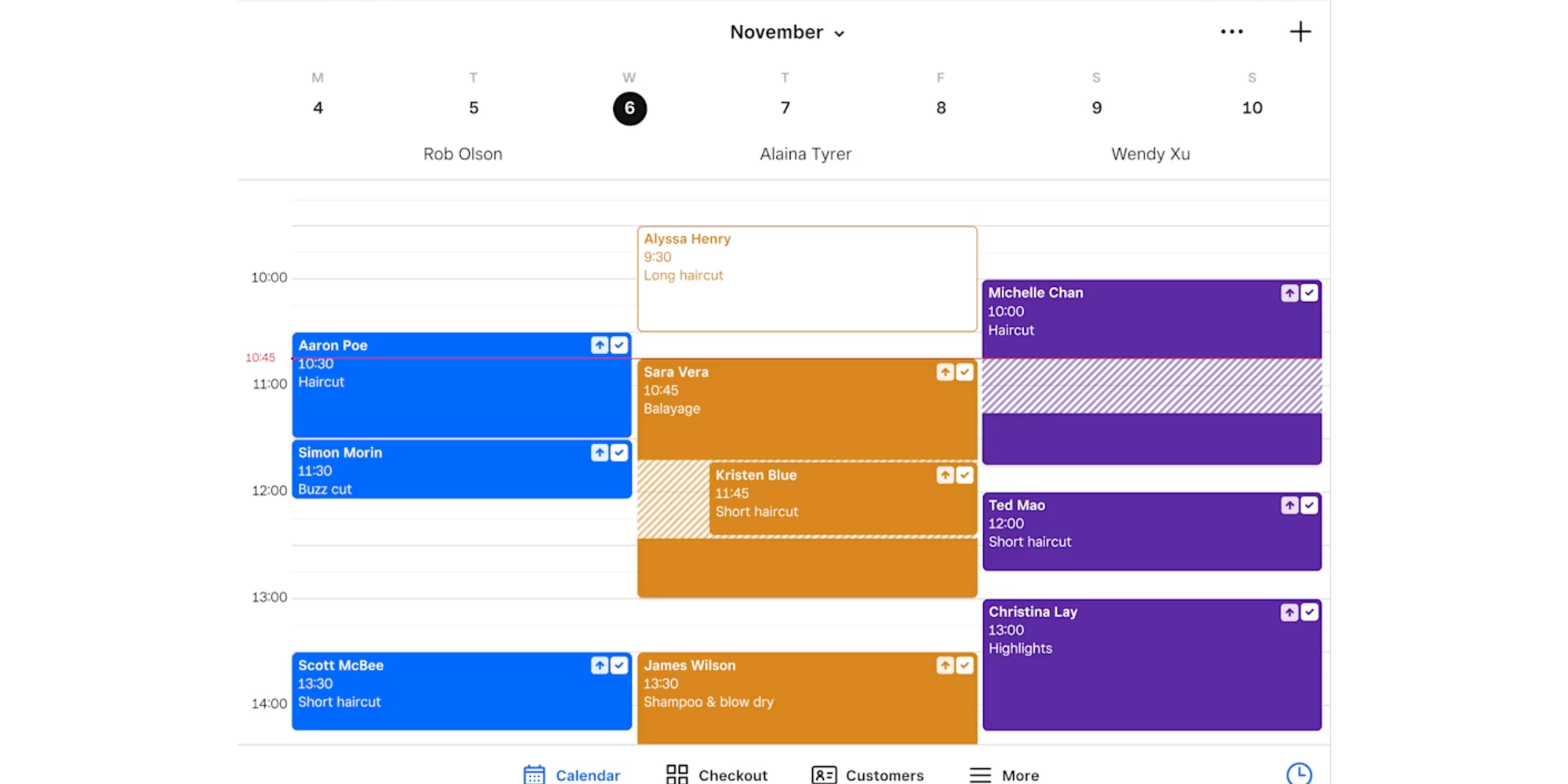
Pricing: Free for solos; $29/month for teams
Best for: Salons already using Square hardware
Square Appointments integrates seamlessly if you use Square readers and POS. No per-employee charges. Card processing at 2.6% + $0.10 (competitive with GlossGenius). Downside: limited beauty-industry-specific features.
Final verdict on Vagaro prices
Vagaro may not seem expensive… until you add the features you need.
The base $30/month is affordable. But once you bundle 5–8 realistic add-ons, total costs climb to $100–$200+ per month, plus 2.2%–3.5% processing fees.
Vagaro makes sense if:
- You run a 5+ person salon and benefit from integrated payroll
- You're already using Vagaro and switching costs aren't worth it
- You want one unified management system and budget for all the modules
- Your monthly revenue is high enough that processing fees don't sting as much
Vagaro doesn't make sense if:
- You're solo or a 2–3 person salon (cheaper options exist)
- You value simplicity and transparent pricing over features
- You don't need payroll, website builder, or advanced analytics
- You're cost-sensitive and every dollar matters
The bottom line: Check your actual monthly cost before committing. Add up every feature you'll use, every add-on, every processing fee. That real number (not the advertised $24) is what you'll pay.
Stop juggling appointments manually
Most salons pay $70–$150+ monthly for scheduling software when simpler tools handle bookings for free or a fraction of the cost. If you’re looking for a solution that does it all at a fraction of the price, Koalendar is the best salon appointment software option.
Try Koalendar free — no card needed. Get 24/7 online booking, automated reminders, calendar sync, payments, and team scheduling without the add-on surprises. Keep your salon running smoothly without the Vagaro price tag.
Ready to simplify your salon scheduling? Start with Koalendar free: set up your booking page in 5 minutes.
.png?w=2000&fit=max&auto=format)