TL;DR
Missed appointments drain revenue for any business that runs on booked time. This guide compares seven appointment reminder systems for different needs, from all-in-one booking tools to dedicated appointment reminder services you add to an existing calendar. Koalendar is the best fit (for usability and value-for-money reasons) if you want booking, confirmations, and automated reminders in one place, though the right pick depends on your channels, your budget, and whether clients book themselves.
Best appointment reminder systems for businesses in 2026
If your business runs on booked appointments, every no-show is lost revenue and wasted staff time. The right appointment reminder system takes that off your plate by messaging clients automatically before each appointment. Some businesses want a full booking platform, while others need dedicated appointment reminder services or appointment confirmation software added to the calendar they already run.
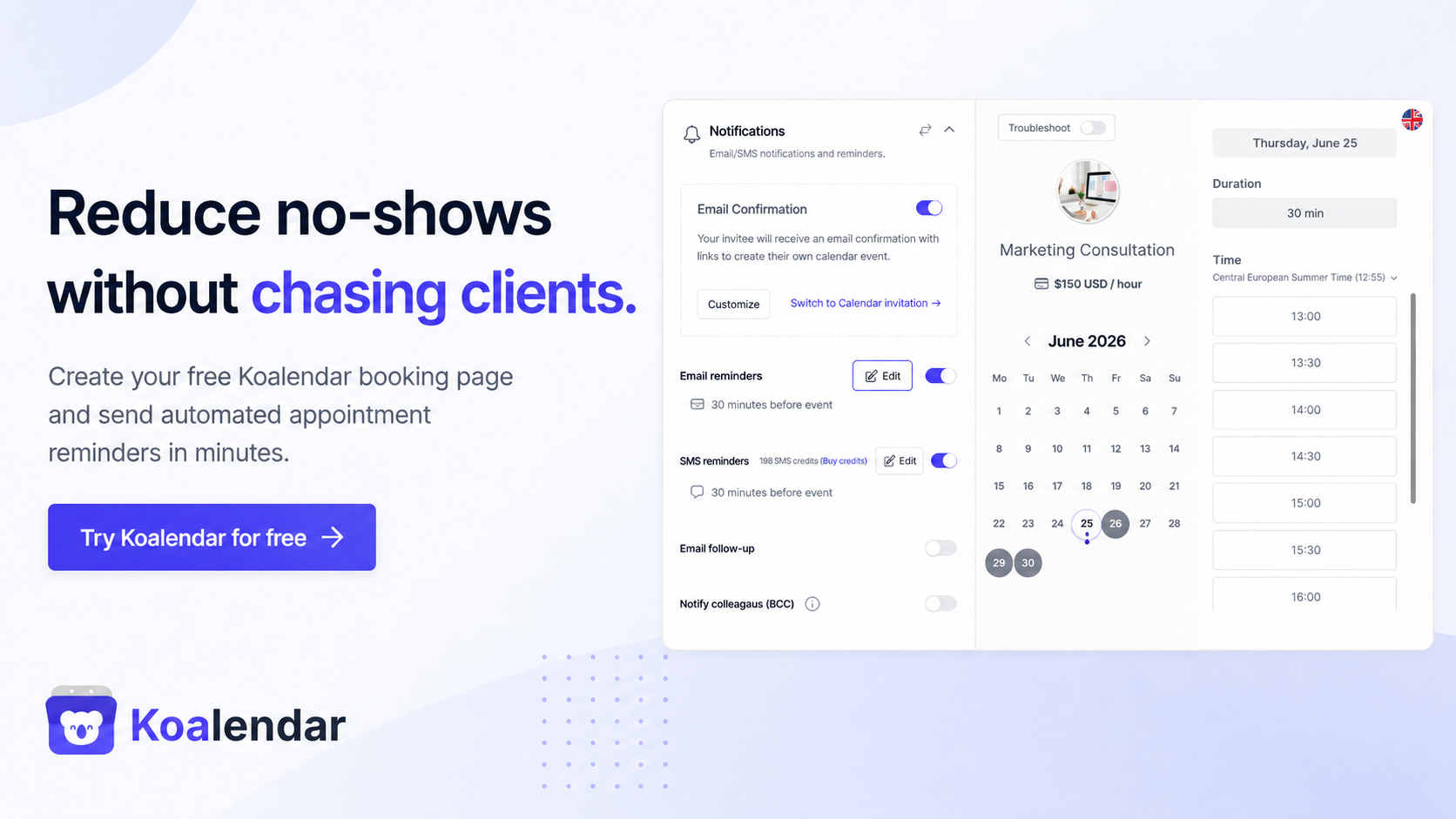
The best appointment reminder system is the one that fits how your business already takes bookings and the channels your clients use. For most small businesses, that is Koalendar, because it combines online booking, confirmations, custom email and SMS reminders, rescheduling, and follow-up messages in one simple platform. Other strong options include GoReminders for dedicated reminder automation, Apptoto for multi-channel communication, and Square Appointments for businesses already using Square.
The best choice really depends on what your business needs:
- A complete booking and reminder system
- Reminders added to an existing calendar
- Two-way appointment confirmations
- SMS, email or voice reminders
- Industry-specific management features
The best appointment reminder systems at a glance
The table below compares the seven tools at a glance. "Client confirmation" means the client can confirm, cancel, or reschedule from the message, not just receive a notice, and each cell notes the plan tier where it matters. The best appointment reminder system is the one that matches how you already take bookings, so weigh that fit above raw channel count. Compare the total monthly messaging cost too, including any per-text or SMS-credit fees, not only the advertised subscription price.
 | GoReminders | Apptoto |  |  | GReminders | Appointment Reminder | |
| Best for | All-in-one booking and reminders | Dedicated reminders | Multi-channel reminders | Existing Square users | Packages and subscriptions | Financial advisers | Reminders on existing calendar |
| Reminder channels | Email, SMS (paid) | Email, SMS | Email, SMS, voice | Email, SMS | Email, SMS (paid tier) | Email (free), SMS/voice (paid) | Email, SMS, voice |
| Client confirmation | Yes, reschedule/cancel | Two-way text (paid add-on) | Yes, confirm/reschedule | Yes, via message | Reschedule/cancel links | Yes, SMS replies | Yes, two-way |
| Online booking | Yes, self-service | Yes, basic | scheduling | Yes, built-in | Yes, full booking | Yes (paid) | Yes, add-on page |
| Starting price | Pro from $6.99/mo | From $8/mo | From $30/mo | Paid from $49/mo | From $16/mo | Paid from $8/mo | From $29/mo |
| Free plan or trial | Free forever plan (reminders on Pro) | 14-day trial | 14-day trial | Free plan | 7-day trial | Free plan | 14-day trial |
Choose Koalendar when you want clients to book themselves and receive automated reminders from the same platform. Choose a dedicated service such as GoReminders or Appointment Reminder when you already have a scheduling process and mainly need stronger reminder automation.
What is an appointment reminder system?
An appointment reminder system automatically sends clients a message before a scheduled appointment. Depending on the platform, reminders may be delivered by email, SMS, voice call, or push notification.
More advanced systems also let clients confirm, cancel, or reschedule directly from the reminder. Some are standalone reminder services, while others include online booking, calendar synchronization, payments, and client management. A few are sold specifically as text message reminder software or an SMS appointment reminder system, built around texts, while others lead with email.
Appointment reminder statistics businesses should know
Recent research consistently finds that automated reminders reduce missed appointments and free up canceled slots early enough to rebook, though results vary by industry, reminder timing, and whether clients can confirm or reschedule. A 2018 systematic review in the journal Health Policy, covering 105 studies, put the average no-show rate around 23 percent, so roughly one booking in four is at risk. Missed bookings reach well beyond healthcare. Toast's Q3 2024 restaurant data recorded a 17 percent reservation cancellation rate for full-service restaurants. Koalendar's guide on how to reduce no-show appointments covers how to bring that number down.
Reminders close much of the gap. A 2016 meta-analysis found that digital appointment reminders made patients about a quarter less likely to miss an appointment, and a 2016 randomized controlled trial in the International Journal of Pediatrics saw the no-show rate drop from 38.1 percent to 23.5 percent once a text reminder was added. Industry data is consistent. In an August 2024 MGMA poll, 63 percent of medical groups said their no-show rates held steady or fell that year, with several crediting newer automated reminder systems.
The payoff goes beyond fewer empty chairs to recovered capacity you can resell. A 2022 study in the Journal of Health Economics found a nationwide automated SMS reminder program raised total visits by 3.3 percent on average, with visits from patients who did not receive the reminders rising about 5 percent in the first year and 7.4 percent in the second, because easy cancellations freed slots staff could rebook. One rental company cut its no-shows and ran more tours after switching to automated booking and reminders.
How the message is written matters too. A 2015 pair of randomized trials in PLOS ONE found an SMS reminder that spelled out the cost of a missed appointment cut the missed rate from 11.1 percent to 8.4 percent, so how a reminder is worded, not just whether it is sent, shapes whether clients show up.
The seven best appointment reminder systems
We looked at booking platforms with reminders built in, dedicated reminder services, and industry-specific tools, so you can match a pick to how your business works.
1. Koalendar: best overall appointment reminder system
Best for
Service businesses that want booking, confirmations, and automated reminders in one place, from solo consultants to clinics and salons.
Key features
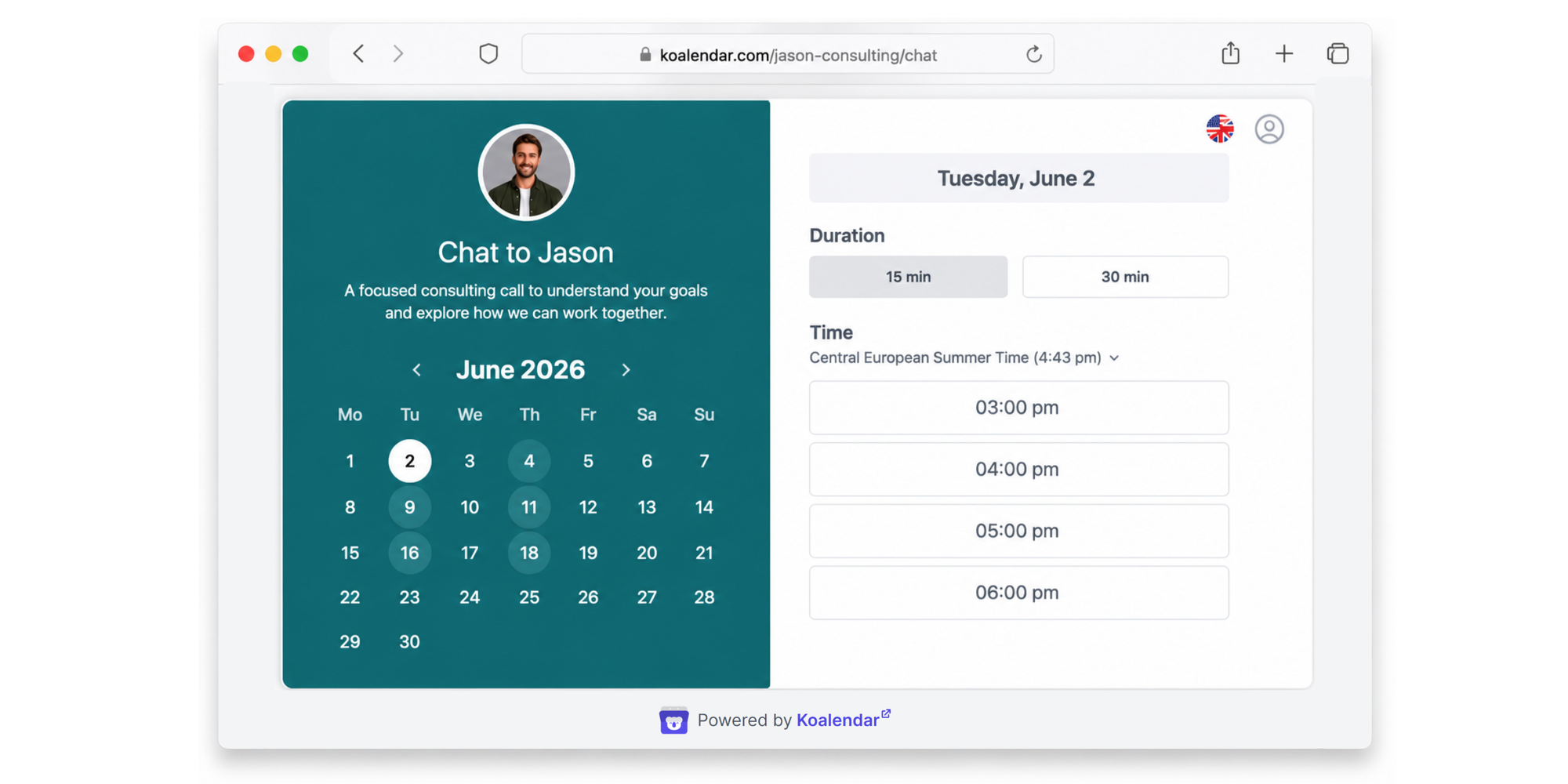
An all-in-one scheduling tool. Clients book themselves, and Koalendar handles confirmations, custom email and SMS reminders, rescheduling, and follow-ups from one page.
Pros
- Self-service booking pages with automatic booking confirmations on the free forever plan
- The paid plan adds custom email reminders, SMS appointment reminders, and automated follow-up emails
- Google, Outlook, and iCloud sync, delivery logs, plus time zone and language handling
Cons
- Automated reminders are on the paid plan, so free-plan users get confirmations but not SMS reminders
- A business that only needs reminders on an existing calendar may prefer a reminder-only service
Pricing
The free forever plan covers unlimited bookings and instant confirmations with no card and no time limit; the paid plan, from $6.99/seat a month, adds automated email and SMS reminders, follow-ups, and branding. SMS reminders draw on prepaid SMS credits you buy separately, so the text cost sits on top of the subscription. The free versus Pro plan guide lays out each tier.
Why we recommend it
Koalendar brings self-service booking, confirmations, and automated email and SMS reminders together on one simple platform, with a genuinely unlimited free plan to start. For most small businesses that want clients to book and be reminded without stitching tools together, it does the whole job at the lowest entry cost.
2. GoReminders: best dedicated reminder system for small businesses
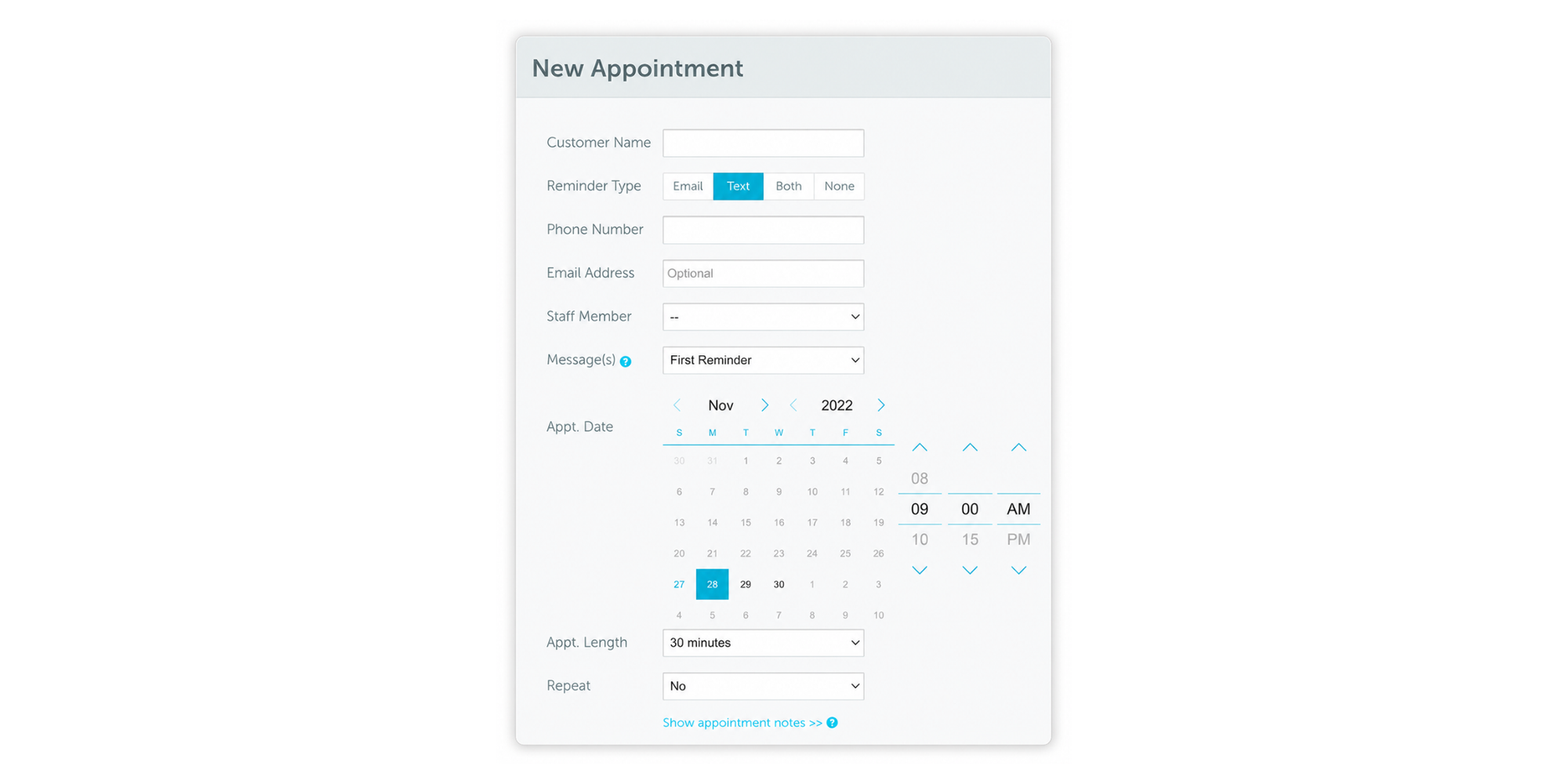
GoReminders is best for small businesses that already have a booking workflow and mainly need automated SMS and email reminders.
Overview
GoReminders is a dedicated reminder and light scheduling tool for small service businesses that prioritize SMS and email reminders over booking-page customization.
Pros
- Text and email reminders on every plan, with recurring appointments and mobile access
- Appointment scheduling and calendar integrations, plus two-way texting so clients can reply
Cons
- Two-way messaging is a paid add-on that runs on message credits
- No voice channel, and it can be more than a lightweight booking page needs
Pricing
GoReminders runs a 14-day free trial rather than a permanent free plan, with paid plans from around $8 a month, reminders included, and two-way texting drawing on credits.
3. Apptoto: best for advanced multi-channel reminders
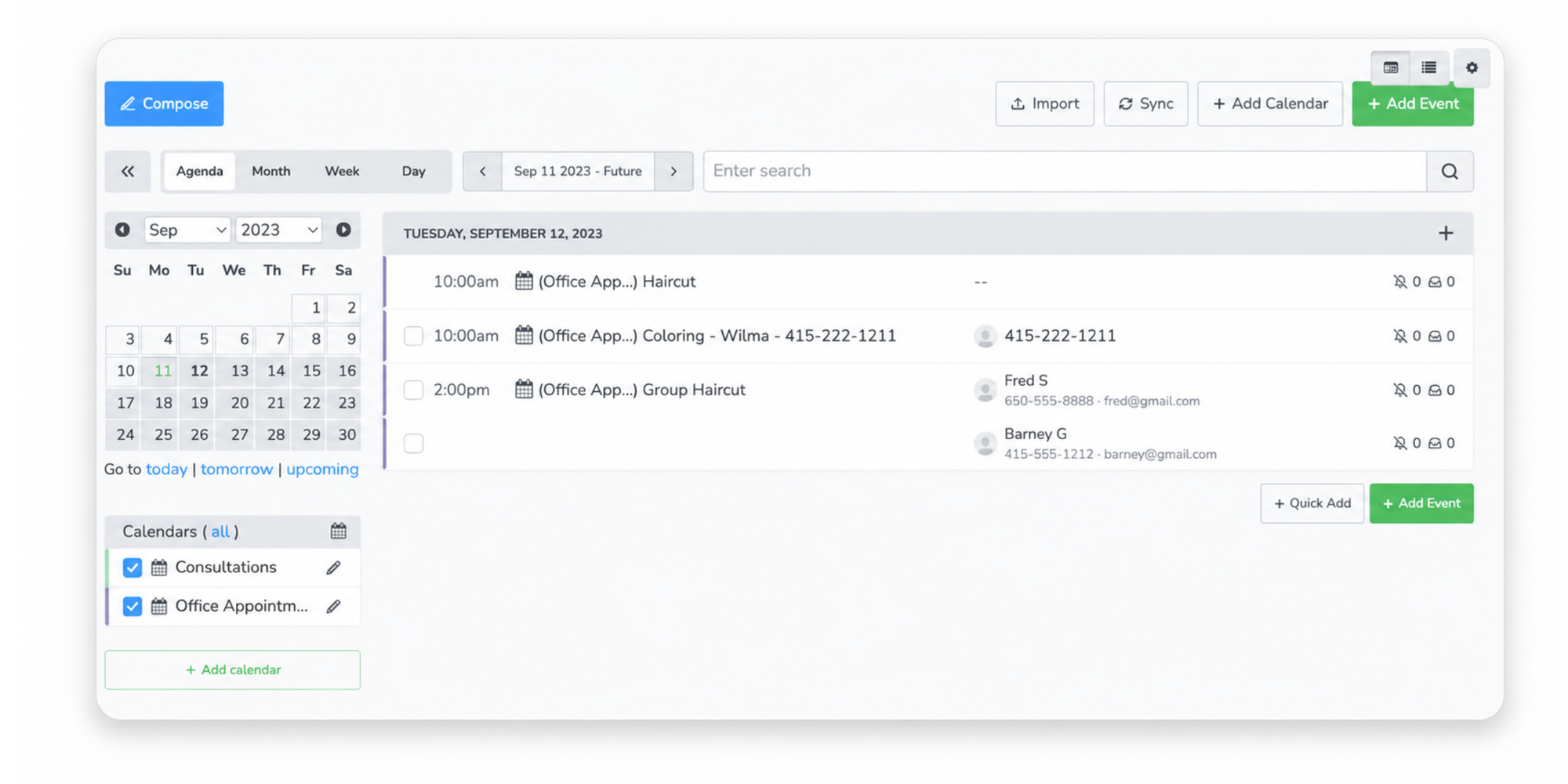
Apptoto is best for appointment-heavy practices that want multi-channel reminders across SMS, email, and voice on top of an existing calendar.
Overview
Apptoto is a reminder and two-way messaging service that layers onto an existing calendar or CRM and reaches clients across SMS, email and voice.
Pros
- SMS, email and voice reminders with custom timing and templates
- Confirm, cancel and reschedule actions that update the calendar, plus two-way sync with Google, Outlook, iCloud and CalDAV
Cons
- Pricing is metered by message credits, so heavy volume can hit per-message overage charges
- The broader feature set can be more than a straightforward booking need requires
Pricing
Apptoto offers a 14-day trial and starts around $30 a month, with messaging billed by credits, so estimate your monthly volume first.
4. Square Appointments: best for businesses already using Square
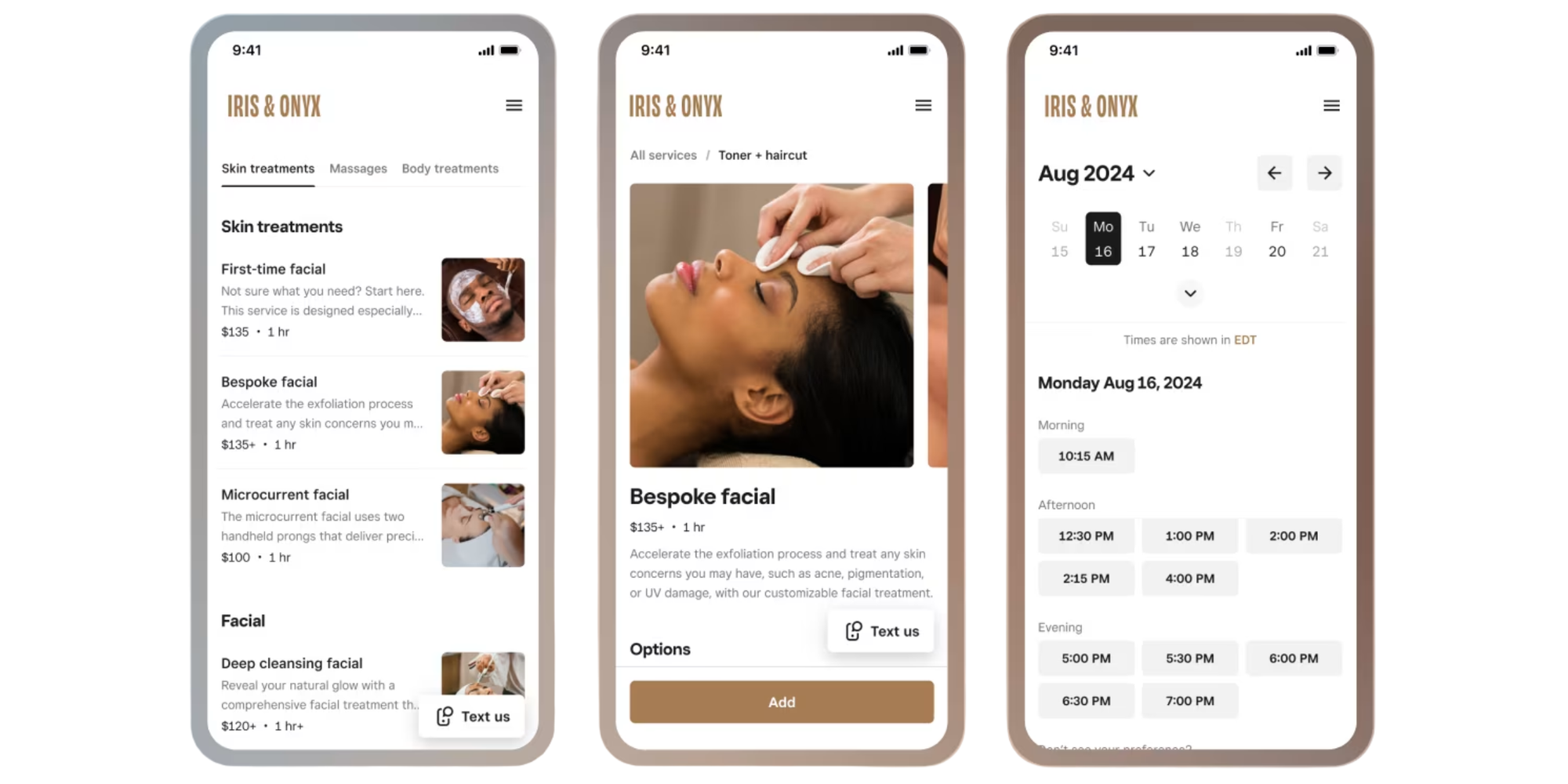
Square Appointments is best for businesses already using Square that want booking and reminders inside their existing payment system.
Overview
Square Appointments is online booking and scheduling software built into Square's payment and point-of-sale tools.
Pros
- Automated confirmations with email and SMS reminders, plus appointment status tracking
- Online booking, staff calendar management, and payments and point-of-sale integration
Cons
- Some reminder features depend on a paid Plus or Premium plan
- No voice channel, and the value drops without the wider Square payments stack
Pricing
Square Appointments has a free plan for individuals plus paid Plus and Premium tiers, from $49 and $149 a month, and you pay Square's standard payment-processing fees.
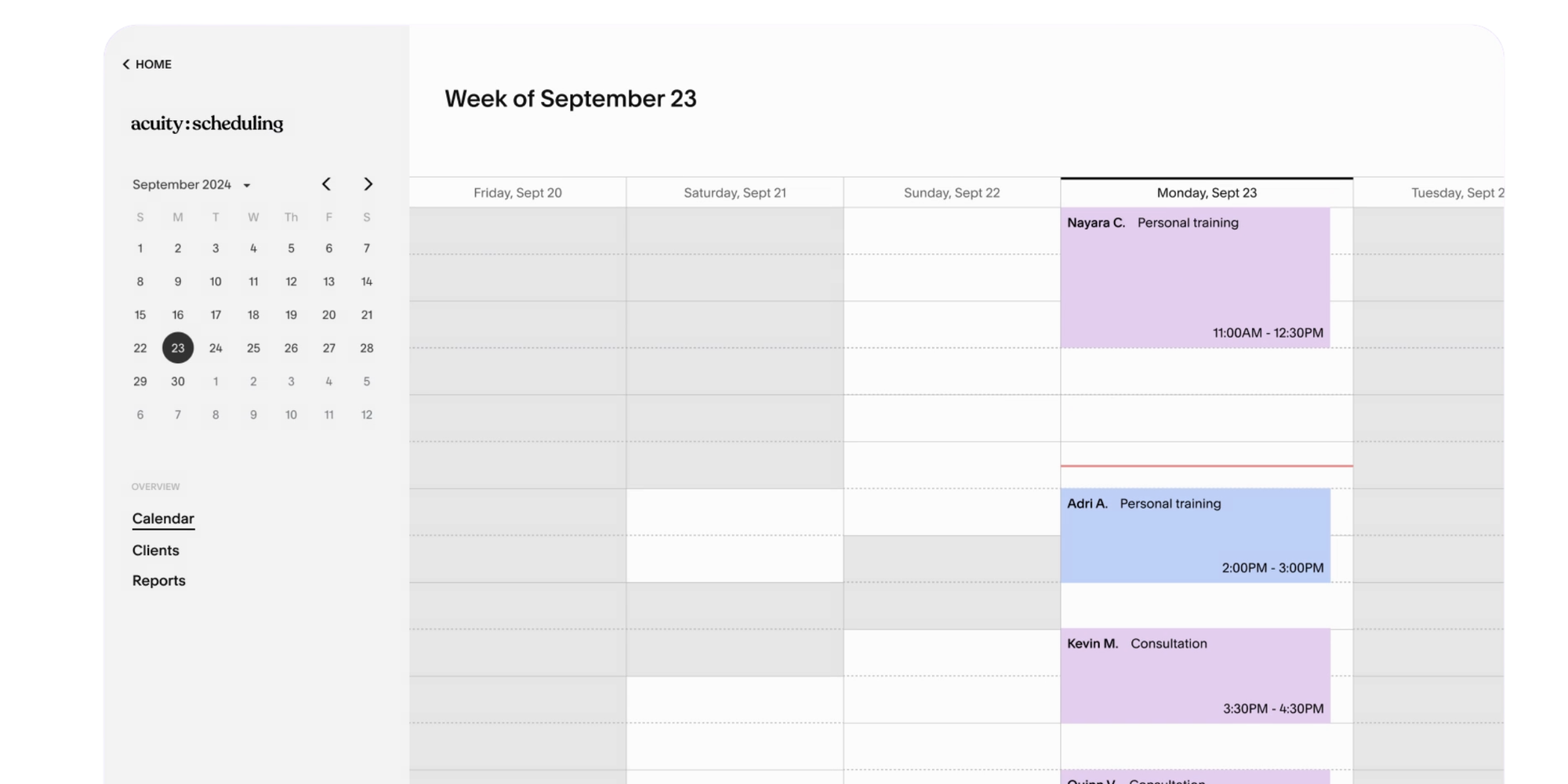
5. Acuity Scheduling: best for packages and subscriptions
Acuity Scheduling is best for service businesses that sell packages, memberships, or subscriptions alongside their appointments.
Overview
Acuity Scheduling is online scheduling software from Squarespace for service businesses that sell packages, memberships, recurring services, or subscriptions alongside appointments.
Pros
- Email reminders on every plan, with custom intake forms and recurring appointments
- Packages, memberships, payments, website integrations, and multiple calendars
Cons
- Text reminders are limited to the middle tier and above, so the cheapest plan is email only
- Messaging is largely one-way, and it can be more than a simple scheduling setup needs
Pricing
Acuity offers a 7-day free trial rather than a permanent free plan, with paid plans from around $16 a month, and text reminders available on the mid-tier and above.
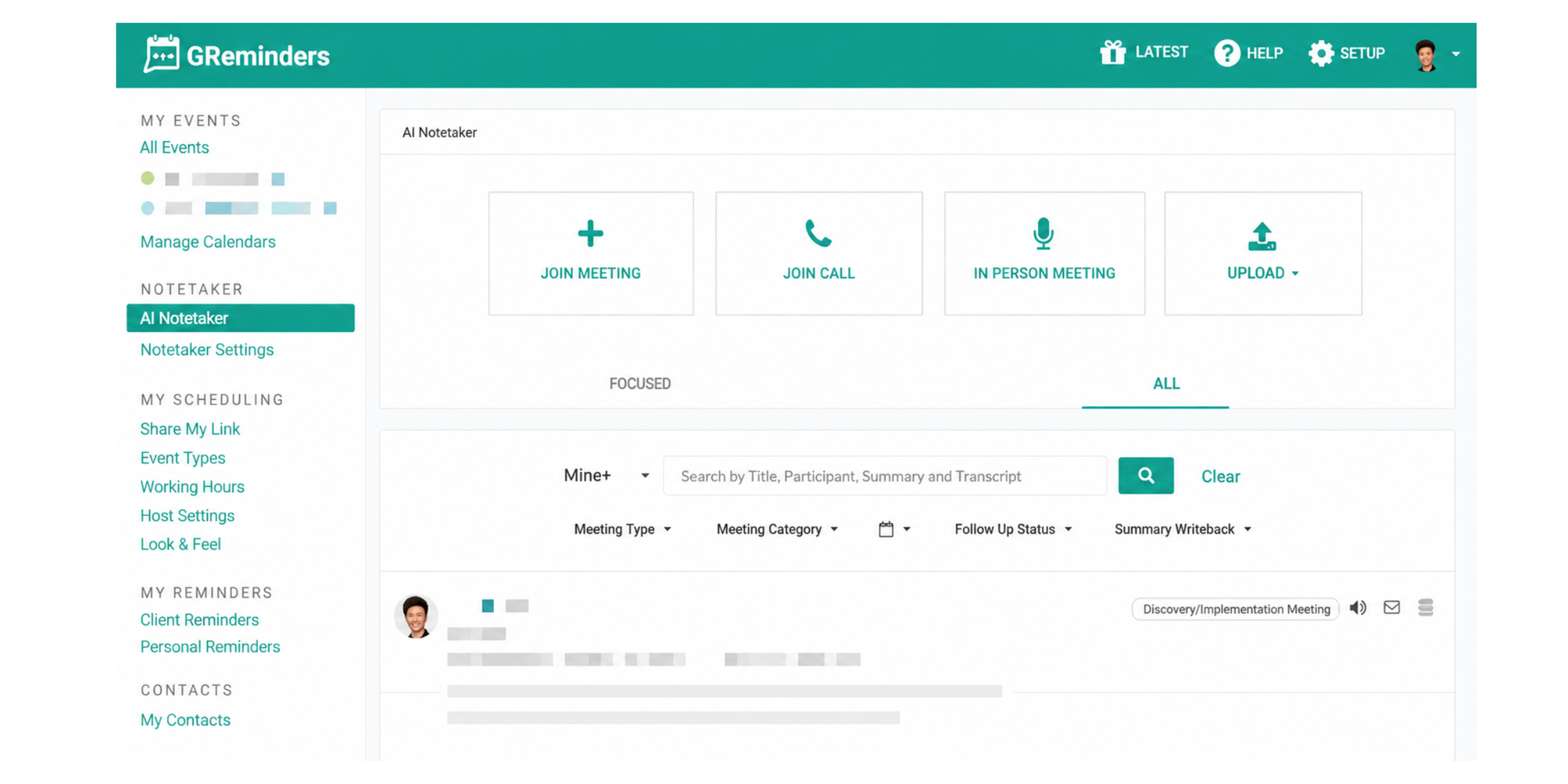
6. GReminders: best for financial advisers and client meetings
GReminders is best for financial advisers and other professionals who schedule from Google or Outlook and want reminders tied to a CRM.
Overview
GReminders is a scheduling and reminder tool for professionals, built on Google and Microsoft calendars and connected to a CRM.
Pros
- SMS, email and voice reminders, with email included even on the free tier
- Calendar integration with Google, Outlook and Exchange, plus CRM sync, meeting prep, and team scheduling
Cons
- SMS and voice need a paid plan and separate message credits, so texting cost stacks on the base price
- The specialized meeting and CRM focus may not suit smaller appointment-based businesses
Pricing
GReminders has a free Basic plan with email reminders, and its lowest text-capable plans begin around $8 a month, billed with SMS credit add-ons.
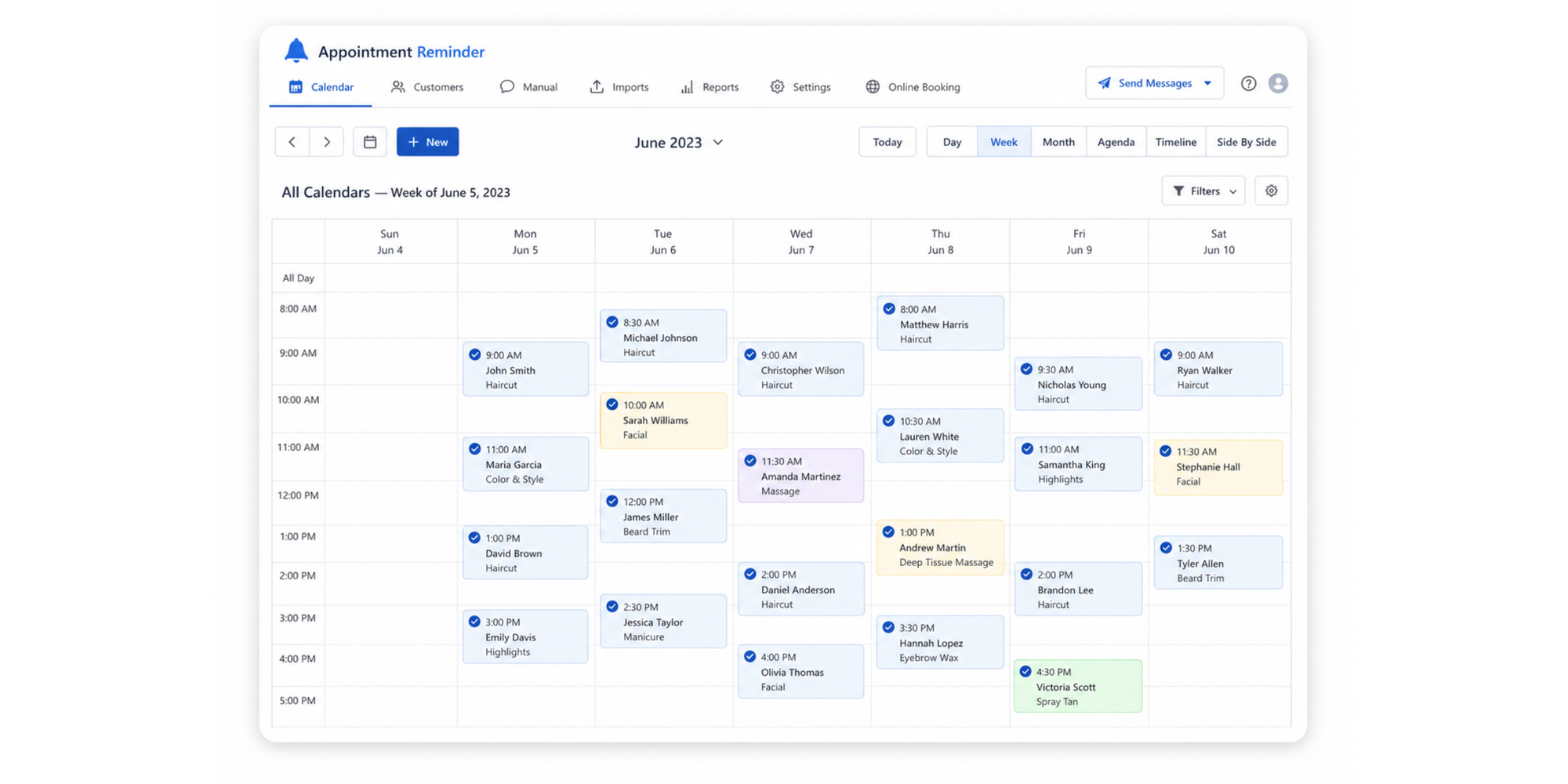
7. Appointment Reminder: best for adding reminders to an existing calendar
Appointment Reminder is best for businesses that want to add SMS, email, and voice reminders to the calendar they already use.
Overview
Appointment Reminder is a HIPAA-capable reminder service with SMS, email and voice messages for businesses that want automated reminders without replacing their current booking or calendar system.
Pros
- SMS, email and voice reminders on every plan, with two-way messaging and free incoming replies
- Calendar integration with Google and Outlook, plus an online booking page
Cons
- Pricing is banded by reminder volume, so you move up a plan as you grow
- Booking and wider management features are more limited than a complete scheduling platform
Pricing
Appointment Reminder runs a 14-day trial and starts around $29 a month for a set number of reminders, with email replies free and no per-text surcharge.
How we evaluated the appointment reminder systems
Every platform was reviewed against the same criteria, so the comparison stays fair:
- Reminder channels
- Reminder customization
- Confirmation and reply options
- Rescheduling and cancellation
- Online booking
- Calendar integrations
- Ease of setup
- Pricing and message charges
- Suitability for different business types
We reviewed each provider's official product, pricing, and support pages in June 2026. Features and prices can change, so confirm the final plan and messaging costs before purchasing.
How to choose an appointment reminder system
The best tool fits your field and your workflow. A clinic appointment reminder system has to handle patient privacy and volume, a tattoo appointment reminder system leans on deposits and texts to protect booked slots, and a patient appointment reminder system in a larger practice needs reliable two-way confirmation. Service businesses, consultants, coaches, salons, and real estate professionals each lean on different pieces, so use these steps to narrow the field.
1. Decide whether you need booking and reminders
Choose a complete scheduling platform when clients need to select their own times. Choose a reminder-only service when appointments are already created in another system. A consultant taking new clients usually wants both; a clinic with an established system may need only the reminder layer.
2. Choose the reminder channels
Email may be enough for lower-volume meetings and carries detail like directions or intake forms. SMS is better for time-sensitive appointments because it is read quickly, and voice reminders can suit particular audiences. Many businesses combine them: email for the confirmation, a text appointment reminder system for the final nudge the day before.
3. Check whether clients can respond
Look beyond message delivery. Consider whether clients can confirm, cancel, or reschedule directly from the reminder, and whether their response updates your calendar. A reply turns a forgotten booking into a freed slot you can fill.
4. Calculate the full messaging cost
Check whether SMS reminders are included, restricted to particular plans or charged per message. Estimate the appointments and reminders you need each month, because a low headline price can climb once metered texts are added.
5. Review calendar and business integrations
Confirm the system connects with the calendars, payment providers, CRM tools and video meeting platforms you already use. Disconnected software is a common reason reminders create extra work instead of saving it.
6. Test the client experience
Send test reminders to yourself. Check the wording, sender details, delivery timing, mobile experience and ease of confirming or changing the appointment. If it feels clear and effortless to you, it will to your clients.
Appointment reminder software comparison: key features to check
When you compare appointment reminder services side by side, these features decide whether a tool saves you time.
Email and SMS reminders
Email is cheap, detailed, and easy to ignore in a full inbox. SMS is immediate and hard to miss, but texts cost money and have less room. The strongest setups use both: an email confirmation, then a text closer to the appointment, which is what dedicated text message reminder software does best. If your bookings live in Google Calendar, check how a tool handles SMS reminders for Google Calendar.
Custom reminder schedules
Look for control over timing. A confirmation should go out the moment a client books, then one or two reminders beforehand, such as 48 hours and a few hours out. Setting your own cadence per service matters, since a same-day haircut and a month-out consultation need different nudges.
Two-way appointment confirmation
There is a real difference between sending a notification and letting a client confirm through a reply or a link. Two-way appointment confirmation closes the loop: the client taps to confirm or cancel, your calendar updates without a phone call, and that reply is your earliest warning a slot is about to open. Two-way confirmation is worth more than a one-way notification, because a reply or a tap frees a canceled slot in time to rebook it.
Cancellation and rescheduling links
Self-service changes save admin time and release canceled slots earlier. When a client can reschedule with one tap, you skip the back-and-forth and the slot reopens while there is still time to fill it, which is where reminder tools earn their keep.
Calendar synchronization
Your appointments, responses and cancellations should stay synchronized across every calendar you use. Without it, a booking confirmed in one place can still collide with an event in another, which is how double bookings happen. Two-way sync blocks a slot the instant it fills.
Message customization
Good reminders read like they came from you. Cover the client name, appointment time, location, preparation instructions and a booking-management link. A generic message feels impersonal and gets ignored.
Delivery logs
It helps to see whether a reminder was scheduled, sent, delivered or failed. Delivery logs turn "I think they got it" into a clear record, so you can spot a wrong number or a bounced email early.
Why Koalendar is one of the best appointment reminder systems
Koalendar earns the top spot by doing the whole job in one place. Here is what that looks like for a small business.
Automated SMS and email reminders
On the paid plan, Koalendar sends custom email reminders, SMS appointment reminders, and automated follow-up emails on the schedule you set, all tied to bookings made through your page. That is appointment reminder software doing the chasing for you, with confirmations and instant notifications already on the free plan.
“With Koalendar booking has become more binding, because people enter their details and actively commit. They also receive reminders. Now, if 20 people say they are coming, around 19 will actually come.”

Raphael Krug
Financial Expert
Read the full customer story here
Easy setup for small businesses
You can get a booking page live in minutes, with no code and no training. Clients pick a time, you get the booking, and the reminders follow automatically. For a busy owner, that ease is the difference between reminders that run and reminders you never get around to.
Unlimited appointments
The free forever plan includes unlimited bookings, event types, and scheduling links, with no per-booking fees and no time limit. As your calendar grows, your setup grows with it instead of pushing you up a tier just to keep taking bookings.
Calendar sync that prevents double bookings
Koalendar syncs with Google, Outlook, and iCloud, so a slot that fills in one calendar is blocked everywhere. Your 24/7 online booking runs against real availability, which keeps double bookings and scheduling errors from reaching a client.
Affordable pricing compared to alternatives
Many reminder tools charge from day one or meter every text. Koalendar starts genuinely free, with unlimited bookings, and you upgrade to the paid plan only when you want extras like automated reminders, custom booking pages that carry your own logo and colors in place of the Powered by Koalendar footer, or more connected calendars. Your branding and your reminders stay affordable as the calendar grows.
How to set up automated appointment reminders with Koalendar
Getting reminders running takes about as long as reading this section:
- Create a Koalendar account.
- Connect Google Calendar or Outlook.
- Create a booking page.
- Set the available appointment times.
- Customize the booking confirmation.
- Add one or more email reminders.
- Add SMS reminders when required.
- Include cancellation and rescheduling links.
- Test the booking and reminder workflow.
- Share or embed the booking page.
Once it is live, the page handles bookings around the clock and the reminders go out on their own.
Final verdict: which appointment reminder system should you choose?
Every tool here is solid, and the right one comes down to how you work. Apptoto suits appointment-heavy practices that want SMS, email, and voice together. Square Appointments fits businesses already on Square, and Acuity fits those selling packages and memberships. GReminders is built for financial advisers and similar professionals. GoReminders and Appointment Reminder are strong dedicated services when you already have a calendar and want stronger reminders on top.
For most small businesses, Koalendar is the best overall appointment reminder system because it brings booking, confirmations, and automated reminders into one simple tool you can start using for free. One financial planner used it to streamline onboarding and cut no-shows. Consultants can lean on scheduling software for consultants, and salons and beauty studios get a setup made for them with scheduling software for beauty salons. If you want clients to book themselves and stop forgetting, it is the easiest place to start.